Self-growth
 Apps & Digital Tools
 Business & Career
 Success
 Growth Tools
 Psychology
 Communication
 Relationships


Once, finding a good book meant a trip to the library. Today the whole library fits in your pocket. That's why the best apps for book lovers are no longer limited to one or two names.
We've found the top 20 picks, from library apps and e-readers to trackers and book clubs, so you can pick the ones that suit how you read.
Along the way, you’ll meet Libby for free library loans, Kindle and Audible for reading and listening, StoryGraph for tracking, Fable for book clubs, Serial Reader for classics, and Headway, a daily growth app for nonfiction fans to match your reading goal.
So grab your phone, settle into your favorite reading spot, and let’s find the apps that will have you saying “just one more chapter.”

Apps for short reading windows: Classics in installments and nonfiction in 15 minutes
Some days you have a whole evening for a book. Most days you have a bus ride, a queue, or the ten minutes before your coffee goes cold.
1. Headway: Nonfiction summaries in about 15 minutes
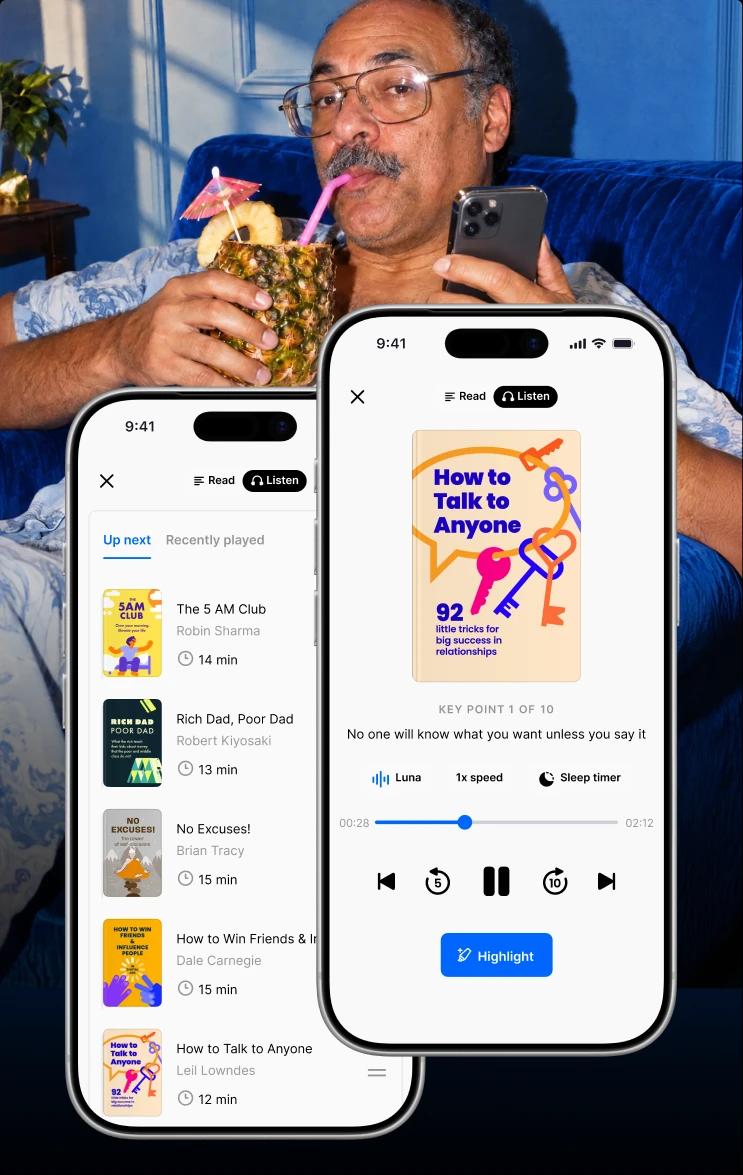
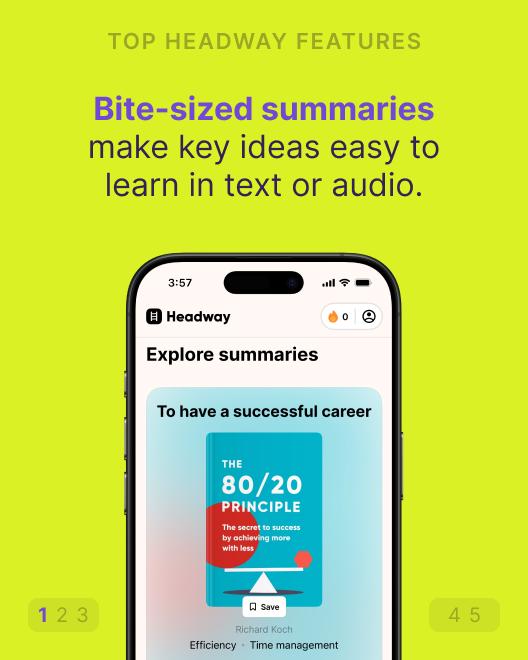
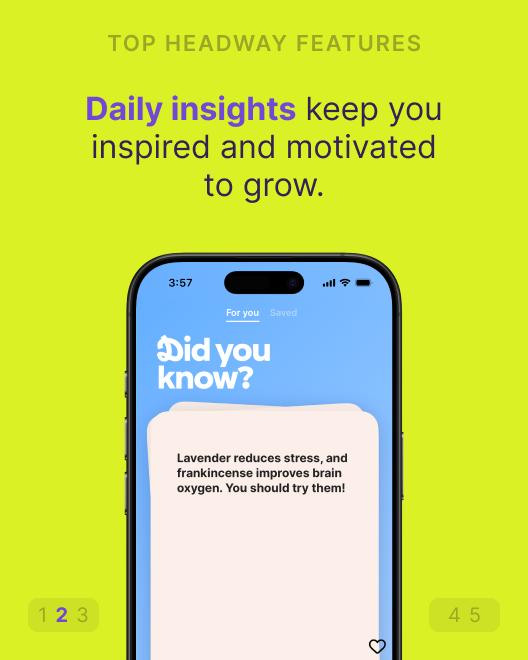
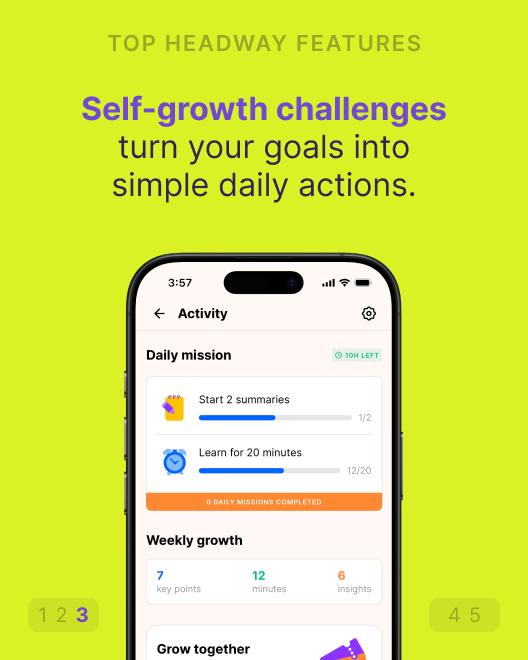
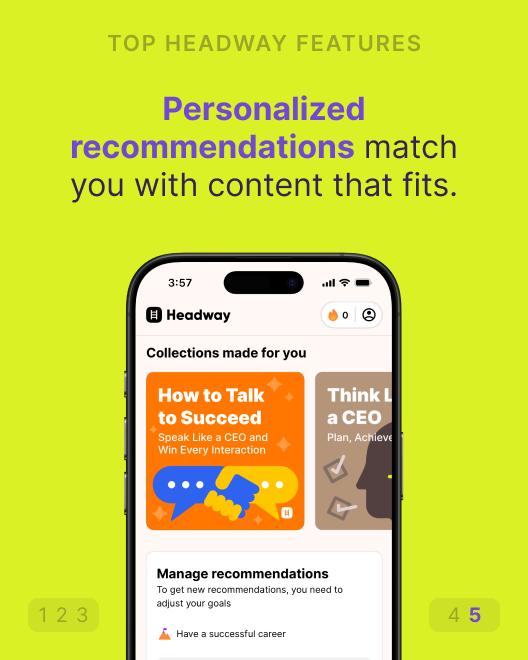
Headway is a daily growth app that turns bestselling nonfiction books into summaries you can read or listen to, usually in around 15 minutes. With 2,500-plus titles, it suits the book you haven't decided to read yet: you get the key insights first, then decide if the full book deserves your time.
You can save highlights, revisit them with spaced repetition cards, track daily streaks, download summaries for offline use, and listen on CarPlay and Android Auto.
Cost: Free plan with one summary a day; Premium plans start at $12.99 monthly.
Available on: iOS and Android.
📘Try one free summary a day on Headway.

2. Serial Reader: Classic novels in daily installments
A big classic can feel like a mountain, so Serial Reader slices it into daily issues that take 20 minutes or less to read.
You can look up words as you go, sync your progress to Goodreads and Readwise, and even add your own EPUB if the title you want isn't in the catalog. An optional Premium upgrade adds more features, including syncing across devices, saved quotes and notes, and the chance to read tomorrow's issue early.
Cost: Free to read; optional Serial Premium upgrade for $2.99.
Available on: iOS (iPhone and iPad).
Apps that get you books without paying full price: Library cards and subscriptions
Before you spend a cent, find out what your local library already puts in your pocket.
3. Libby: Your library card, now on your phone
For most people, borrowing ebooks starts here. The Libby app is made by OverDrive (plenty of readers still call it the OverDrive app) and connects you to public libraries around the world.
Setup takes a couple of minutes: search for your library, type in your card number, and borrow books for free. If every copy of a title is out, you place a hold, and Libby pings you when it's your turn. Most libraries let you pick a 7-, 14-, or 21-day loan, and the book simply returns itself, so there are no late fees to worry about.
One common stumbling block: not every library uses Libby. Some use other digital library services, such as Hoopla or cloudLibrary, so if yours isn't listed, ask a librarian which one to try.
Cost: Free with a library card from a participating library.
Available on: iOS, Android, and web browsers.
4. Hoopla: The backup for when Libby has a waitlist
Staring at a three-month hold on the book you want right now? Hoopla may have it today. Every title is available instantly, with no holds and no waiting, and the catalog goes beyond books to include audiobooks, music, movies,s and a big stash of comic books and graphic novels.
Because Libby has no monthly cap, many library fans use both: Hoopla for the "I want it now" reads, Libby for everything else.
Cost: Free with a library card from a participating library; your library sets monthly borrow limits.
Available on: iOS, Android, Fire tablets and web browsers.
5. Everand: When a subscription actually beats borrowing
Everand is a digital library by subscription, for reading and listening, that used to be called Scribd (Scribd now focuses on documents). The Standard plan gives you one premium title to unlock each month, the Plus plan gives you three, and the Deluxe tier unlocks up to five.
Who should skip it? Anyone happy to wait for bestsellers at the library, since borrowing costs nothing. Everand shines for people who want a bit of everything in one place, from magazines to audiobooks, and don't want to think about holds.
Cost: From $11.99 a month (Standard) or $16.99 a month (Plus); the US App Store listing mentions a 7-day free trial, and Fable Plus (see app 19) is now included with a subscription.
Available on: iOS, Android, and web browsers.
6. BookBub: The deal hunter
Somewhere right now, a bestselling ebook is going for the price of a coffee, and BookBub is how you spot it. Tell the app which genres you love (sci-fi, mystery, romance, and more), and it shows you limited-time deals each day, including hundreds of free ebooks, plus updates when authors you follow release new novels.
It doesn't sell books itself. It points you to the store where the deal lives, from Kindle to Apple Books or Kobo, and you can keep a wishlist and get alerts when a title you're eyeing goes on sale.
Cost: Free to join; the books it finds are free or discounted, and you pay the retailer.
Available on: iOS, Android, and web browsers.
Apps for reading on your phone: Store-bought books and your own files
Think of these as the bookshelf you never leave at home, stocked from a store, from your own files, or a bit of both.
7. Kindle app: A full bookstore without the Kindle
No e-reader needed. The free Kindle app turns your phone into a place to read Kindle books, with a built-in dictionary, night mode, adjustable font style and size, and the option to sample books before you pay.
Your place syncs across multiple devices, so you can start on the train and finish on a tablet. In the US, library fans can even send Libby loans to the Kindle app. If you read a lot, Kindle Unlimited is an optional subscription with a vast, rotating library of ebooks (comics and graphic novels included) and some audiobooks.
Cost: Free app; books are bought separately. Kindle Unlimited is listed at $11.99 a month in the US, and free trials aren't offered to everyone.
Available on: iOS, Android, Fire tablets, Mac, Windows, and web browsers.
8. Apple Books: The one already waiting on your iPhone
If you own an iPhone, this reader came pre-installed. Apple Books is free, has no subscription, and lets you sample a book or preview an audiobook before buying. It also doubles as a gentle habit coach: set a daily Reading Goal, watch your streak grow, and keep a Want to Read list so good recommendations don't get lost.
An automatic night theme reduces glare for late-night reading, and Family Sharing lets up to five family members share purchases. It only runs on Apple devices, so Android readers should skip ahead.
Cost: Free app; books and audiobooks are bought separately, and many free ebooks are available.
Available on: iOS, iPadOS, macOS and Apple Watch (for audiobooks), plus CarPlay.


9. Google Play Books: The Android bookstore with room for your own files
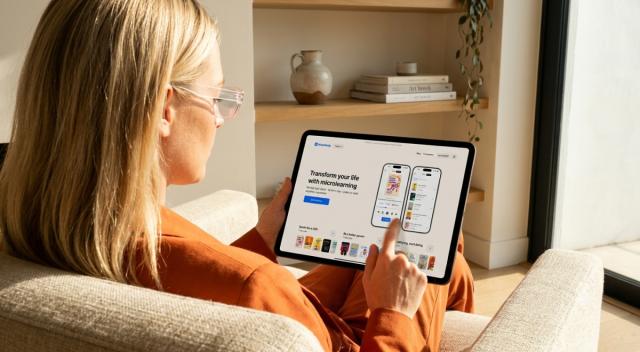
Android readers get a bookstore built right into the phone. Google Play Books sells ebooks and audiobooks, lets you customize the font, text size, and display theme, and reads books aloud with text-to-speech (publishers can block that on some titles).
You can also upload your own EPUB and PDF files, as long as they don't have copy protection, and read them across your devices, online or offline.
Cost: Free app; books and audiobooks are bought separately, and some titles are free.
Available on: Android, iOS, and web browsers.
10. Kobo: A bookstore that isn't Amazon or Apple
Prefer to shop somewhere else? Kobo's free app opens a catalog of more than 6 million ebooks and audiobooks. You get night mode, your choice of text size and style, free ebook previews and audiobook samples, and a sleep timer for listening before bed.
Your progress follows you from one device to the next. Kobo Plus is an optional subscription for all-you-can-read ebooks, and it's worth a look if you're drawn to the store but don't want to buy every title.
Cost: Free app; books are bought separately. Kobo Plus is optional, and its price varies by country.
Available on: iOS, Android, and Kobo e-readers.
11. Moon+ Reader: For the EPUB and PDF collectors (Android)
Got a folder of EPUBs, PDFs, and other files that no bookstore app wants to open? Moon+ Reader is an Android-only reader built for exactly that.
It's packed with controls for themes, fonts, and page-turning gestures, and it reads aloud with text-to-speech. Full PDF support, which is handy for research documents, comes with the paid Pro version. ReadEra is another Android reader for local files if you want to compare.
Cost: Free with ads; Moon+ Reader Pro is a separate one-time purchase (the price changes with promotions, so check Google Play).
Available on: Android.
Apps for listening when your eyes are busy
In Pew Research Center's October 2025 survey of 8,046 U.S. adults, 26% said they had listened to an audiobook in the past year, up from 11% in 2011. That makes the audiobooks-versus-reading question worth settling early, because the answer decides whether an audio app belongs in your stack.
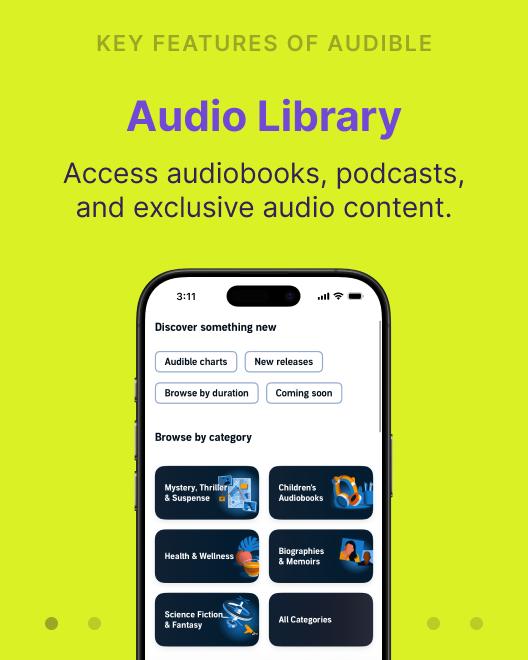
12. Audible: For long stories and big voices
Audible is where narration is the star. It suits long fiction and series best, the kind of story you want to live inside for twenty hours, while a shorter nonfiction book may be happier as text.
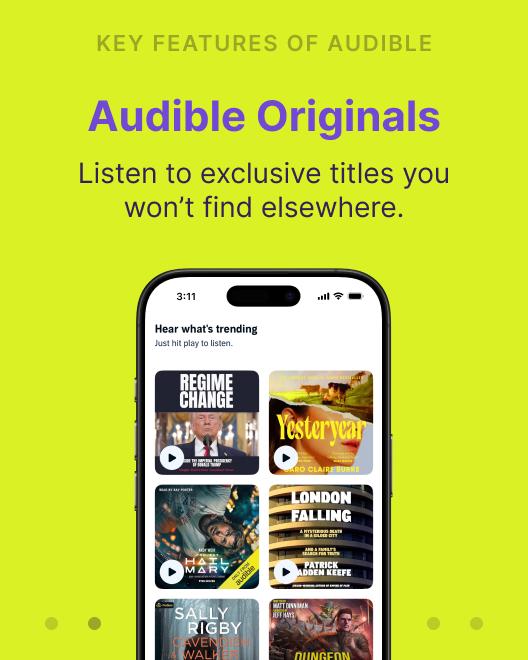
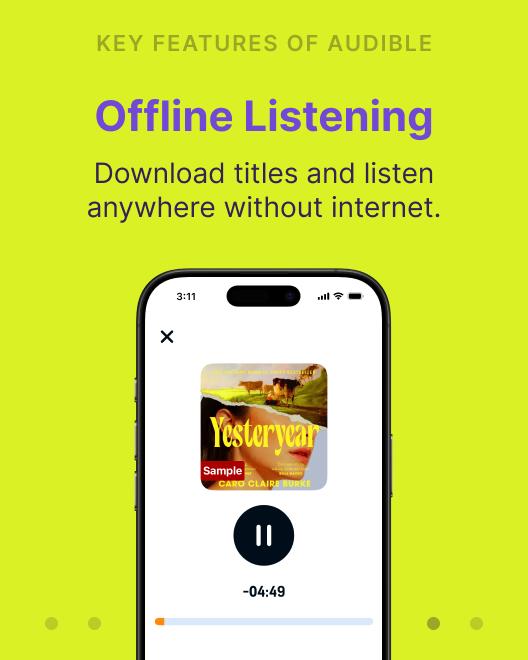
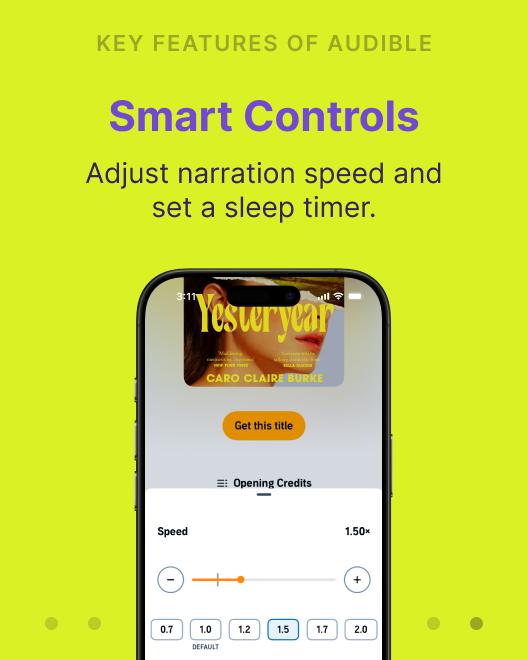
The Premium Plus plan gives you a monthly credit for any audiobook, and titles you buy with credits stay yours even if you cancel. It also opens the Plus catalog, which includes Audible Originals, productions made exclusively for the platform. The player lets you set a sleep timer, change narration speed, and download titles for offline listening.
If you'd like to see more options side by side, our guide to audiobook apps compares them in more detail, and Libby and Hoopla can stream audio for free with a library card.
Cost: Premium Plus is about $14.95 a month for one credit in the US (in-app prices can run higher); Audible Plus, the streaming catalog without a monthly credit, costs less. Free trials are common for new members.
Available on: iOS, Android, and web browsers.
13. Libro.fm: Audiobooks that support your neighborhood bookshop
Here's a twist on the credit model: every audiobook you buy sends money to an independent bookstore you choose when you sign up.
A $14.99 membership gets you one credit a month, and a $23.99 plan gets you two. Credits never expire, members get 30% off extra titles, and every audiobook is DRM-free, which means you can download the files and play them in other apps. Catalogs overlap with the big players for most major publishers, though Libro.fm has fewer exclusive originals.
Cost: $14.99 a month for one credit or $23.99 a month for two; single audiobooks can also be bought without a membership.
Available on: iOS (including Apple Watch), Android, and web browsers.
Apps that make your reading visible: Trackers compared
A reading tracker app won't make you read faster, but it can log progress, organize your shelves and set reading goals, and seeing your reading habits laid out is oddly motivating.
14. Goodreads: Where your friends already have a shelf
If you want one go-to app to keep track of every book, this is the famous one. Goodreads has more than 150 million members, which makes it the biggest reading community around.
Its yearly Reading Challenge is the feature most people stick around for, and you can also rate books (half and quarter stars included), write book reviews, scan a cover to look up a title, get personalized recommendations, and join book clubs to chat with fellow book lovers.
Cost: Free.
Available on: iOS, Android, and web browsers.
15. The StoryGraph: Charts for your reading life
Curious how fast you read, or which moods and genres you keep coming back to? StoryGraph turns every book you log into graphs, and it lets you filter recommendations by mood, which is handy when your reading preferences change with the weather.
Reading challenges, buddy reads, and book clubs are built in, and the app lists a Goodreads import so you don't have to start from scratch.
Cost: Free; optional StoryGraph Plus costs $4.99 a month or $49.99 a year (US App Store prices).
Available on: iOS, Android, and web browsers.
16. Hardcover: A Goodreads-style home without Amazon
Hardcover is a newer, independent tracker with profiles, lists, and a friendly community feel. You can bring your Goodreads library across for free, and an optional Supporter plan adds extras while helping to fund the app.
Cost: Free; Supporter costs $4.99 a month or $49.99 a year (US App Store prices).
Available on: iOS, Android, and web browsers.
17. Bookly: For readers who love a timer
Start a timer when you sit down to read, and Bookly handles the rest: it records your reading sessions, works out your reading speed, and estimates when you'll finish your current book. It works for physical books, ebooks, and audiobooks alike, but it's a tracker only, so you read elsewhere.
Cost: Free with in-app purchases; Bookly Pro (monthly, yearly, or lifetime) unlocks more books and advanced stats, with prices shown in the app.
Available on: iOS and Android.
18. Bookmory: Your reading, laid out like a calendar
Bookmory logs what you read on a monthly calendar, so you can see at a glance which days you showed up. Add notes and quotes as you go, use the timer, and check monthly and yearly stats for pages and reading time.
Cost: Free; Premium (ad-free, automatic sync across devices) is $3.49 a month or $30.99 a year (US App Store prices).
Available on: iOS and Android.
Apps for company and new voices: Book clubs and unpublished stories
Reading can be a team sport, or a way to find stories nobody has put on a shelf yet.
19. Fable: A week inside an online book club
Picture this: you join a club, read a chapter at your own pace, and drop your thoughts into a spoiler-safe discussion while other readers do the same.
That's Fable's rhythm. Its online book clubs are led by authors, BookTok creators, celebrities, and everyday readers, and the app also tracks reading streaks, goals, and stats. It feels a bit like social media, but for readers.
Cost: Free; Fable Plus costs $5.99 a month or $49.99 a year (US App Store prices) and is included with an Everand subscription.
Available on: iOS, Android, and web browsers.
20. Wattpad: Stories that aren't in the bookstore (yet)
Wattpad is where readers find original stories before they become books, and a home for people who also write.
Romance, fantasy, sci-fi, and fanfiction sit side by side, and writers share chapters as they go. A social feed lets you follow authors and see what other readers are enjoying, and aspiring authors can get noticed through Wattpad Studios.
If you want to download stories for offline reading, check what your plan allows before a trip. Wattpad is also rated 17+ on the App Store, so it isn't a fit for younger readers.
Cost: Free with ads; optional Wattpad Premium and Premium+ subscriptions, with prices that vary by region, and some stories are paid.
Available on: iOS, Android, and web browsers.
Who should skip this section? Readers who want finished, polished novels and prefer to read quietly on their own.
What you keep, borrow, or rent: How the apps differ once the payment stops
Before you commit to anything, here's what happens to your books when the loan ends or the subscription stops.
App | Access model | What happens when the loan or subscription ends | Offline use |
|---|---|---|---|
Libby | Borrow with a library card; most libraries offer 7-, 14-, or 21-day loans | The loan returns itself, with no late fees | Yes, you can download titles |
Hoopla | Borrow instantly, up to a monthly limit your library sets | The title returns automatically after the loan period (21 days for most ebooks, audiobooks, and comics) | Yes, you can download titles |
Everand | Subscription with monthly "unlocks" plus an unlimited catalog | Unlocked titles stay available only while your subscription is active or paused | Yes |
Kindle app | Buy books to keep, or borrow through Kindle Unlimited | Purchased books stay in your library; Kindle Unlimited titles go back when you cancel | Yes, you can download titles |
Audible | Monthly credits, plus the Plus catalog | Titles bought with credits are yours to keep; Plus catalog titles are available while you're a member | Yes, you can download titles |
Libro.fm | Monthly credits or single purchases | Credits never expire, and audiobooks you buy are DRM-free files you keep | Yes, through the app |
Headway | Free plan with one summary a day, or a Premium subscription | Premium access stops and the free plan remains | Yes, summaries can be downloaded |
A borrowed ebook is a temporary copy that leaves your device when the loan ends, while a purchased ebook stays in your account.
Build a starter stack in four steps
Follow these in order, and you'll end up with a working set of apps, minus the clutter.
Check if you have a library card. Some libraries let you sign up online, while others ask you to visit a branch with photo ID and proof of address. Rules differ, so check yours.
Choose one place to read or listen. One store app for books, plus one audio app if you listen, is enough to start.
Choose a tracker by what you want to see. Pick stats, a calendar, or a friends feed, and ignore the rest.
Add a short-session app only if you lose time in small gaps. A 15-minute or 20-minute daily habit is the point here.
Choose apps by goal, not by count
You don’t need to download all 20 of the best apps for book lovers. Start with your library card, then add one app at a time, and only when you notice a job your other apps don’t cover.
If you want free books, try Libby, and keep Hoopla for the moments you can’t wait. To see your progress, pick one tracker, such as StoryGraph or Goodreads, and stick with it. If you’d like company, Fable has a club waiting. And for daily growth, reading challenges and key insights from nonfiction, Headway is the one to reach for.

The best app is simply the one that gets you to turn a page tonight. Pick that one, and let the rest wait on the shelf.
FAQs about the best apps for book lovers
Why are people ditching Goodreads?
Common complaints are Amazon's ownership and an interface some readers find dated. Goodreads is still enormous, so many people add a second app instead of leaving. StoryGraph, Hardcover, and Fable are the usual picks, and StoryGraph and Hardcover can import your Goodreads shelves.
Is Goodreads or StoryGraph better?
Choose Goodreads for the biggest community and the yearly Reading Challenge, or StoryGraph for mood-based filters, detailed charts, and an ad-free platform. Both are free to start, so trying StoryGraph costs little. Many readers keep both: one for friends, one for stats.
Which is better, Hoopla or Libby?
Libby has no monthly limit, but popular titles can have waitlists. Hoopla titles are always available, but your library caps how many you can borrow each month. Check which service your library offers, then lean on Hoopla when Libby's wait is long.
Is there a reading app that is 100% free?
Mostly, with small catches. Goodreads has no premium tier, Libby and Hoopla are free with a library card, and Serial Reader's 900-plus classics are free to read. StoryGraph, Hardcover, and Fable have free tiers. "Free" can still mean a library card, ads, or optional upgrades.
Is Goodreads free with Prime?
Goodreads is free whether or not you have Prime. Amazon owns it, but the app has no paid tier, and tracking books, writing reviews, and the Reading Challenge don't need a membership. Kindle Unlimited is a separate subscription.
Can I get Libby without a library card?
Not for borrowing. Libby needs a library card from a participating library, and you can add more than one. Sign-up rules differ: some libraries want a branch visit with ID and proof of address, and some charge non-residents.
Is Libby better than Kindle?
They do different jobs. Kindle is a bookstore and reader, while Libby borrows library books for free. In the US, Libby loans can be sent to Kindle, so you can use both. Availability differs by region and by title.