Self-growth
 Apps & Digital Tools
 Business & Career
 Success
 Growth Tools
 Psychology
 Communication
 Relationships

Nearly three-quarters of adults say they picked up a new personal-learning activity in the past year, and the biggest reason was simple: they finally had a spare pocket of time to fill, according to Pew Research Center. That's the whole case for the best learning apps in one line.
This list groups every app by the actual problem it solves, so you can skip straight to the section that matches your day.
And if you want a place to start right now, explore the Headway app, a daily growth app with bite-sized expert insights on communication, relationships, self-improvement, and more.
Download the Headway app and turn your next coffee break into fifteen minutes that count.
All app features described in this article are accurate as of September 2026. Prices may vary depending on your region, current promotions, and seasonal offers.

Quick summary: Best learning apps at a glance
It doesn't matter if you typed "best learning apps," "best apps for education," or "adult learning apps" to land here. Here's the shape of the list before you scroll through all 24 picks.
Best learning apps range from free skill practice to guided expert classes taught by real instructors.
Microlearning apps like Headway fit real learning into small pockets of spare time, no long study blocks required.
Language and coding apps use daily streaks to reward consistency instead of relying on willpower alone.
Spaced-repetition tools such as Anki build long-term retention better than cramming ever does.
Free platforms like Khan Academy cover full school subjects at no cost at all.
Keep scrolling for the full breakdown, plus a quick side-by-side comparison of the three easiest apps to try first.
Three apps to try first if you only download one
If you want a fast answer before reading the full list, these three cover the most common needs. Each one works as a solid mobile learning app you can open between one thing and the next.
App | Best for | Starting price |
Headway | Learning from nonfiction books in short daily summaries | Free trial, then subscription |
Duolingo | Practicing a language in short daily bursts | Free, with an optional paid tier |
Khan Academy | Studying full academic subjects at no cost | Free |
📘 Try the app that fits your five minutes on Headway!
When five minutes is all the time you get
A lack of time to learn is the single biggest reason self-improvement plans stall out. These three apps are built for exactly that kind of day, when a full course isn't realistic but doing nothing feels like a waste. If you're hunting for a learning app for adults, an app for adults with no kids' content mixed in, or a completely free adult learning app, these three fit the bill.
1. Headway
Turns nonfiction bestsellers into short text and audio summaries designed to fit into a coffee break or a commute.
Pricing: Free trial, then subscription.
Best features: 15-minute book summaries, audio narration, daily insight prompts, and progress tracking.
2. Duolingo
As a language-learning app, it breaks lessons into rounds short enough to finish while waiting in line.
Pricing: Free with ads; a paid tier removes ads and adds extra practice.
Best features: Streak tracking, bite-size rounds, and speaking and listening practice.
3. Quizlet
Turns any list of terms into flashcards you can run through in a few minutes.
Pricing: Free tier; a paid tier adds extra study modes.
Best features: Custom flashcard sets, auto-generated practice tests, and a spaced-repetition Learn mode.
For more options built around short daily sessions, see this list of best microlearning apps.
When you keep starting new habits and dropping them
Staying consistent with learning is a lot harder than starting. A new habit is easy to begin and hard to keep, and making learning a daily habit usually comes down to the app, not your willpower. These three use games, streaks, and instant feedback to make day two, day ten, and day thirty all feel worth showing up for.
4. Kahoot!
Turns review material into a quiz game, which makes showing up again the next day feel less like a chore.
Pricing: Free to play; paid plans unlock advanced quiz creation.
Best features: Game-based quizzes, live leaderboards, and a large public question bank.
5. Sololearn
Delivers coding lessons in short chunks with a streak counter sitting right on the home screen.
Pricing: Free with an optional Pro subscription.
Best features: Byte-size coding lessons, a built-in code playground, and daily streak goals.
6. Yousician
Gives real-time feedback on pitch and timing while you practice an instrument.
Pricing: Free trial, then subscription.
Best features: Real-time feedback on pitch and timing, gamified practice, and structured song-based lessons.
If the habit you're actually trying to break is scrolling itself, this list of apps to replace social media covers more ground.
📘 Build a habit that finally sticks with Headway!
When motivation fades before the course even ends
Finding motivation to study a full course gets harder once the new-app excitement wears off around week two. These three solve that in different ways: one through production value, one through hands-on problem-solving, and one through outside deadlines that keep you honest.
7. MasterClass
Long-form video classes taught by recognized experts across creative and professional fields.
Pricing: Annual membership.
Best features: High-production video lessons, downloadable class workbooks, and full catalog access.
8. Brilliant
Interactive math, science, and computer science lessons built around solving problems instead of watching lectures.
Pricing: Free trial, then subscription.
Best features: Interactive problem-solving, guided hints, and a skill tree that tracks progress.


9. Coursera
University and industry-partnered courses with graded work and a certificate at the end.
Pricing: Free to audit; paid tiers unlock certificates.
Best features: Accredited certificates, structured deadlines, and peer-graded assignments.
All three count as an online learning app in the truest sense, delivering full lessons through your phone or browser instead of a classroom. MasterClass works best if you learn by watching, and Brilliant works best if you learn by doing.
When too many app choices freeze you before you start
Choosing between too many apps is its own kind of procrastination, and avoiding information overload sometimes means picking the first solid option instead of comparing twenty more. Plenty of apps claim to be among the top learning apps or top education apps out there, but these three are genuinely good learning apps and good educational apps because each one solves a specific, real problem.
10. Khan Academy
Free nonprofit platform covering math, science, humanities, and test prep with practice exercises.
Pricing: Free.
Best features: A fully free content library, mastery-based practice, and dedicated test-prep tracks.
11. IXL
Adaptive practice that adjusts question difficulty in real time across core school subjects.
Pricing: Subscription.
Best features: Real-time skill adaptation, detailed progress diagnostics, and coverage across every core subject.
12. Photomath
Scans a handwritten or printed math problem and returns a step-by-step solution, working more like homework help than a typical math game.
Pricing: Free, with an optional Plus tier for animated explanations.
Best features: Camera-based problem scanning, step-by-step breakdowns, and coverage from basic arithmetic through calculus.
If what you actually want is the answer to "what is the best education software," full stop, without splitting hairs over app versus software, Khan Academy and IXL both work equally well in a browser or on a phone. For a broader roundup of programs built for classrooms and self-study alike, this guide to educational apps is worth a look.
📘 Get one clear starting point on Headway!
When you want real skills without paying for a full course
Finding practical skills without an expensive tuition bill is possible once you know where to look. Learning without expensive courses usually means trading a certificate for a lower price tag, and these three apps make that trade a good one.
13. Udemy
A marketplace of one-time-purchase video courses on coding, design, marketing, and business tools.
Pricing: Pay per course, often discounted.
Best features: Lifetime access per purchase, wide topic variety, and downloadable course resources.
14. Codecademy
Interactive, browser-based coding lessons with a built-in code editor for immediate practice.
Pricing: Free tier; a Pro tier unlocks guided projects.
Best features: An in-browser code editor, project-based learning paths, and real-time syntax feedback.
15. Grammarly
A writing assistant that flags grammar, clarity, and tone issues as you type.
Pricing: Free tier; a Premium subscription unlocks more.
Best features: Real-time grammar suggestions, tone detection, and browser and app integration.
If you just want a free app to learn one specific skill without any commitment, Codecademy's free tier and Grammarly's free tier both cover real ground on their own, no subscription required.
When you forget everything a week after you learned it
Improving knowledge retention is the whole point of spaced repetition, a study method that reviews material right before you're likely to forget it. These three build their entire design around that one idea.
16. Anki
A spaced-repetition flashcard app built for memorizing large volumes of material over time.
Pricing: Free on Android and desktop; a one-time purchase on iOS.
Best features: Algorithm-based spaced repetition, fully customizable decks, and a shared community deck library.
17. Elevate
Short daily brain-training games targeting memory, focus, math, and reading comprehension.
Pricing: Free with an optional Pro subscription.
Best features: A personalized daily workout, long-term performance tracking, and games that finish in under five minutes.
18. Rosetta Stone
Structured language lessons built around an immersive, translation-free method with speech recognition.
Pricing: Subscription or a lifetime purchase option.
Best features: An immersive no-translation method, speech-recognition practice, and offline lesson downloads.
If retention is your main goal, this roundup of the best brain training apps digs into more options like Elevate.
📘 Make what you learn actually stick with Headway!
When you're learning alongside your kids or your class
Not every pick on this page is just for you. If you're also raising a reader or running a classroom, these four cover the family and school side of things.
19. Khan Academy Kids
A free early-learning app covering reading, a light math game, and social-emotional skills for young children.
Pricing: Free.
Best features: A fully free library, an adaptive learning path, and content built for pre-K through early elementary.
20. Epic
A digital library for kids that delivers multimedia content like audiobooks, read-along books, and reading quizzes.
Pricing: Free for educators; a subscription for families.
Best features: A large kids' book library, a read-to-me audio mode, and built-in classroom tools.
21. ClassDojo
A classroom communication app that shares updates, portfolios, and feedback between teachers and families.
Pricing: Free for core features; premium tiers add more.
Best features: Teacher-family messaging, student portfolios, and a classroom point system.
22. Google Classroom
A free hub for assigning, submitting, and grading coursework, often paired with other learning apps.
Pricing: Free.
Best features: A centralized assignment hub, integration with Docs and Slides, and streamlined grading tools.
If the student in your life is a bit older, this list of best study apps for college students picks up right where these leave off.
When curiosity is the only reason you need
Sometimes you don't need a goal at all, just something interesting to look at or read about. These last two apps are built for curiosity on its own terms.
23. NASA App
The official NASA app with live mission updates, image galleries, and content great for anyone curious about astronomy and current missions.
Pricing: Free.
Best features: Real-time mission tracking, a high-resolution imagery library, and a curated space news feed.
24. Skillshare
Project-based classes in creative fields like design, illustration, photography, and writing.
Pricing: Subscription with a free trial.
Best features: Project-based classes, community project galleries, and a wide range of creative topics.
For more no-cost options built around short bursts of curiosity, check out this list of free microlearning apps.
📘 Feed your curiosity every day with Headway!
When you want a real tutor without the tutor price tag
Sometimes an app can only take you so far, and what you actually want is a real person checking your work. These three get you closer to that without the cost of hiring a private tutor outright.
25. Preply
An online tutoring marketplace that connects you with real, vetted tutors for live 1-on-1 video lessons in languages, academic subjects, and business skills.
Pricing: Pay per lesson, with rates set individually by each tutor.
Best features: Live video lessons with real tutors, a large marketplace across dozens of languages and subjects, and flexible scheduling around your own calendar.
26. Busuu
A language-learning app with structured courses backed by a built-in community of native speakers who review your writing and speaking exercises for free.
Pricing: Free tier; a Premium subscription unlocks full courses and offline access.
Best features: Native-speaker feedback on real exercises, AI-powered personalized review sessions, and structured study plans that build toward a certificate of completion.
27. Memrise
A language app built around short video clips of real native speakers, paired with spaced-repetition flashcards that lock new vocabulary into memory.
Pricing: Free tier; a Pro subscription unlocks full courses and extra practice modes.
Best features: A library of native-speaker video clips, spaced-repetition vocabulary review, and bite-sized daily lessons built for real conversation, not just grammar drills.
When you want an actual certificate to show for it
Some goals need more than a personal habit. If a course needs to end in something you can put on a resume or a LinkedIn profile, these three deliver real, verifiable credentials.
28. LinkedIn Learning
A library of professional courses on software, business, and creative skills, taught by industry experts, with completion certificates that post directly to your LinkedIn profile.
Pricing: Subscription, often bundled with a LinkedIn Premium plan.
Best features: Certificates that add straight to LinkedIn, expert-led video courses, and curated learning paths organized by job role.
29. edX
A platform offering university-level courses from real institutions like Harvard, MIT, and Berkeley, with the option to pay for a verified certificate once you finish.
Pricing: Free to audit most courses; paid tiers unlock verified certificates and graded coursework.
Best features: Courses built by real universities, verified certificates, and full professional certificate and degree programs for deeper commitments.
30. freeCodeCamp
A nonprofit platform that teaches coding through a free, project-based curriculum that ends in certifications you can list on a resume, at no cost at all.
Pricing: Completely free.
Best features: A full coding curriculum with no paywall, project-based certifications, and a large community forum for getting unstuck.
📘 Grow your resume with Headway!
When you need an answer to something right now
Not every learning moment is planned. Sometimes a kid needs homework help at 8 p.m., or you need a book for a book club that starts tomorrow. These three are built for that kind of urgency.
31. Socratic by Google
Point your phone's camera at a homework question in math, science, or literature, and Socratic returns a step-by-step explanation instead of just a final answer.
Pricing: Free.
Best features: Camera-based question scanning, step-by-step explanations, and coverage across multiple school subjects, from algebra to chemistry.
32. Libby
The official app from OverDrive that lets you borrow ebooks and audiobooks from your local library for free, using nothing but a valid library card.
Pricing: Free with a library card.
Best features: Free ebook and audiobook borrowing, offline downloads for travel or commutes, and direct integration with your local library's catalog.
33. Prodigy Math
A curriculum-aligned math game for kids that adjusts problem difficulty as they play, built around a role-playing adventure format that keeps practice from feeling like a worksheet.
Pricing: Free, with an optional Premium membership.
Best features: A curriculum-aligned math game, adaptive difficulty that matches a child's grade level, and progress reports parents can check anytime.
When you're studying for a specific exam
A general study habit is nice, but a test with a real date on the calendar needs something more targeted. These three are built around specific, high-stakes exams instead of open-ended learning.
34. Magoosh
Test-prep video lessons and practice questions for exams like the GRE, GMAT, SAT, and TOEFL, with a study schedule that adjusts based on your test date.
Pricing: Subscription, priced per exam type.
Best features: Exam-specific video lessons, a personalized study schedule tied to your test date, and detailed answer explanations for every practice question.
35. UWorld
Practice question banks used heavily by medical, nursing, and other licensing exam candidates, with detailed rationales explaining why each answer is right or wrong.
Pricing: Subscription, priced per exam bank.
Best features: Exam-realistic practice questions, in-depth answer rationales, and performance tracking that flags your weakest topics.
36. Achievable
Self-paced online courses for licensing and certification exams like real estate, insurance, and nursing boards, built around short daily reading with built-in quizzes.
Pricing: One-time purchase per course.
Best features: Bite-sized daily reading assignments, embedded practice quizzes, and a pass guarantee on select exam courses.
When you want to organize everything you're learning
Learning something is only half the job. Keeping track of it so you can actually use it later is the other half, and these three apps are built for exactly that.
37. Notion
A flexible workspace where you can build your own notes, reading lists, and study trackers using templates or a blank page, all synced across your devices.
Pricing: Free tier for personal use; paid plans add more storage and team features.
Best features: Fully customizable pages and databases, built-in templates for study trackers, and sync across phone, tablet, and desktop.
38. Evernote
A note-taking app built around quickly capturing text, web clippings, and voice memos, then finding them again later with a strong built-in search.
Pricing: Free tier; paid plans add more storage and offline access.
Best features: A powerful search across all your notes, a web clipper for saving articles, and voice-to-text note capture.
39. Obsidian
A note-taking app that links your notes to each other, building a personal knowledge base where ideas connect instead of sitting in separate, disconnected files.
Pricing: Free for personal use; a paid plan covers commercial use and sync.
Best features: Linked notes that build a connected knowledge graph, a local-first system that keeps your files on your own device, and a large plugin library for customization.
📘 Keep what you learn organized with Headway!
40. TED
Streams thousands of free TED Talks with searchable subtitles in over 100 languages, so you can follow a rabbit hole of ideas instead of committing to a single course.
Pricing: Free.
Best features: A massive on-demand talk library, subtitles in 100+ languages, and personalized recommendations based on what you've watched.
41. Nibble
Delivers 10-minute interactive lessons across 35+ topics in STEM, humanities, and general knowledge, mixing quizzes, mini-games, audio, and short reads so scrolling turns into something you actually remember.
Pricing: Free to download with limited content; premium plans run roughly $12–$50 depending on billing length (monthly, 3-month, or annual).
Best features: 35+ rotating topic areas, five interactive lesson formats (text, audio, video, quiz, and chat-style), and sessions sized for a coffee break rather than a full course.
How to choose the best learning app for your actual goal
With 41 solid options on this list, picking one can turn into its own kind of procrastination. A few quick questions cut that down fast, starting with the problem you actually have, not the app store rating.
A five-minute gap in your day calls for a different app than a weekend project, and a four-star average doesn't tell you which problem an app solves for you specifically. Run through this short checklist before you download anything new:
Time budget: some apps fit five spare minutes, and others need a real hour set aside.
Format: reading, listening, watching video, and hands-on practice all work differently for different people.
Price: a free tier covers real ground for some goals, and a paid tier is worth it for others.
Proof of progress: a certificate matters for a resume, while a personal habit is enough on its own for most self-improvement goals.
Consistency tools: streaks, reminders, and spaced repetition are what actually bring you back tomorrow, not just good intentions today.
Most people do better picking one app for one clear problem than downloading five apps for five vague goals at once. If your main problem is simply not having enough time to read, a microlearning app built around short daily sessions, like Headway, is usually the simplest place to start.
📘 Match the right app to your goal on Headway!
Why Headway works for people who never finish a book
Headway earned its spot on this list because it solves the exact problem this article started with: plenty of desire to learn, not enough time to sit down with a 300-page book. Every summary comes in both audio and text, so you can read on a lunch break or listen on a drive.
The app also builds a personalized growth plan after a short onboarding quiz, and it uses spaced repetition and highlights to bring key ideas back around before you forget them. Offline mode means a subway tunnel or a flight with no Wi-Fi won't stop your streak.
For anyone who spends real time behind the wheel, Headway also works through Apple CarPlay and Android Auto, so a summary plays the same way a podcast would. Daily streaks keep the whole thing feeling like a habit instead of a chore.
Of all the learning apps on this page, Headway is the one built specifically around this exact daily learning app idea: short sessions, done often, beat long ones done rarely.
What real Headway users say about learning on the go
None of this matters if it doesn't hold up once real people use it every day. Here's what actual Headway reviewers say about fitting learning into a busy life.
"Headway is my favorite way to continue reading and learn from books due to my tight work schedule. It is very much worth it for me to have subscribed." — Headway App Store review
"This app gives me the feeling of constant growth and learning without overwhelming me. The bite-sized summaries of books are brilliant. They're concise yet packed with insightful ideas, allowing me to grasp the essence of a book in just a few minutes." — Headway App Store review
"I have ADHD, and now with this app I can get what I want out of these great books while I do the dishes, vacuum, walk the dog. It's perfect! My intelligence is rising." — Headway App Store review
"As a mom of 3 under 5 in the middle of a significant career shift, I'm looking to level up all facets of my life. I love that I can listen to key points from so many books in just a few minutes a day. I would never be able to read all of them, this is amazing!" — Headway App Store review
📘 Join thousands of daily learners on Headway!
Turn your spare minutes into real growth with Headway
The best learning apps on this list solve different problems. One fixes a five-minute gap in your day, another builds a kid's reading habit, and another teaches a real skill without a big tuition bill. Pick the one that matches the problem you actually have this week, not the one with the flashiest app store screenshots.
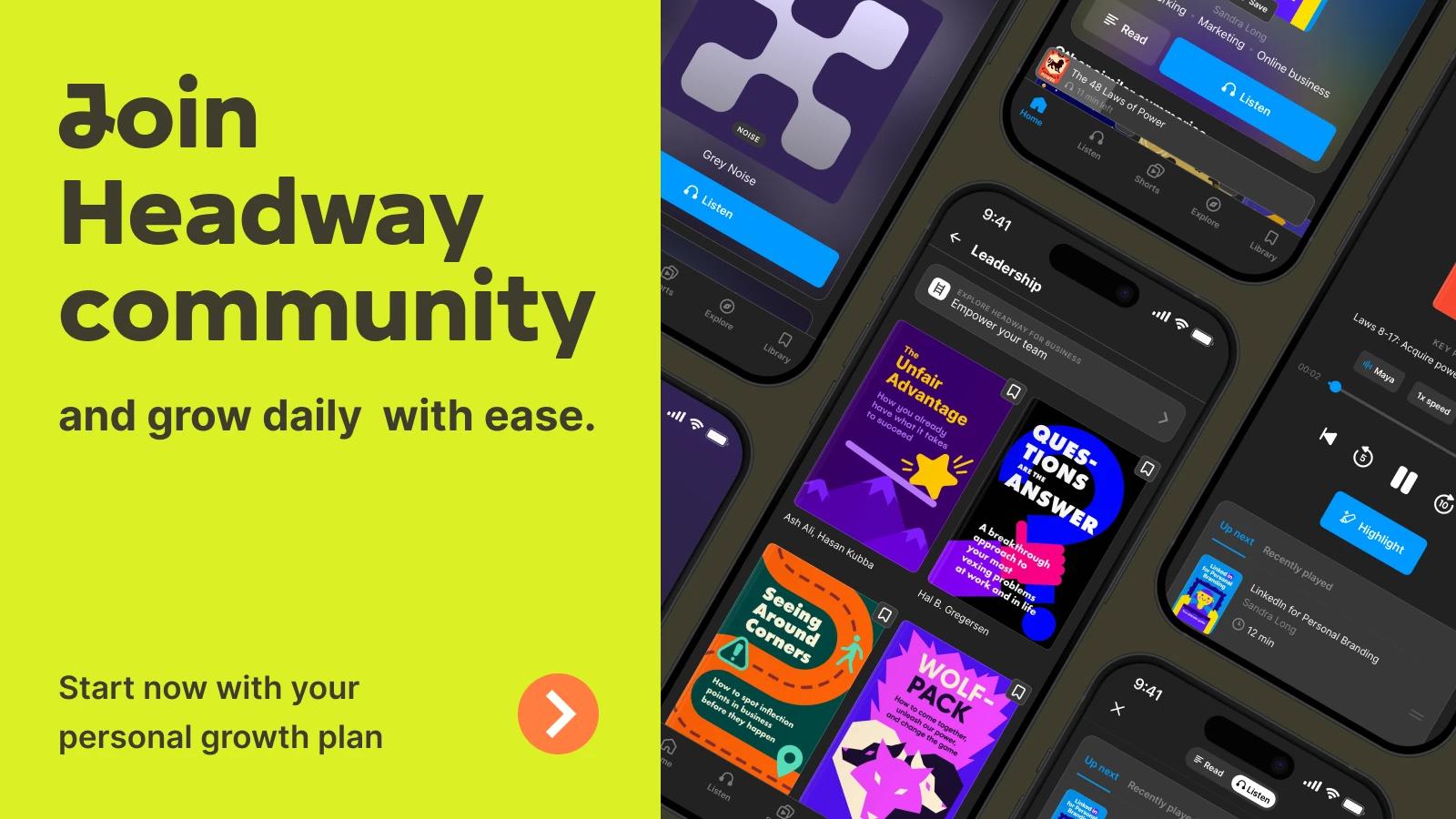
If your problem is simply not having enough hours to read everything on your list, Headway remains the most direct fix. Fifteen-minute summaries in audio and text, a growth plan built around your goals, spaced repetition that keeps ideas from slipping away, offline access, and daily streaks all work together toward the same outcome: more of what you read actually sticks.
You don't need a free weekend or a brand-new morning routine to start.
Download the Headway app today and turn your next commute, coffee break, or waiting room into fifteen minutes that count.
FAQs about best learning apps
Are learning apps effective for adults?
Yes, learning apps are effective for adults when the goal matches the app. They work well for building a habit, practicing a specific skill, or picking up bite-sized knowledge you can use the same day. Many also double as solid picks for self-improvement, beyond simple study tools. They tend to work less well as a full replacement for years of structured, technical training.
Can apps actually help you learn a new skill, or just help you review one?
Apps can genuinely help you learn, though the type of help depends on the app. Interactive tools like Brilliant and Codecademy teach brand-new skills through guided practice. Flashcard apps like Anki and Quizlet reinforce material you already studied elsewhere. If you're starting from zero, pick an app built around teaching, not just testing what you already know.
Which learning app is worth it?
It depends on what you're paying for. A subscription is worth it if you'll actually open the app most days, since Headway, Duolingo, and Brilliant all reward daily use. A one-time purchase like Udemy is worth it for a single specific skill you want once. If you're unsure, start with a free tier before committing to anything paid.
What app should I use to learn something new every day?
Any app built around short, daily sessions works best here. Headway turns nonfiction books into fifteen-minute summaries you can fit into a coffee break, and Duolingo breaks language practice into short daily rounds. Both use streaks to keep you coming back, which matters more for daily learning than any single in-app feature.
How do I stay consistent using a learning app?
Attach the app to something you already do every day, like a commute or your morning coffee, instead of carving out brand-new time for it. Apps with streaks, like Headway, Duolingo, and Sololearn, give you a small reason to show up again tomorrow. Consistency usually comes from a smaller daily habit, not a longer session you only do once in a while.
What's the difference between an educational app and a microlearning app?
Education apps are a broad label covering full courses, flashcard decks, and everything in between that teaches something. Micro learning apps are a specific type built around short, focused sessions, usually five to fifteen minutes, instead of long lessons. Headway and Duolingo both count as micro learning apps, while a platform like Coursera is a broader education app built around longer courses.
Do free educational apps work as well as paid ones?
For basic practice and review, often yes. Khan Academy and Google Classroom are both completely free and cover real academic ground. Paid tiers usually unlock extras like offline access, advanced personalization, or a bigger library rather than a fundamentally different learning method. Hence, a free plan is a reasonable place to start before you decide to upgrade.
What is the best app for learning a language?
Duolingo is the strongest pick for short, daily language practice, since its rounds are built to finish in a few minutes. Rosetta Stone is the better choice if you want an immersive, translation-free method with speech recognition instead of gamified rounds. Most people do well starting with Duolingo and adding Rosetta Stone later if they want a more structured, immersive approach.