Self-growth
 Apps & Digital Tools
 Business & Career
 Success
 Growth Tools
 Psychology
 Communication
 Relationships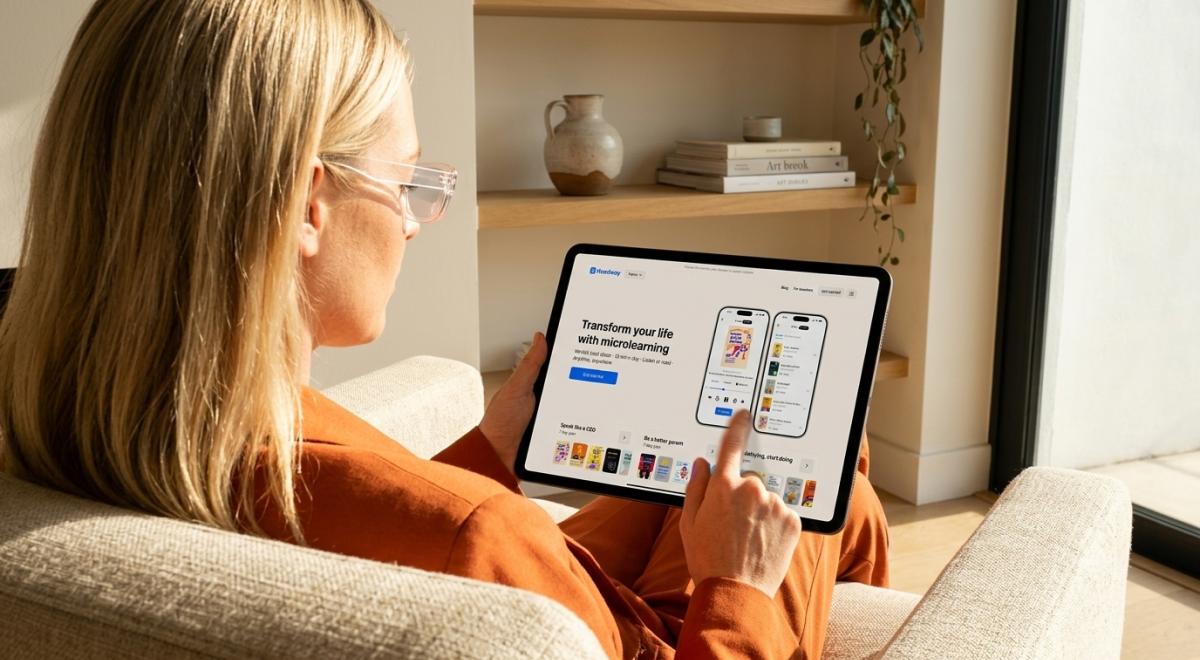

Which learning apps can you keep using without ever paying, and which ones quietly stop being useful after a seven-day trial?
That question decides everything in this comparison. The best free microlearning apps in 2026 are Headway for personal development through book summaries, Duolingo for language learning, Khan Academy for academic subjects, SC Training for employee training, and TED-Ed for general knowledge on video. Each earns its place for a different reason, and each gives you something genuinely usable at no cost.
Microlearning apps are digital platforms that deliver short, focused lessons — usually 5 to 20 minutes — designed to fit into busy schedules on a phone. According to the Association for Talent Development, 40% of learners find microlearning content more efficient and less overwhelming than traditional formats.
This guide ranks apps that are completely free or offer a permanent free tier, with each app's exact free status labeled in the table and reviews — including one trial-only entry, clearly marked, so nothing on this list surprises you at checkout.
📘 Want a plan built around your goals? Take the Headway quiz and see a personalized growth plan in about a minute.




Quick answer: 5 Best free microlearning apps at a glance
Short on time? These five picks cover the most common learning goals:
Headway — best for personal development through nonfiction book summaries
Duolingo — best for language learning with a fully usable free tier
Khan Academy — best completely free platform for academic learning
SC Training — best for employee training on a free plan
TED-Ed — best free video lessons for general knowledge
The table below compares all ten apps in the main ranking, so you can shortlist before reading the detailed reviews.
| App | Best for | Free status | What's free | Lesson length | Platforms |
|---|---|---|---|---|---|
1. Headway | Personal development, book summaries | Permanent free tier | One full summary per day + daily insights | 15 min | iOS, Android, web |
2. Duolingo | Language learning | Permanent free tier | Full course access with ads | 3–10 min | iOS, Android, web |
3. Khan Academy | Academic learning, test prep | Completely free | Everything — no paid tier | 5–20 min | iOS, Android, web |
4. SC Training | Employee training | Permanent free tier | Full platform for up to 10 learners | 5–10 min | iOS, Android, web |
5. TalentCards | Flashcard-based team training | Permanent free tier | Full platform for up to 5 users | 5 min | iOS, Android, web |
6. Coursera | University-backed courses | Freemium | Audit access to many courses | 15–20 min video parts | iOS, Android, web |
7. Anki | Do-it-yourself spaced repetition | Free* | Everything on Android, desktop, and web | 5–15 min | iOS (paid), Android, web |
8. TED-Ed | General knowledge on video | Completely free | Full video and lesson library | 4–10 min | iOS, Android, web |
9. Nerdish | News, culture, and science reading | Ad-supported free | Full article access with ads | 10 min | iOS, Android |
10. Nibble | All-around knowledge, curiosity | Free trial only | 7-day trial on the yearly plan | 10–15 min | iOS, Android, web |
*Anki's official iOS app is a one-time purchase; the Android, desktop, and web versions are free.
All free-tier and pricing details in this article were checked in August 2026. Prices, plans, and free limits may vary depending on your region, current promotions, and seasonal offers.
How this list was chosen
Every app here was compared against the same six criteria, using current feature sets, first-party pricing and help pages, and app store listings rather than hands-on lab testing. The criteria reflect what actually matters when the goal is learning something without paying for it.
Free-tier value. Can a learner keep using the app indefinitely at no cost? What is the recurring limit, what sits behind the paywall, and does anything expire?
Content quality. Whether the lessons are accurate, current, written by experts, and deep enough to teach something real in a short session.
Knowledge retention. Quizzes, assessments, flashcards, review prompts, and other active-recall mechanics that help material stick after the session ends.
Learning experience. A user-friendly interface, clear progress tracking, sensible learning paths, and personalization that adapts to individual goals.
Mobile learning. Availability on iOS and Android, mobile-first design, offline access where relevant, and helpful (rather than nagging) notifications.
Value by use case. How well the app serves personal development, professional development, language learning, academic study, or employee training.
Products that only offer a time-limited trial were held to the same standard, with one exception made deliberately: Nibble appears at number 10 with its trial-only status stated plainly, because it is one of the most-searched apps in this category and readers deserve a straight answer about what it costs. Everything else on the list stays useful without a subscription.
What counts as a free microlearning app?
The word "free" hides four very different realities, and app listings rarely make the distinction clear. Sorting them out first saves a frustrating download later.
Completely free. No paid tier exists at all. Khan Academy and TED-Ed operate this way, funded by donations and nonprofit backing.
Permanent free tier. A usable slice of the product stays free forever, with premium features behind a subscription. Headway, Duolingo, SC Training, and TalentCards fit here.
Free trial only. The product is fully paid; you get 3–14 days to evaluate it. Useful for deciding, but not a free microlearning platform in any meaningful sense.
No public free tier. Pricing starts at a demo or sales call, which is common for enterprise learning software.
The first two categories dominate the main ranking; the one trial-only entry, Nibble, is labeled as such in the table and its review. The same taxonomy applies to free microlearning platforms on the workplace side: SC Training and TalentCards earn their spots because their free plans run indefinitely, while quote-only products don't qualify. A free micro learning app should still be useful in month six, not just in week one.
This distinction matters more than any feature list. A generous permanent tier lets you build a daily habit, test whether the format suits you, and upgrade only if the paid features earn it — which is exactly how the decision should go.
What makes a good microlearning app?
Short lessons alone don't teach anyone anything. A three-minute lesson that leaves no trace is entertainment, so the best apps pair brevity with mechanics that produce a clear learning outcome.
Bite-sized lessons with a point. Each session should deliver one complete idea — a grammar rule, a historical event, a negotiation tactic — rather than a fragment that only makes sense after ten more sessions.
Active recall and knowledge retention. Quizzes, assessments, and flashcards force the brain to retrieve information instead of passively rereading it. Retrieval is what moves material into long-term memory, which is why the strongest apps build questions into every lesson.
Learning paths and personalization. Good apps sequence content so later lessons build on earlier ones, and personalized learning adjusts difficulty or recommendations to the individual. AI-powered personalization has become standard across the category, from adaptive language drills to goal-based content plans.
Gamification that serves the learning. Streaks, points, and leaderboards are useful when they reinforce daily practice — the same principle behind the best apps for motivation. They become a problem when maintaining the streak replaces actual learning — a trade-off covered honestly in the reviews below.
Multimedia and mobile access. Text, audio, video, and interactive formats suit different contexts: audio for commutes, text for waiting rooms, quizzes for focused minutes. Offline downloads and a mobile-first design decide whether the app works in real life or only on paper.
Different goals also demand different mechanics, because learning experiences aren't interchangeable. Language learning rewards frequent short recall, professional development leans on scenarios and reflection, and employee training often needs a learning management system with reporting behind it. An app that excels at one can be mediocre at another, which is why the reviews below name a specific best use rather than declaring an overall winner.
For a deeper look at why the short format holds up against classroom-style study, see [Microlearning vs Traditional Learning: Why Less Might Be More] [internal link — URL not supplied; confirm before publishing].
10 best free microlearning apps in 2026, reviewed
Each review follows the same structure — a snapshot line, what the app is, its key features, what the free version includes, its limitations, and who it fits — so the apps can be compared side by side.
1. Headway — best for personal development through book summaries
Best for: personal growth and nonfiction key ideas | Free status: permanent free tier | Lesson length: 15 minutes | Platforms: iOS, Android, web
Disclosure: Headway is the app behind this blog. It is assessed on the same criteria as every other entry, limitations included.
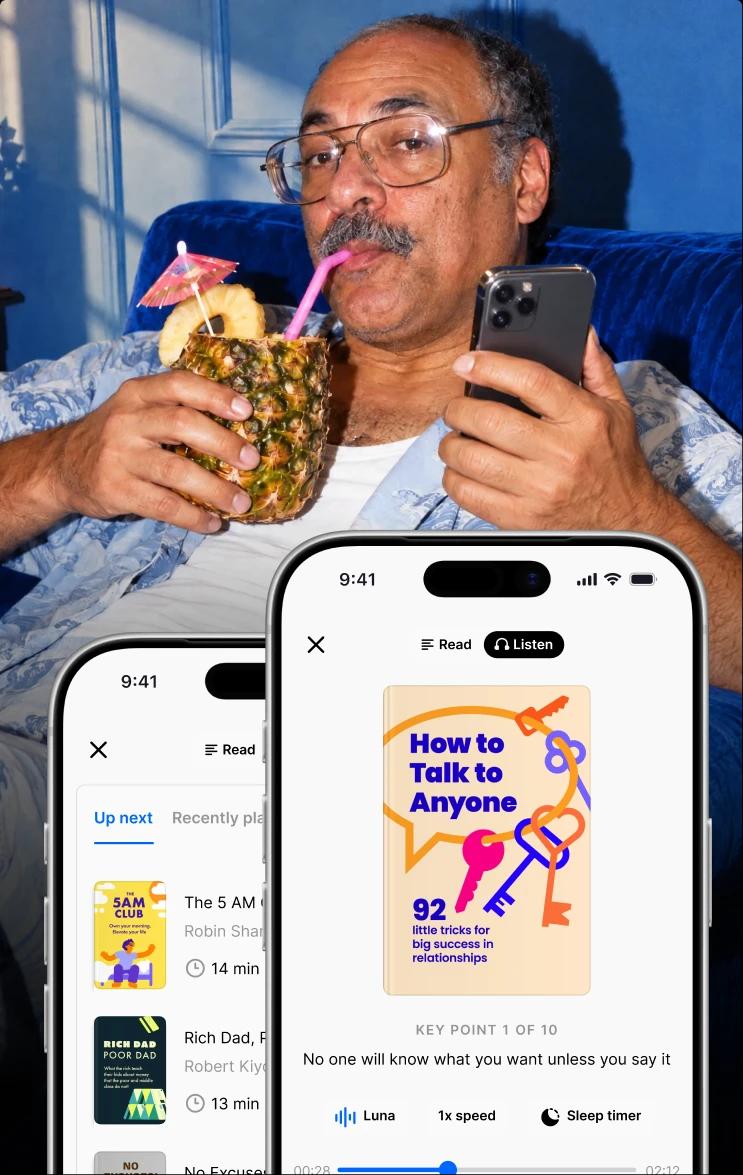
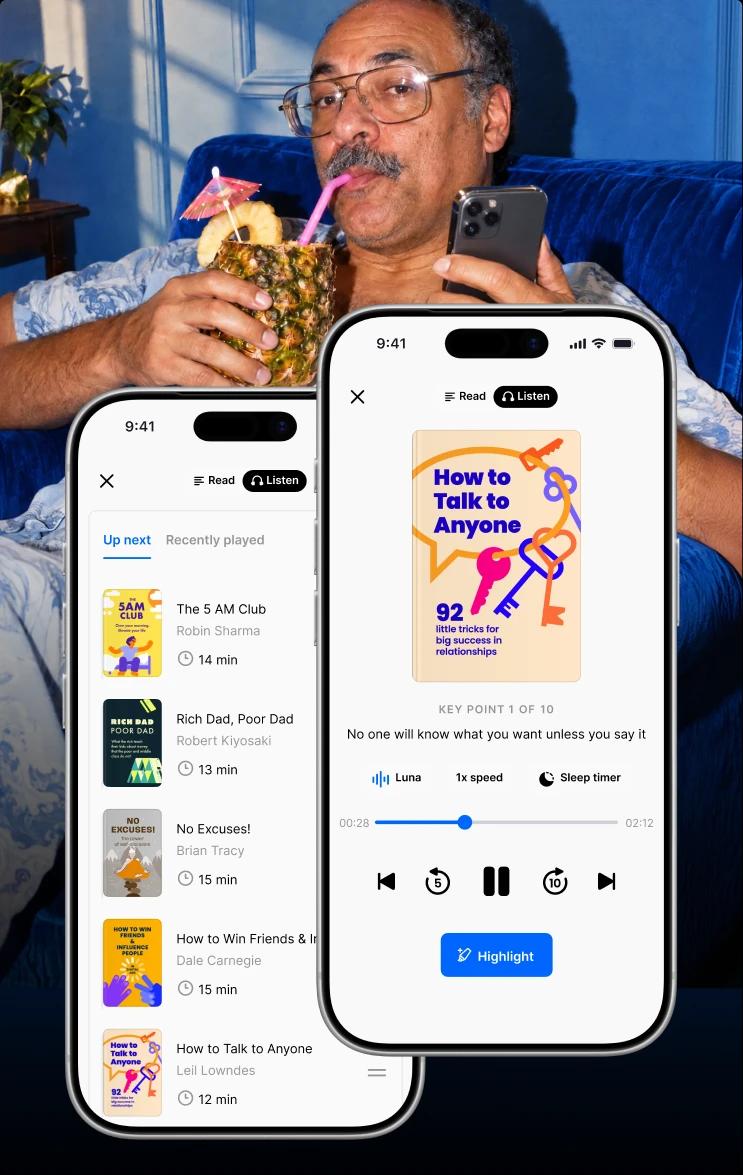
Headway condenses more than 2,500 nonfiction books on business, psychology, productivity, and self-growth into 15-minute summaries — a content library available in both text and audio. Over 55 million users across 170 countries use the app, which holds a 4.6 rating on both the App Store and Google Play, was named one of TIME's World's Top 5 EdTech Companies in 2025, and has been App of the Day in 30+ countries.
Key features:
Personalized growth plan. A short onboarding quiz maps your goals — leadership, money, productivity, relationships — and builds a reading plan around them.
Read or listen. Every summary works as text or audio, so a commute and a lunch break count equally.
Daily insights. One short, useful idea per day, delivered as a quick story-style review.
Structured summaries. Each book is divided into key ideas and a conclusion, which makes 15 minutes feel complete rather than rushed.
Goals, streaks, and widgets. Light progress mechanics that support a daily habit without turning the app into a game.
What's free: as of August 2026, the free tier includes one full book summary per day plus daily insights. That is enough to sustain a genuine daily learning habit indefinitely.
Limitations: the library is nonfiction summaries, not full books or original courses — a 15-minute version captures key ideas, not every nuance of a 300-page argument. Unlimited access to the full library requires a subscription.
Pricing: subscriptions run on 4-week, 12-week, and 24-week cycles, with the exact price shown at checkout after the quiz. Rates vary by region and promotion; see How Much Does the Headway App Cost? for details.
Best fit: busy adults who want steady personal development from the best nonfiction, 15 minutes at a time — a natural first stop among book reading apps.
📘 Make your phone your smartest habit — take the quiz and get your Headway growth plan.
2. Duolingo — best for language learning
Best for: learning a new language daily | Free status: permanent free tier | Lesson length: 3–10 minutes | Platforms: iOS, Android, web
Duolingo is the most widely used language learning app in the world, offering courses in over 40 languages through short, gamified lessons. Its free tier is not a teaser — the full course content is available with ads, which is rare in this category.
Key features:
Gamified daily practice. Streaks, XP, leagues, and leaderboards make showing up every day feel automatic.
Adaptive difficulty. The app is AI-powered: it learns from your answers and mistakes and assigns exercises at a matching difficulty, so practice stays challenging without becoming discouraging.
All four skills. Lessons mix speaking, listening, reading, and writing, plus vocabulary and grammar drills.
Duolingo for Schools. Teachers can assign and track lessons, and the platform supports classroom use alongside a school LMS.
What's free: the complete lesson content for every language, supported by ads, with limits on mistakes ("hearts") that regenerate over time. The paid Super tier removes ads and adds unlimited hearts.
Limitations: gamification cuts both ways — it is possible to protect a 300-day streak while retaining surprisingly little. Reaching real conversational fluency also requires speaking practice and media consumption beyond any app's short sessions.
Pricing: Duolingo Super is a monthly or annual subscription, with rates varying by region and frequent promotions.
Best fit: anyone starting a new language who needs consistency more than intensity, from complete beginners to travelers brushing up.
3. Khan Academy — best completely free academic platform
Best for: academic learning and test prep | Free status: completely free | Lesson length: 5–20 minutes | Platforms: iOS, Android, web
Khan Academy is a nonprofit built on a simple premise: education should be free for everyone, everywhere. Founded by Salman Khan, it covers math, science, computing, economics, humanities, and standardized test prep from kindergarten through early college, and reports more than 150 million registered learners across 190 countries.
Key features:
A personal learning engine. Mastery tracking records what you have learned, resurfaces weak topics, and recommends what to study next.
Video plus practice. Thousands of short video lessons are paired with exercises, so every concept comes with active practice rather than passive watching.
Standards-aligned content. Courses map to official curricula, including the US Common Core, which makes the platform dependable for students and parents.
Test preparation. Free structured prep for exams such as the SAT, LSAT, and MCAT.
What's free: everything. There is no premium tier — the platform is funded by donations, and no feature sits behind a paywall.
Limitations: Khan Academy is a full learning platform rather than a purpose-built microlearning app, and many videos run 10–20 minutes. The interface can feel academic if you're after casual curiosity content, and the mobile app carries less functionality than the website.
Pricing: none. Completely free on every platform.
Best fit: students, parents, and self-directed adults who want structured academic learning without spending anything.
4. SC Training — best for employee training on a free plan
Best for: workplace microlearning and onboarding | Free status: permanent free tier (up to 10 learners) | Lesson length:5–10 minutes | Platforms: iOS, Android, web
SC Training (formerly EdApp) is a mobile-first learning management system built around microlearning courses for frontline and deskless teams. Unlike consumer apps, it is a platform: teams create, deliver, and track their own training content on it.
Key features:
Built-in course creation. An authoring tool with dozens of ready-made templates lets trainers build lessons with drag-and-drop, no external authoring tools required.
Editable course library. More than 1,000 ready-made courses covering onboarding, compliance, and skill development can be customized and deployed quickly.
Gamification elements. Points, badges, and leaderboards keep completion rates up across training programs.
Offline and mobile-friendly. Learners download lessons on Wi-Fi and complete them anywhere, with automatic notifications nudging them toward unfinished learning modules.
Standards support. SCORM compatibility and integrations make it workable alongside existing e-learning systems.
What's free: the free plan supports up to 10 learners with core functionality included — enough for a small team to run real training programs at no cost, as of August 2026.
Limitations: SC Training is built for organizations, not individual learners; a solo user has little reason to choose it. Content quality also depends on what your team builds or adapts.
Pricing: paid plans start at roughly $5 per user per month on annual billing, with enterprise options quoted individually.
Best fit: small businesses and team leads who need mobile employee training without an enterprise budget.
5. TalentCards — best for flashcard-based team training
Best for: frontline training in card format | Free status: permanent free tier (up to 5 users) | Lesson length: about 5 minutes | Platforms: iOS, Android, web
TalentCards trains employees through short, interactive flashcard sets delivered to their phones. It is designed for deskless workers — retail, logistics, healthcare, field services — who need practical knowledge in minutes between tasks.
Key features:
Fast card creation. A responsive web interface lets trainers build multimedia cards with text, images, audio, video, and links in minutes.
Spaced repetition. Difficult cards resurface more often while mastered ones appear less, which strengthens retention over time.
Micro-assessments. Quizzes and tests attach to card sets, so managers can verify understanding rather than assume it.
Game mode. Points, competitions, and a leaderboard turn required training into something teams actually complete.
What's free: the free plan covers up to 5 users forever, with card creation, delivery, and support included — no credit card needed to start, as of August 2026.
Limitations: the card format suits facts, procedures, and product knowledge better than complex conceptual topics. Like SC Training, it is a tool for trainers; individual learners will find little ready-made content.
Pricing: paid plans start at $50 per month for up to 50 users, with a premium tier adding automations and scheduled reports.
Best fit: operations and training managers who need a lightweight way to push short lessons to a distributed team.
6. Coursera — best for university-backed learning in short sessions
Best for: structured courses and career skills | Free status: freemium (audit access) | Lesson length: 15–20 minute video parts | Platforms: iOS, Android, web
Coursera is an international e-learning platform offering online courses from universities and companies worldwide. It is not pure microlearning, but most courses are divided into short video lectures, readings, and quizzes that work well in bite-sized sessions on the mobile app.
Key features:
University-grade content. Courses come from institutions and industry partners in data science, technology, business, and dozens of other fields.
Short video structure. Lectures typically run 15–20 minutes and can be downloaded for offline viewing on mobile devices.
Assessments with feedback. Auto-graded tests plus peer assessment, where students evaluate each other's essays and projects.
Discussion forums. Course communities and social features add context that solo apps lack.
What's free: auditing is free for many courses — you can watch the lectures and read the materials at no cost. Graded assignments and certificates require payment, and some specializations don't offer audit access at all.
Limitations: audit access is not the full course, and no free certificate exists. Courses also demand more commitment than a typical microlearning habit, often several hours per week for weeks.
Pricing: individual courses, subscriptions such as Coursera Plus, and financial aid options vary widely; check each course page.
Best fit: learners who want recognized, structured professional development and can accept short daily sessions inside a longer course arc.
7. Anki — best for do-it-yourself spaced repetition
Best for: memorizing anything long-term | Free status: completely free on Android, desktop, and web | Lesson length:5–15 minutes | Platforms: iOS (paid app), Android, desktop, web
Anki is an open-source flashcard app built entirely around spaced repetition — the review-at-increasing-intervals method with the strongest research support of any study technique. Medical students, language learners, and exam candidates have relied on it for years.
Key features:
A serious scheduling algorithm. Anki decides what you review and when, showing each card just before you would forget it.
Total flexibility. Cards can hold text, images, audio, and even code, and every scheduling detail can be adjusted to your own pace.
Shared decks. Thousands of community-made decks cover languages, anatomy, geography, and more, so you can start without building from scratch.
Full offline support. Decks sync across devices and work anywhere, with no connection required.
What's free: everything on Android (AnkiDroid), Windows, Mac, Linux, and the web. The official iOS app, AnkiMobile, is a one-time purchase that funds development — iPhone users can still review for free in the browser.
Limitations: Anki teaches nothing by itself; you build or download the content. The interface is dated, and the learning curve is real compared with polished consumer apps.
Pricing: free everywhere except the optional one-time iOS app purchase.
Best fit: self-directed learners preparing for exams or memorizing vocabulary who want maximum retention and don't mind some setup.
8. TED-Ed — best free video lessons for general knowledge
Best for: curiosity-driven learning on video | Free status: completely free | Lesson length: 4–10 minutes | Platforms:iOS, Android, web
TED-Ed is TED's education initiative: a library of short, animated video lessons on science, history, psychology, literature, and philosophy, each built with educators and professional animators. It answers the questions you didn't know you had — why cats act strangely, how the stock market works, what made the Library of Alexandria matter.
Key features:
Animated explainers. Professional animation turns abstract ideas into four-to-ten-minute stories that hold attention better than lecture footage.
Built-in lesson layer. Each video pairs with multiple-choice and open questions, discussion prompts, and "dig deeper" resources for anyone who wants more than the video.
Enormous breadth. Thousands of lessons span nearly every subject a curious adult might wonder about.
Watch anywhere. Lessons live on the TED-Ed site, YouTube, and TED's mobile apps.
What's free: the entire library — videos, questions, and resources — with no paid tier.
Limitations: there is no structured curriculum, personalization, or progress tracking, so TED-Ed rewards browsing more than systematic study. Watching alone is passive; the retention benefit comes from using the question layer.
Pricing: none. Free throughout.
Best fit: curious adults and students who want trustworthy general knowledge in short video form without any account or commitment.
9. Nerdish — best for ad-supported reading on culture and science
Best for: short daily reading on modern topics | Free status: ad-supported free | Lesson length: about 10 minutes | Platforms: iOS, Android
Nerdish helps users get smarter in about 10 minutes a day through concise, well-edited articles on topics a modern, educated person runs into: art and culture, science and technology, history, health, society, and politics.
Key features:
Editorial articles. Content is written and curated as short reads, closer to a quality magazine than a course.
Steady new material. New articles appear regularly across the app's subject areas, which keeps the daily habit fresh.
Reading-first design. No streak pressure or point systems — just a clean reading experience with saved articles.
What's free: As of August 2026, the app can be used at no cost by watching ads, with full article access included.
Limitations: Nerdish is a reading app with no quizzes, assessments, or spaced review, so retention depends on your own note-taking. The library is smaller than the big platforms, and ads interrupt the experience on the free tier.
Pricing: monthly, three-month, and annual subscriptions remove ads.
Best fit: readers who want a smarter alternative to news scrolling and don't need interactive features.
10. Nibble — best all-around knowledge app (free trial only)
Best for: general knowledge and curiosity | Free status: free trial only (7-day trial on the yearly plan) | Lesson length:10–15 minutes | Platforms: iOS, Android, web
Nibble is an all-around knowledge app for curious adults who want to stay sharp without committing hours to study. It delivers 600+ expert-crafted lessons across 30+ topics — from Art, History, and Philosophy to Personal Finance, Chemistry, and Logic — and has passed 10M+ downloads, with a 4.5 rating on Google Play and 4.3 on the App Store.
The app follows the same idea you'll find in books like 'Atomic Habits' by James Clear: small actions done daily create real change. Here, that means one 10-to-15-minute lesson that fits between meetings or on a commute.
Key features:
Multiple formats in one lesson. Text, video, audio, quizzes, and mini-games, so you can switch depending on mood and context.
Chats with historical figures. Interactive conversations that turn topics like History and Philosophy into something closer to a dialogue than a lecture.
Broad topic range. 30+ subjects spanning STEM, the humanities, and practical areas such as Personal Finance.
Gamified progress. Streaks, rewards, and progress tracking keep the daily habit visible.
What's free: as of August 2026, Nibble has no free plan — a 7-day trial is available on the yearly subscription, giving full access to all lessons, formats, and topics before the first charge.
Limitations: unlike every other app on this list, nothing stays free after the trial ends. The lessons also favor breadth over depth, which suits curiosity better than exam preparation.
Pricing: monthly, 3-month, and yearly subscription plans, with the exact price shown at checkout; rates vary by region, platform, and promotions.
Best fit: curious adults who have already decided a paid subscription is worth it and want the widest topic spread in one interactive app.
Best free microlearning apps for adults
Adult learners have a specific problem: learning has to happen around work, family, and everything else. The best learning apps for adults fit busy schedules, let people move at their own pace, and provide enough structure to support continuous learning rather than random browsing.
Free access matters even more here than it does for students. An adult testing whether a new habit will survive a full quarter shouldn't have to commit to an annual plan first — which is exactly what a permanent free tier makes possible, and why free learning apps for adults deserve their own shortlist.
Matching the ten reviewed apps to typical adult goals:
Personal development: Headway — one nonfiction summary a day builds new skills in leadership, communication, and productivity, alongside the wider field of apps for self-improvement.
Language learning: Duolingo — short daily practice with strong recall mechanics, free with ads.
Academic learning: Khan Academy — free structured courses for career changers, students returning to study, or parents helping with homework.
Professional development: Coursera for credentials and career skills; Anki for memorization-heavy fields such as medicine or law.
General knowledge: TED-Ed for video, Nerdish for reading — both free — with Nibble as the paid, interactive option.
Team training: SC Training or TalentCards if you're the one responsible for other people's learning.
A realistic combination often beats a single app, and the full field of the best learning apps for adults goes well beyond microlearning. Many adults pair one skill-building app with one curiosity app — for example, a Duolingo lesson in the morning and a Headway summary on the evening commute — and stop there. Two apps used daily deliver far more than six apps opened once a month.
📘 Start with your goals, not the app store. Take the Headway quiz and get a growth plan matched to what you want to learn.
Microlearning apps vs microlearning platforms
The two terms get mixed constantly, and the difference matters when you're choosing.
A microlearning app is learner-facing: you download it, pick a topic, and consume ready-made lessons. Headway, Duolingo, Khan Academy, TED-Ed, and Nerdish work this way — the content team behind the app does the course creation for you.
A microlearning platform — often written as a micro learning platform in search — adds the machinery organizations need: authoring tools, learner administration, analytics, SCORM support, and LMS functionality for onboarding and compliance.
SC Training, TalentCards, and EduMe belong here — they're less about what you learn and more about what your team needs to learn, with workflow integrations and reporting built in. EduMe, for example, delivers real-time training through tools employees already use, such as Workday and Microsoft Teams, with built-in content creation — but it has no public free tier, which is why it belongs in a corporate platform evaluation rather than this ranking.
Some platforms also automate enrollment and reminders, which matters at team scale in a way it never does for a solo learner.
If you're comparing microlearning software for a company rather than picking an app for yourself, the evaluation criteria change substantially. See the full breakdown in [Best Platforms for Microlearning: Top Picks for 2026] [internal link — URL not supplied; anchor: best microlearning platforms for employee training].
How to choose the right microlearning app
Five questions narrow ten apps down to one or two. Answer them honestly and the decision mostly makes itself.
What do you want to learn? A language points to Duolingo; personal development points to Headway; academics point to Khan Academy; workplace skills point to SC Training or TalentCards; general knowledge points to TED-Ed, Nerdish, or Nibble.
How do you prefer to learn? Readers and listeners suit Headway and Nerdish — iPhone owners can browse more book apps for iPhone — while problem-solvers suit Khan Academy, flashcard learners suit Anki and TalentCards, video watchers suit TED-Ed, and gamified practice suits Duolingo.
How much time do you have? Five spare minutes favor Duolingo or TalentCards; 15-minute windows favor Headway; 20-minute blocks open up Khan Academy and Coursera.
What is your budget? Completely free means Khan Academy, TED-Ed, or Anki. A permanent free tier with optional upgrades means Headway, Duolingo, SC Training, or TalentCards. If a paid subscription is already decided, Nibble competes on breadth and interactivity.
How much depth do you need? Quick reinforcement and daily habits suit any app above; a credential requires Coursera; deep technical mastery eventually requires books, courses, or mentoring beyond micro-learning.
One honest caveat applies to every option here: consistency beats app choice. The learner who opens one app daily for three months outperforms the one who downloads five apps and abandons them by February. And if you're comparing paid and free options together, the wider ranking of the best micro learning apps covers the full field.
Ready to learn something new in 15 minutes a day? Start with Headway
The right free microlearning app depends on your goal: Duolingo for languages, Khan Academy for academics, SC Training for teams, TED-Ed for curiosity. For personal development through the world's best nonfiction — and for book lovers who want key ideas on any device — Headway offers a permanent free tier and a personalized plan built around your goals, with a 4.6 rating from users in 170 countries backing it up.
Answer a few quiz questions, get a growth plan matched to your goals, and choose the plan that fits at checkout. Fifteen minutes a day adds up faster than it sounds.
📘 Grow every day with book summaries chosen for you — take the Headway quiz and start your plan.
Frequently asked questions on free microlearning apps
What is a free microlearning app?
Microlearning apps are mobile or web-based programs that offer short, focused lessons or learning blocks that fit easily into your daily routine. The basic functionality of these apps is often free, with the option to pay extra for advanced content. Such apps are especially popular among busy people who don't have time for full-fledged courses but want to develop gradually and systematically.
Are micro learning apps free?
Some are, and the differences matter. Micro learning apps fall into four groups: completely free (Khan Academy, TED-Ed, Anki on Android), permanent free tier (Headway, Duolingo, SC Training, TalentCards), free trial only (Nibble), and no public free tier (EduMe). Always check which category an app belongs to before building a habit around it.
What is the best free microlearning app in 2026?
It depends on the goal. Khan Academy is the strongest completely free option for academic learning, Duolingo has the most generous free tier for languages, and Headway offers the best free daily access for personal development — one full book summary every day. For teams, SC Training's free plan covers up to 10 learners.
What are the best microlearning apps for adults?
Headway, Duolingo, Khan Academy, TED-Ed, and Nerdish are all built for adult learners outside formal education. They fit busy schedules, work in 5-to-15-minute sessions, and support self-paced progress. Adults responsible for training others should look at SC Training and TalentCards instead, which are designed for teams.
Are free microlearning apps effective?
Yes, for the right goals. Free microlearning apps work well for building vocabulary, general knowledge, daily reading habits, and foundational skills — consistency is the deciding factor. For deeper goals such as a professional qualification or exam preparation, they work best as a supplement to full courses, books, or mentoring rather than a replacement.
Can microlearning apps improve knowledge retention?
Apps with active-recall mechanics improve retention measurably. Quizzes, flashcards, and spaced review force the brain to retrieve information, which strengthens memory far more than rereading. Anki and TalentCards are built entirely on this principle, Duolingo and Khan Academy weave it into lessons, and Headway reinforces ideas through daily insights.
Can I use microlearning apps offline?
Many support offline learning, with limits. Headway, Duolingo, Coursera, and Khan Academy let you download specific summaries, lessons, or lectures in advance, and Anki works fully offline by design. TED-Ed generally requires a connection. Check each app's offline options before a flight rather than assuming everything downloads.
What is the difference between a microlearning app and a microlearning platform?
An app is learner-facing: you consume ready-made lessons, as with Headway or Duolingo. A platform adds course creation, learner management, analytics, and LMS features so organizations can build and track their own training — SC Training, TalentCards, and EduMe work this way. Individuals need an app; teams usually need a platform.
How much time should I spend on microlearning each day?
Even 10 to 15 minutes daily makes a difference, and consistency beats duration. Short daily sessions build habits and help information stick better than occasional hour-long cramming. The format is designed for commutes, lunch breaks, and the spare moments before bed — one Headway summary or two Duolingo lessons fits that window exactly.
Is Headway free to use?
As of August 2026, Headway's free tier includes one full book summary per day plus daily insights, with no expiry. Unlimited access to the 2,500+ summary library, offline downloads, and full personalization require a subscription, billed in 4-week, 12-week, or 24-week cycles with the exact price shown at checkout.