Self-growth
 Apps & Digital Tools
 Business & Career
 Success
 Growth Tools
 Psychology
 Communication
 Relationships
Don't have time for a full-fledged training session? Want to choose something quick and effective — 5-10 minutes a day?
Or are you a trainer, HR specialist, or corporate training specialist and need to get a company policy change or new product information out to everyone in days, not weeks?
Microlearning is a growing education trend that is gaining traction among educators and educational technology innovators.
Today, microlearning programs utilize various tools, including flashcards, apps, games, videos, infographics, newsletters, podcasts, and text messages, to help with knowledge retention and upskilling. And now, a focused fragment of microlearning content can deliver short, concentrated pieces of training content that you can master in no more than 5–15 minutes.
We shouldn't view microlearning as simplistic or superficial. When used correctly, interactive learning promotes memorization, reflection, and application of knowledge in practice.
When we think about what makes good microlearning, we consider these criteria:
Easy to send — You can deliver learning through places people already use, such as email, Slack, Teams, text messages, QR codes, or phone notifications.
Easy to access — Learners can start quickly without complicated logins, downloading software, or digging through a large course library.
Short and focused — The platform is designed for quick learning moments, such as cards, short videos, one-question quizzes, mini-scenarios, or action prompts.
Works well on a phone — Lessons are comfortable to complete on a mobile device, not merely a desktop course squeezed onto a small screen.
Brings learning back later — It can send reminders, follow-up questions, refreshers, or repeat important ideas over time so people are more likely to remember them.
Easy to create and update — A training team or subject-matter expert can make a useful lesson quickly, without needing a developer or a long production process.
Interactive enough to be useful — It lets learners do something: answer a question, choose a response in a scenario, watch a short demonstration, submit a reflection, or try a work-related action.
Shows what people learned — It tracks basics such as participation and completion, but ideally also shows which questions people miss and where knowledge gaps exist.
Fits into normal work — It supports learning at the point it is needed, rather than requiring people to set aside a large block of time for formal training.
Not too complicated for the need — It provides enough administration, security, and reporting to run a real program, without becoming a heavy, full-scale LMS.
Can grow with the program — It can handle more learners, more content, multiple audiences, different languages, or integrations with systems such as Slack, Teams, an HR platform, or an LMS if needed.
Reasonable cost for the value — The price makes sense for the number of learners, how often you will use it, and whether the platform replaces manual reminders, email campaigns, or expensive course-production work.
In this article, you'll learn about the ten best microlearning platforms:
Headway — Non-fiction book summaries
iSpring Learn — Corporate LMS with built-in course creation
eduMe — LMS for improving employee performance
TalentCards — Training materials as flashcards
Axonify — Microlearning for frontline workers
LearnUpon — LMS for corporate learning
7taps — Platform to train new hires
Qstream — Spaced repetition learning
Elevate — Short exercises for developing thinking
Arist — Deliver training as short interactive messages over days or weeks
The list above mixes one bite-size book summary service (Headway) with nine alternatives to bite-size book summary services — corporate LMS tools, cognitive training apps, flashcard-based platforms, and frontline-worker training systems. Which category fits depends on whether you're trying to grow on a commute or roll out structured training across a team.
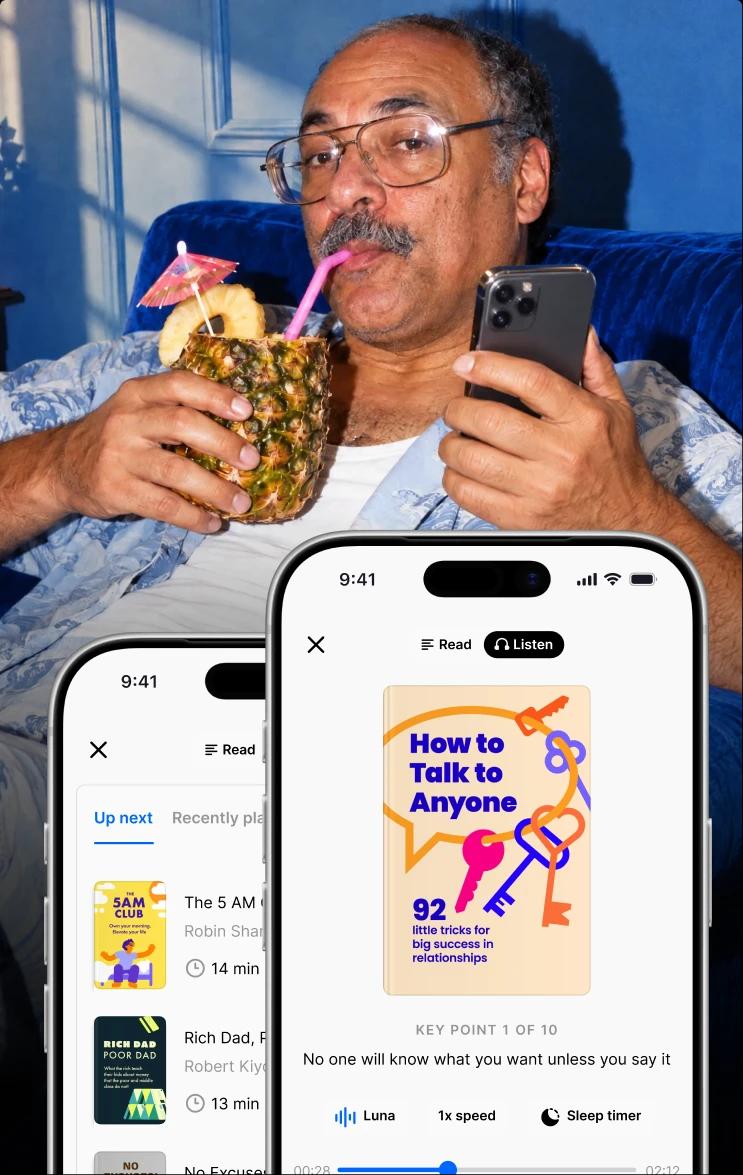
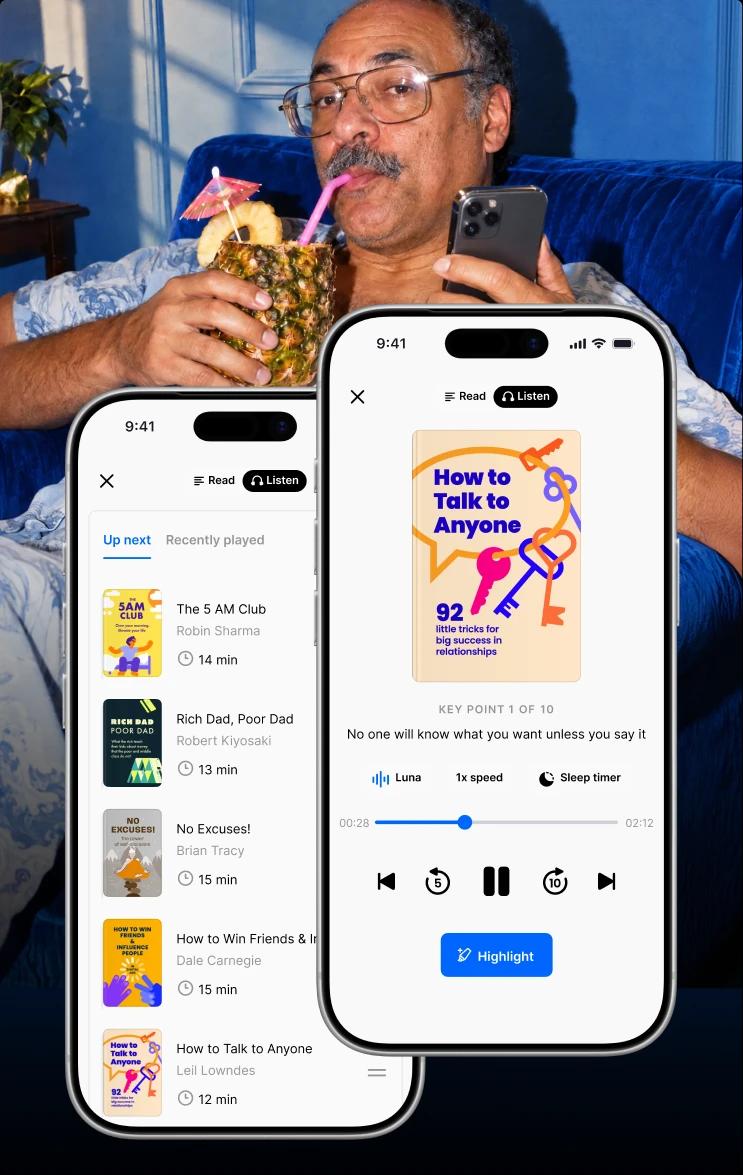
📘 We all love spending time on our phones. With Headway, just 15 minutes a day can unlock amazing insights that truly resonate. The app offers quick summaries, personal progress tracking, and a sleek design, placing it among the top bite-sized learning platforms ranked for busy professionals. Scroll smarter with Headway!
What is microlearning?
In recent years, e-learning has rapidly developed, changing how people acquire knowledge and skills. With tight work schedules and constant digital distractions, traditional long training programs often seem too complex and overwhelming.
Microlearning is a response to that. It is a way of teaching that delivers one small, focused idea at a time — usually in just a few minutes. Instead of asking learners to complete a long course, it uses short formats such as quick videos, quizzes, flashcards, scenarios, or tips that are easy to fit into the flow of work.
It is especially useful for reinforcing important information, building habits, and helping people apply new skills when they need them.
Researchers have shown that people learn the material more effectively when it's broken into smaller sections. Richard E. Mayer coined the term "segmenting principle" to describe this phenomenon.
People often learn complex material better when it is organized into meaningful, manageable parts — especially when they can control when to move to the next part. The reason is not simply that "shorter is better"; it is that well-designed segments make it easier to process, organize, and connect new ideas without overwhelming working memory.
Benefits of microlearning
Whether you want to learn a new skill on your own or train a team at work, microlearning platforms make the process fast, easy, and effective. By breaking big topics down into short, bite-sized lessons, these tools help you learn without feeling overwhelmed.
Why microlearning works
It keeps you interested: Quick quizzes, games, and short videos turn learning into an active experience rather than a boring chore.
It's easier to remember: Learning in small doses prevents brain overload, making it much easier to hold onto what you've learned over time.
It fits into busy days: You can complete a quick 3-to-5-minute lesson on your phone while commuting, standing in line, or taking a coffee break.
It's flexible: Lessons adapt to your immediate needs — whether that's watching a quick video on communication tips or taking a rapid mini-quiz to refresh your memory.
"Success doesn't usually come from big leaps. It comes from small steps taken consistently." — 'Your Best Year Ever,' Michael Hyatt
Not all platforms are built the same — some focus on corporate compliance, others on individual upskilling, and a few blend both. We assessed each option below on lesson length, retention design, mobile-first usability, and pricing transparency to surface the top bite-sized learning platforms ranked for real-world use in 2026.
Top 10 microlearning platforms for 2026
1. Headway
This is a platform for bite-sized learning with book summaries. Headway is a convenient app for daily upskilling. You can invest in your development by listening to audiobooks on business, leadership, personal growth, and psychology. Headway is a mobile-first app designed for microlearning in the rhythm of modern life.

Functionality:
Personalized learning, as the app generates personalized recommendations
Bestselling book summaries in text or audio formats, lasting about 15 minutes
Interactive flashcards to help you remember key ideas from books
The Headway app provides daily notifications and tracks your progress
Possible cons: Lack of social learning (discussion or commenting between users)
Best suited for: Busy people who want to develop but don't have time to read whole books (young parents, managers, entrepreneurs who can only carve out 15 minutes daily). For those who want to improve their soft skills and thinking
Pricing: The free plan lets you read or listen to one daily book summary. Monthly — around $12.99/month. Quarterly — $29.99/3 months (≈$10/month). Yearly — $89.99/year (≈$7.50/month).
2. iSpring Learn
iSpring Learn is a corporate LMS that covers the full training cycle, from structured onboarding to continuous upskilling. Trainers build courses and quizzes right in the platform, and learners complete them from a mobile app — even offline.
Functionality:
Built-in course and quiz authoring, with PowerPoint-based authoring for turning existing slides into interactive lessons
Learning paths, automated enrollments, and deadline reminders that keep training on schedule
Certificates, points, badges, and leaderboards to motivate learners
Mobile app with offline access; supports SCORM content
Detailed reports and a supervisor dashboard for tracking learner progress
Possible cons: No free plan (trial only), and users note gamification is lighter than in dedicated microlearning apps
Best suited for: HR and L&D teams that need structured onboarding and ongoing employee training, from small businesses to enterprise
Pricing: A free trial is available. Paid plans are priced per user per month and scale with team size — from around $3.58 per user per month for large teams (about $4.46 for 300 users), billed annually. Enterprise pricing is available on request.
3. eduMe
It is an online learning platform for employee training. People can learn right in the workplace, getting short, interactive learning modules that are easy to complete from their mobile devices. The main goal is not just learning for the sake of information, but rather increasing workplace performance.

Functionality:
Social media style of mobile learning
Ability to link training to KPIs (increase sales conversion, reduce errors)
Employees can complete the modules at a convenient time, learning at their own pace
eduMe provides metrics of learner progress, such as completion rate, test scores, time spent on each module, and progress over time
Possible cons: The platform is designed for medium and large businesses, often on an international scale. It's a cloud platform, so learning is only possible with internet access.
Best suited for: Hotel, restaurant, and catering workers, logistics companies
Pricing: No publicly available information, only upon the company's request.
4. TalentCards
It's a flashcard learning app ideal for transferring short knowledge: step-by-step instructions, procedures, rules, and checklists. TalentCards is a scalable platform, especially if you aim to train massively and quickly.

Functionality:
An app that works both online and offline
Creating flashcards using AI
Supports text, images, videos, and tests
The leaderboard function is part of the platform's gamification
Possible cons: No complex course structure
Best suited for: New hires, service sector workers, manufacturing, security, trade
Pricing: The app is free for up to 5 users. For up to 50 users with limited features, the price is $49 per month. A premium plan with full analytics and customization is $79+ per month (up to 100 people).
5. Axonify
A platform for corporate training of frontline workers. AI-powered, the system learns from answers to improve knowledge retention.

Functionality:
The platform selects only relevant content for each specific employee
User-friendly interface with gamification, leaderboards, and awards
Includes ready-made content libraries for security, sales, and service
It supports realistic scenarios (scenario-based simulations), for example: "What would you do in this situation?")
Possible cons: High cost, and a minimum number of users is usually 250+
Best suited for: Frontline workers and instructional designers who design, create, and improve instructional materials and learning experiences.
Pricing: The price is not available online; you need to contact the sales team of Axonify
6. LearnUpon
LearnUpon is an LMS platform that streamlines corporate learning by making it easy to manage, track, and scale training across teams.

Functionality:
Support for courses with tests, certifications, deadlines, and automatic reminders
Built-in reports on progress, success, and activity
Ability to create separate portals for internal employees, clients, and partners
Can automatically add webinars to training courses and track participation
Possible cons: It requires more time to configure than other similar platforms.
Best suited for: Training employees in medium and large businesses
Pricing: Up to 100 users, LearnUpon costs from $700 per month. For up to 500 users, the price is approximately $1500 per month.
7. 7taps
7taps is a no-code platform for creating ultra-short training mini-courses. 7taps is a new generation of microlearning: fast, visual, and mobile-friendly.

Functionality:
The training format is mobile "stories" or "slides" similar to Instagram Stories.
Training takes only 2–3 minutes
Platform without a standalone app — opens via a link; you can send the course via Slack, email, or SMS
Quick facts for sellers about the product
Possible cons: Not suitable for mandatory certification or in-depth academic programs.
Best suited for: HR and managers who are not instructional designers
Pricing: The price depends on the number of authors and integrations. The free plan allows up to 3 courses; the Pro plan is $99 per month; the Enterprise plan with advanced analytics and customization is calculated upon request.
8. Qstream
Qstream is a platform specializing in deepening knowledge through microlearning and spaced repetition. This tool is well-suited for repeating learned knowledge.

Functionality:
Based on evidence-based science about memory and learning
Users get short questions (1–2 minutes) several times a week
After each answer, the user sees a short explanation
Real-time analytics identify knowledge gaps
Possible cons: Focuses only on repetition; not suitable for creating large courses
Best suited for: Sales teams and health care professionals
Pricing: Price depends on the number of users (from ~100+); the app works on an enterprise model.
9. Elevate
Elevate is a mobile app for developing cognitive skills (thinking, memory, focus, processing speed, speech) through quick games focusing on vocabulary, math, and processing speed.

Functionality:
The app gives you a quick test to determine your current cognitive abilities
The system creates a personal plan based on your needs and knowledge level
Elevate has a gamification system that encourages users to continue using the app every day
Has assessment functionality
Possible cons: Gamified format can increase screen time
Best suited for: Students and anyone who wants to develop speaking, critical thinking, and focus
Pricing: Free version with limited access to exercises, or full version for $12 per month.
10. Arist
Arist delivers training as short interactive messages sent through the channels employees already use — SMS, WhatsApp, Slack, and Microsoft Teams. Lessons arrive over days or weeks, right in the flow of work, with no app to download and no login to remember.
Functionality:
AI course creation that converts existing documents and files into message-based lessons in minutes
Delivery via SMS, WhatsApp, Slack, and Microsoft Teams, with automated scheduling and reminders
Wage-and-hour-compliant training on personal devices — messages are toll-free, and shift-scheduling integrations keep hourly teams covered
Learner analytics, data exporting, and LMS integration
Possible cons: Built for organizations rather than individual learners; the short message format isn't suited for deep, complex coursework
Best suited for: Frontline and deskless teams, distributed workforces, and L&D teams that need to train employees who don't have work devices
Pricing: Custom pricing on a simple per-learner, per-year basis. There's no free version, but a free trial is available.

Microlearning apps
So, what's the difference between a microlearning app and a microlearning platform?
A microlearning app is:
A mobile app created for an individual user (Headway, Duolingo, Elevate).
A microlearning platform is:
A comprehensive solution for training in organizations or teams that offers analytics, content management, and role personalization. The platform runs in a browser and often has a mobile app. The goal is to provide systematic staff training (Axonify, iSpring Learn, 7taps).
So, do you want to study independently for 10 minutes a day? Select an app that makes learning easy — lots of free microlearning apps are out there!
Do you want to train a team systematically and effectively? You need a platform.
How to choose the right microlearning platform
Use the table below to compare and choose the microlearning platform that best suits your needs.
| Microlearning platforms | Content type | Learner demographics | Integration capabilities |
|---|
Headway | Book summaries, audio lessons, and daily insights | Individual users, self-learners | Minimal, no integrations |
iSpring Learn | Courses, quizzes, learning paths, and video lessons | Corporate employees, from SMBs to enterprise | SCORM, SSO, API, Zoom, MS Teams |
EduMe | Bite-sized lessons, videos, quizzes, and mobile-first units | Frontline teams, gig workers, and the distributed workforce | SCORM, SSO, Zapier, Salesforce, API |
TalentCards | Card-based lessons, micro-quizzes, images, and PDFs | Officeless workers, mobile teams | API, SSO, basic integrations |
Axonify | Adaptive microlearning, gamified quizzes, and simulations | Frontline staff (retail, logistics, safety) | API, SSO, LMS, workforce platforms (Workday, ADP) |
LearnUpon | Full eLearning courses, quizzes, webinars | Corporate employees, clients, and partners | SCORM, xAPI, SSO, Salesforce, webinar tools |
7taps | Mobile micro-stories, GIFs, short videos, text cards | Onboarding, sales enablement, and rapid learning | Without deep integrations |
Qstream | Quiz-style questions, spaced repetition, micro-scenarios | Sales, pharma, healthcare, and compliance teams | Salesforce, LMS, API, MS Teams, Slack |
Elevate | Cognitive games, reading/math/speaking exercises | Individual users (B2C), skills development | No professional integrations |
Arist | Message-based micro-lessons, quizzes, and nudges | Frontline and deskless teams, distributed workforces | SMS, WhatsApp, Slack, MS Teams, LMS, API |
Microlearning platforms with certifications: which options issue credentials
If your team needs verifiable proof of completion — for compliance training, onboarding sign-offs, or partner enablement — narrow the list before you start comparing prices.
The two platforms above issue certifications natively: iSpring Learn issues completion certificates alongside its badges and leaderboards; LearnUpon supports full certifications with deadlines and automatic reminders.
7taps explicitly opts out — its Stories-style format isn't built for mandatory certification or academic programs.
The remaining apps (Headway, eduMe, Arist, TalentCards, Axonify, Qstream, Elevate) either don't issue certificates or treat credentials as a secondary feature, so confirm directly with the vendor if formal completion records are a hard requirement.
How platforms use AI to tailor learning paths
AI can create personalized, interactive content for learners, helping to keep them engaged. It provides an innovative way to teach lessons, assign tasks (for example, Axonify), and introduce new concepts or topics. Another benefit of integrating AI into microlearning is the personalized learning path it can provide.
Not all students learn similarly; some may need visual aids, while others may find textual explanations easier to understand. AI can identify areas where a student is struggling and provide additional support, making learning more effective and enjoyable.
For example, Qstream uses AI-driven spaced repetition for areas of knowledge that need more attention. Headway generates book summaries based on your preferences using AI.
See what makes Headway a game-changer for microlearning
Still wondering which app to use to learn faster on the go? Try Headway with its extensive library of nonfiction book summaries!
Headway is a useful platform both for individuals and entire companies. The best authors write books based on their professional experience in psychology, relationships, business, leadership, and self-improvement.
In a short amount of time, you'll gain the knowledge equivalent to that of an entire book. This format provides value, especially for those who may not have the time to read it fully.
There are no "learning modules," deadlines, or exams. Headway encourages the habit of learning gently, without any pressure.
You can easily start today with just a few minutes each day. Choose the topic you want to grow, and you won't have to worry about where to begin. The Headway app will provide you with the best book summaries.
FAQs about the best micro learning platforms
How long should a microlearning module be?
The sweet spot is 2 to 7 minutes. The goal is to teach one specific idea fast. While a quick video or workshop can stretch up to 30 minutes, true microlearning keeps things brief so you can learn something useful without getting overwhelmed.
Is microlearning the same as mobile learning?
Not quite. Microlearning is how much you learn at once (short, focused lessons). Mobile learning is where you learn (on a phone or tablet). They work great together, but you can take a 5-minute microlearning lesson on a laptop, or spend two hours reading a full textbook on an iPad.
When is microlearning not suitable?
It falls short when you need to master deeply complex topics, high-stakes medical procedures, or multi-step technical skills. Breaking a massive subject into dozens of tiny pieces can feel like trying to understand a full movie by only watching 5-second trailers.
Is assessment necessary in microlearning?
Assessment is not a mandatory part of microlearning, but it allows you to collect valuable learning data, such as course completion rates, test scores, and engagement rates. This data can help you understand what's working and where learners may need additional support if you use it to train others or track your progress.
How is microlearning used in corporate training?
Businesses use it to train staff without pulling them away from work for hours. Instead of long presentations, employees get 60-second videos, quick infographics, brief demos, mini podcasts, or short daily quizzes. Microlearning is used to train employees for new product launches, safety updates, workplace rules, and other critical skill development.
Which microlearning app is best for productivity skills?
Headway stands out as a top microlearning solution for productivity skills, offering 15-minute book summaries from bestselling nonfiction titles focused on time management, efficiency, and personal development. The app delivers actionable insights from expert authors in bite-sized formats, making it easy to build productivity habits during commutes, breaks, or whenever you have spare moments throughout your day.
Which microlearning platforms with streaks and reminders can help me stay motivated?
Platforms with short lessons and streaks help maintain a steady pace. Apps like Headway use personalized reading streaks and daily summary reminders to help users stay accountable to their personal growth goals. Corporate tools like iSpring Learn, Axonify, and 7taps use automated push alerts and quick daily bursts to keep learners logging in regularly. These gentle prompts turn quick 2- to 5-minute training sessions into a steady daily routine.
What are the best free microlearning apps for 2026?
If you want to learn on your own without paying for an enterprise platform, a few options stand out. Headway's free plan gives you one daily book summary, while Elevate, TalentCards, and 7taps all offer free tiers worth trying.
There are plenty of micro learning apps free to download and start using in minutes, so you can build a daily habit before deciding whether to upgrade.