Self-growth
 Apps & Digital Tools
 Business & Career
 Success
 Growth Tools
 Psychology
 Communication
 Relationships

Are you frustrated by endless scrolling and constantly looking for apps to replace social media?
You're in good company. According to a Pew Research Center study, 18% of US adults say they've taken a break from social media in the past year, 6% have quit at least one platform altogether, and 40% of US teens admit they spend too much time on social media apps.
Here's the catch, though: willpower alone rarely fixes the habit. Delete the apps, and your brain still looks for something to do while you wait in line or wind down in bed. If nothing fills that gap, mindless scrolling usually returns within a week.
That's why replacement beats restriction. Below are 15 apps to replace social media — each mobile app is available on iOS and Android unless noted — grouped by what you want from your free time: learning, focus, or calm. You'll also get a four-step plan for making the new default stick.
📘 Swap one scroll session for a 15-minute book summary — start with Headway!

Quick picks: Top apps by goal
Short on time? Match the app to the moment you usually reach for a feed:
Book-based growth in spare minutes: Headway
Learning a new language: Duolingo
Staying off your phone during work: Forest
Reading instead of refreshing: Instapaper
Winding down at night: Calm
Listening on the go: Spotify Podcasts
Every pick above appears in the full comparison below, in the same order you'll meet it in the article.
15 apps to replace social media in 2026: Full comparison
There's no need to give up your phone — just give it a better job. Here's the complete list of apps to use instead of social media, with the habit each one replaces and what the free version covers.
| # | App | Best for | Replaces this habit | Free version | iOS | Android |
|---|---|---|---|---|---|---|
1 | Duolingo | Learning a new language | Three-minute boredom scrolls | Yes, with ads | Yes | |
2 | Headway | Book-based self-growth | Opening a feed on a short break | Quiz-based plans | Yes | |
3 | TED | Ideas from experts | Autoplay video rabbit holes | Yes | ||
4 | Goodreads | Tracking books and reading goals | Comparing lives on Instagram | Yes | ||
5 | Nibble | Bite-sized lessons on 30+ topics | TikTok-style novelty hits | Quiz-based plans | Yes | |
6 | Skillsta | Communication and career skills | Passive LinkedIn scrolling | Quiz-based plans | Yes | |
7 | Forest | Focus sessions | Checking apps during work or study | Varies by platform | Yes | |
8 | Instapaper | Saving articles for later | Hunting a feed for something to read | Yes | ||
9 | Impulse | Daily brain-training games | Idle tapping between tasks | Limited | Yes | |
10 | Habitica | Gamified habit building | Chasing streaks and likes | Yes | ||
11 | Addmile | Simple habit and goal tracking | Endless progress-free checking | Varies | Yes | |
12 | Calm | Meditation and sleep | Nighttime doomscrolling | Limited | Yes | |
13 | Jour | Guided journaling | Venting into a feed | Limited | Yes | |
14 | Day One | Private digital journaling | Oversharing online | Yes | ||
15 | Spotify Podcasts | Podcasts and audio learning | Scrolling with the TV on | Yes, with ads | Yes | |


All app features and pricing notes in this article were checked in August 2026. Prices and free tiers may vary by region, current promotions, and seasonal offers — verify details on the official app store pages before subscribing.
Six best learning apps instead of social media
The apps in this group answer the same itch a feed does — quick novelty in short sessions — but each session leaves you with something you didn't know before. If you want a broader look at this category, our guide to the best learning apps ranks even more options.
1. Duolingo — best for learning a new language in short bursts
What it does: Duolingo teaches 40+ languages, from Spanish to Japanese, through gamified lessons of three to five minutes, complete with streaks, leagues, and a famously persistent owl.
Why it replaces scrolling: The sessions fit the exact moments you'd normally spend on a feed, and the streak mechanic gives you a reason to come back that has nothing to do with likes. Language learning becomes the thing you do while the kettle boils.
Best for: A beginner who wants daily practice without opening a textbook.
Watch out: Duolingo builds a habit and a base, not fluency on its own — pair it with real conversation practice when you're ready.
Free version: Yes, with ads.
Available on: iOS and Android.
2. Headway — best for turning breaks into book summaries
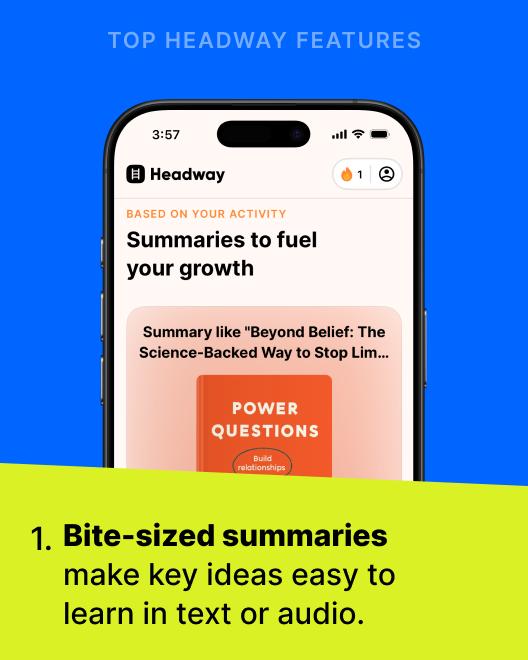
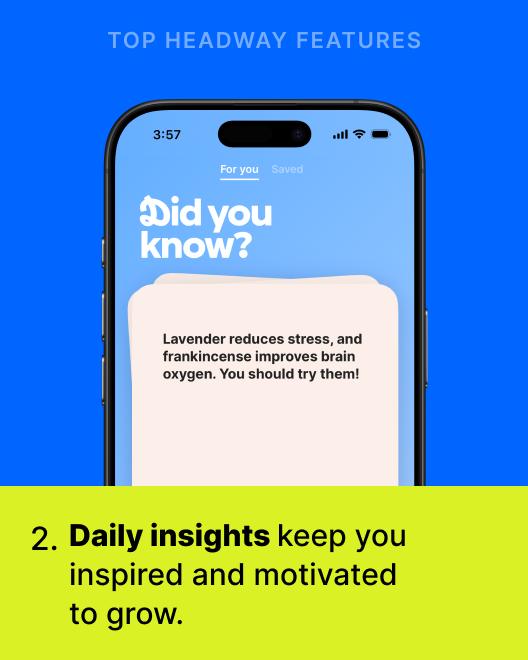
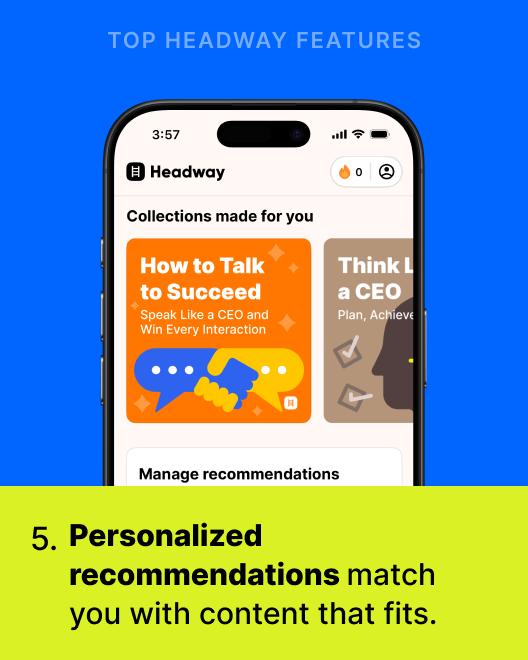
What it does: Headway condenses 2,500+ bestselling books into 15-minute summaries you can read or listen to, with personalized recommendations, goals, streaks, and progress tracking.
Why it replaces scrolling: A summary takes about as long as an average scroll session, so the swap costs you nothing — you finish a "book" in the time Instagram would have quietly taken anyway. The app is trusted at scale: 55M+ users across 170 countries, a 4.6 rating on the App Store and Google Play, App of the Day in 30+ countries, and a spot on TIME's World's Top EdTech Companies list in 2025.
Best for: Busy people who miss reading but never seem to find the time for full books.
Watch out: Summaries condense rather than replace full books. If you fall in love with an idea, the original is still worth your evening.
Free version: Personalized plans start after a short quiz.
Available on: iOS and Android.
Real user story: How Enrique replaced 20 minutes of scrolling
Enrique García Galán, a software engineer and PhD researcher, used to spend about 20 minutes every morning scrolling through social media and news feeds. The tricky part? He couldn't just delete those apps — he needed Instagram and TikTok for his photography hobby.
"Opening one of those apps took seconds, but I'd be there for half an hour without noticing," he recalls.
Instead of fighting his phone, Enrique redirected the same 20 minutes to Headway summaries after breakfast. It took about a month before the new habit felt automatic. A year later, he's absorbed ideas from 58 book summaries — in time he used to lose to the feed.
"More than the knowledge itself, I've gained more control over where my attention goes."
Read Enrique's full story of turning scroll time into learning time.
📘 See where 15 minutes a day can take you — take the Headway quiz!


3. TED — best for ideas that outlast the feed
What it does: The TED app collects thousands of talks from experts and original thinkers, organized by topic — from science and psychology to personal growth.
Why it replaces scrolling: It gives you the video-watching experience without the algorithmic bait. You choose a subject, watch one complete talk, and walk away with a finished thought instead of forty half-formed ones.
Best for: Anyone who ends up on YouTube "for one video" and surfaces an hour later.
Watch out: Talks run 5–20 minutes, so TED suits a lunch break better than a 90-second wait in line.
Free version: Yes.
Available on: iOS and Android.
4. Goodreads — best for tracking books and reading goals
What it does: Goodreads lets you log what you read, set yearly reading goals, and browse reviews from millions of readers.
Why it replaces scrolling: It keeps the community feeling of a social network while pointing it at something worthwhile. Instead of comparing vacations, you compare bookshelves — and the annual reading challenge turns progress into the thing you check compulsively. If tracking makes you want to read more on your phone, see our roundup of the best book reading apps.
Best for: Readers who want accountability and recommendations from real people.
Watch out: The interface feels dated, and review threads can become their own time sink.
Free version: Yes.
Available on: iOS and Android.
5. Nibble — best for bite-sized lessons on curious topics
What it does: Nibble packs 600+ swipeable lessons into 30+ topics, including Art, Math, Literature, Philosophy, and Personal Finance.
Why it replaces scrolling: The swipe-through format feels like the feed your thumb already knows, except every card teaches you something. It's the closest thing on this list to a productive screen time experience built for the TikTok generation.
Best for: Curious people who like variety — one day Ancient Rome, the next day compound interest.
Watch out: Lessons are intentionally short, so treat Nibble as a spark for deeper reading rather than a full course.
Free version: Personalized plans start after a short quiz.
Available on: iOS and Android.
6. Skillsta — best for building career and communication skills
What it does: Skillsta offers bite-sized courses on practical skills, with tracks like Communication, Productivity, Emotional Intelligence, and Creativity.
Why it replaces scrolling: It converts the "I should be networking" guilt that keeps you on LinkedIn into structured practice you can feel. Ten minutes of Skillsta beats thirty minutes of watching other people announce promotions.
Best for: Professionals who want new skills they can use in the next meeting.
Watch out: The catalog focuses on soft skills — for technical or academic subjects, look at Khan Academy below.
Free version: Personalized plans start after a short quiz.
Available on: iOS and Android.
Five best apps to replace scrolling (for better focus and productivity)
These productive apps instead of social media work from the opposite direction: some give your spare minutes a job, and others reward you for putting the phone down entirely. For a wider toolkit, browse our list of productivity apps worth the home-screen space.
7. Forest — best for staying off your phone during deep work
What it does: You set a timer, and a virtual tree starts growing. Leave the app early, and the tree dies. Over weeks, your focused hours become a small forest.
Why it replaces scrolling: Forest adds a cost to the reflexive check. Killing a tree you've grown for 40 minutes feels surprisingly bad, and that tiny bit of friction is often all the pause you need.
Best for: Students and remote workers whose endless scrolling happens mid-task.
Watch out: It only guards the phone in your hand — a laptop full of open tabs needs its own plan.
Free version: Varies by platform (one-time purchase on iOS; free with optional purchases on Android).
Available on: iOS and Android.
8. Instapaper — best for reading what you meant to read
What it does: Instapaper saves articles and web pages into a clean, text-only queue you can read later, online or offline.
Why it replaces scrolling: Half the pull of a feed is the promise of finding something interesting. Instapaper separates finding from reading: save the good links during the day, then curate your own reading queue for the commute. The free version covers unlimited saves, and offline mode means your reading doesn't depend on a signal.
Best for: People who open a feed "to find something to read" and never quite do.
Watch out: A save-it-for-later queue grows fast — schedule a weekly clear-out.
Free version: Yes.
Available on: iOS and Android.
9. Impulse — best for quick brain-training games
What it does: Impulse offers short cognitive games that exercise focus, memory, and logic in a few minutes a day.
Why it replaces scrolling: It delivers the same fast feedback loop as a feed, but the reward is a score that improves with you. Your downtime tapping starts pointing somewhere.
Best for: Anyone who wants their idle-tapping habit to sharpen their thinking instead of dulling it.
Watch out: Brain games train the skills they test — enjoy them as mental warm-ups, not a measured IQ program.
Free version: Limited.
Available on: iOS and Android.
10. Habitica — best for gamifying your real-life habits
What it does: Habitica turns your to-do list into a role-playing game: complete real tasks to earn gear, level up your avatar, and battle monsters with friends.
Why it replaces scrolling: The streaks and rewards that make social platforms sticky work just as well when they're attached to flossing, workouts, and deadlines. It makes building discipline feel like a game — literally. If motivation is your bottleneck, our guide to the best apps for motivation digs deeper.
Best for: Gamers who want their daily quests to happen offline.
Watch out: The RPG framing is the point — if pixel-art avatars leave you cold, Addmile below is the plainer option.
Free version: Yes.
Available on: iOS and Android.
11. Addmile — best for simple habit and goal tracking
What it does: Addmile is a clean, minimal tracker for habits and goals, built around small daily check-ins and visible progress.
Why it replaces scrolling: Checking your streaks takes thirty seconds and ends naturally — there's no feed to fall into afterward. It gives the compulsive-checking urge a finish line.
Best for: People replacing social media with measurable real-life progress.
Watch out: It's a tracker, not a coach — you still choose the habits worth building.
Free version: Varies.
Available on: iOS and Android.

Four best non social media apps for calm and wellness
Restlessness drives a lot of nighttime scrolling, and these picks answer it directly. Each one supports your well-being instead of borrowing against it.
12. Calm — best for meditation and better sleep
What it does: Calm offers guided meditations, sleep stories, breathing exercises, and soundscapes for winding down.
Why it replaces scrolling: The bored-and-restless impulse that opens Instagram at 11 pm is usually a wind-down need in disguise. A ten-minute guided session settles that energy; twenty minutes of blue-light feeds amplifies it.
Best for: Anyone whose doomscrolling peaks at bedtime. (Headspace is the closest alternative — more on it below.)
Watch out: The free tier is limited, so test the sessions before committing to a subscription.
Free version: Limited.
Available on: iOS and Android.
13. Jour — best for guided journaling and mood tracking
What it does: Jour is a self-care journal with guided prompts that help you reflect, process emotions, and track your mood over time.
Why it replaces scrolling: When something's bothering you, a feed offers distraction; a journal offers resolution. Jour's prompts lower the blank-page barrier, so reflecting becomes as easy as posting.
Best for: People who reach for their phone when stressed and want that reflex to help.
Watch out: Prompts are a starting point — the benefit compounds only if you show up regularly.
Free version: Limited.
Available on: iOS and Android.
14. Day One — best for private digital journaling
What it does: Day One is a beautifully simple journal for text, photos, voice notes, and locations, all stored in a secure, private space.
Why it replaces scrolling: It keeps the documenting instinct that makes Instagram appealing and removes the audience. You capture the moment for future you, not for the algorithm — a healthier habit than oversharing online.
Best for: People who love posting memories but not the pressure that comes with it.
Watch out: Syncing across devices sits behind the premium plan.
Free version: Yes.
Available on: iOS and Android.
15. Spotify Podcasts — best for learning while you move
What it does: Spotify's podcast library covers thousands of educational, inspiring, and entertaining shows, with a playlist for every mood and commute.
Why it replaces scrolling: Audio fills the moments video feeds can't — cooking, walking, driving — so it competes with the habit without demanding your eyes. Following specific shows also means you choose the voices you hear, not an autoplay queue.
Best for: Multitaskers who want their hands-busy time to teach them something.
Watch out: Podcast queues can become their own infinite feed — subscribe deliberately.
Free version: Yes, with ads.
Available on: iOS and Android.
Also worth considering: Khan Academy, Headspace, and Amazon Kindle
Three more names deserve a mention, even though they didn't make the main roster:
Khan Academy — free, structured courses and tutorials on math, science, history, and more. The strongest free learning app for anyone who wants school-grade depth, and a natural next step after Nibble sparks a new interest.
Headspace — guided meditations with a friendly, beginner-first tone. Functionally close to Calm; pick whichever voice and design you prefer.
Amazon Kindle — turns your phone into your book collection. Ideal once the summaries and saved articles reawaken your appetite for full-length reading. Our list of educational apps covers more options in this spirit.
How to replace the scrolling habit for good
If you skipped the switching plan, none of the best apps above will save you — a list becomes a habit only with a little setup. Here's the five-step version:
Pick two apps, not fifteen. Choose one for bored moments (Headway, Duolingo, or Instapaper) and one for wind-down (Calm or Jour). More than two, and none of them stick.
Move them into the old icons' spots. Place your picks exactly where Instagram or TikTok used to sit on your home screen. Your thumb's muscle memory will do the rest.
Cut the triggers. Mute the notifications you don't need and move social media apps into a folder on your last screen. Every added tap is friction working for you.
Set one plain rule. "When I open my phone without a purpose, I open my replacement app first." A specific rule beats a vague intention every time.
Measure the amount of time after two weeks. Use the built-in Screen Time function on iOS or Digital Wellbeing on Android to compare your before and after. Seeing 40 reclaimed minutes a day is the proof that keeps the habit alive.
The best alternatives to scrolling social media are the ones waiting in the exact spot your thumb already goes. Give the new pattern two weeks before you judge it — the first few days always feel strange.
As the 'Tiny Habits' book summary teaches, small daily actions lead to big transformations. Read or listen to BJ Fogg's method on Headway to learn how tiny swaps become lasting routines.
📘 Make learning your new default — build the habit with Headway!
What to use instead of Instagram, TikTok, or Snapchat
Different social platforms hook different needs, so the right swap depends on which app owns your thumb. Match the platform to its replacement:
| If you mostly open… | What it gives you | Try instead |
|---|---|---|
Visual inspiration and life updates | Goodreads for community, Day One for private photo memories | |
TikTok | Short bursts of novelty | Nibble or Headway for bite-sized learning — or see our full guide to apps like TikTok |
Snapchat or WhatsApp | Messaging friends | Keep them — messaging serves a real function. Just mute the group chats that don't |
YouTube autoplay | Long-form video drift | TED for chosen talks, Spotify Podcasts for audio |
Career FOMO | Skillsta for skills you can practice today |
One honest note: messaging apps aren't the enemy. WhatsApp connects you to actual people, which is a different job than an algorithmic feed. The problem to solve is the endless scroll, not the conversation.
Why replacing social media works better than a pure detox
A cold-turkey social media detox sounds heroic, but it fights your habits head-on — and habits usually win. Understanding why the feed feels so magnetic makes the replacement approach click.
Feed-based social media platforms are engineered for engagement. Recommendation algorithms surface whatever keeps you watching, notifications pull you back at calculated moments, and recommended posts, ads, and bot accounts pad the space between updates from people you know. Add the fear of missing out — FOMO makes you check in even when you don't feel like it — and you get a loop that's hard to exit by willpower alone.
Research has also associated heavy, compulsive use with poorer sleep, more anxiety, and lower self-esteem in some users. Social media addiction isn't a formal diagnosis, and the science is still developing, but many people recognize the milder version: mental fatigue and a constant sense of being switched on. That pattern deserves a response, and it can affect mental health enough to be worth taking seriously.
Replacement works because it keeps the ritual and changes the content. You still reach for your phone; the phone just answers with something better. As 'Stop Doing That Sh*t' by Gary John Bishop argues, change starts with noticing the loop you're in — and choosing the next input deliberately. In 'Ultralearning,' Scott H. Young makes the complementary case: once the constant interruptions quiet down, focused skill-building starts to feel enjoyable rather than forced.
Book summaries like 'Because Internet' by Gretchen McCulloch even explore how our digital habits evolved in the first place — useful perspective when you're deciding which ones to keep.
Ready to make your screen time count? Start with Headway!
You now have 15 apps to replace social media, a comparison table to choose from, and a switching plan that takes ten minutes to set up. The only remaining question is which app gets the prime spot on your home screen.
If you're going to reach for your phone anyway, make the reflex worthwhile. Headway turns that pocket of time into a finished book summary: 2,500+ bestselling titles condensed into 15-minute reads or listens, matched to your goals through a personal growth plan. Bite-sized summaries make an ideal replacement for mindless scrolling: instead of refreshing a feed, you're stacking new skills and ideas — with streaks, widgets, and achievement tracking to show your progress.
In a world of distractions, Headway helps you focus on you.
📘 Turn hours of scrolling into 15 minutes of wisdom — try the Headway app today!
FAQs about the best apps to replace social media
What are the best apps to replace social media?
The best apps to replace social media match the moment you usually scroll. For quick learning, try Headway or Nibble; for languages, Duolingo; for focus, Forest; for reading, Instapaper; for winding down, Calm or Jour. Start with two — one for boredom and one for bedtime — and place them where your social icons used to sit.
What are healthy alternatives to Instagram?
Healthy alternatives to Instagram keep what you like about it and drop the comparison trap. Day One preserves the photo-memory habit in a private journal, Goodreads offers a community built around books, and Nibble delivers the visual, swipeable format with lessons inside. If you're wondering what to replace Instagram with first, pick the one closest to your reason for opening it.
What can I do instead of Instagram when I'm bored?
If you're deciding what to do instead of Instagram, give the same two minutes a different job: read one saved article in Instapaper, finish a Duolingo lesson, or start a Headway summary. Apps to use instead of Instagram work best when they open just as fast as the feed did — keep them on your first home screen.
Are there apps like Instagram for adults?
Sort of — the closest apps like Instagram for adults keep the social networking layer but attach it to a real interest. Goodreads is social networking for readers, and Strava plays the same role for runners and cyclists. Both give you a feed of people you know doing something concrete, which scratches the social itch without the influencer noise.
Are there productive social media apps?
Yes, though "productive" depends on how you use them. Goodreads and Strava count as productive social media apps because their feeds reward real activity. LinkedIn and Mastodon, by contrast, are still traditional social media at heart — different content, same endless scroll. If a feed leaves you drained rather than informed, treat it like any other platform you're replacing.
What are the best apps to replace scrolling at night?
For nighttime, the best apps to replace scrolling are the calm ones: Calm or Headspace for guided meditations and sleep stories, Jour for offloading the day's thoughts, or Spotify for a quiet playlist. Screens dim, minds follow. Alternatives to scrolling social media in bed work best when your social apps live in a folder far from your thumb.
Can a learning app replace social media?
For many people, yes — a learning app is the most natural swap because it feeds the same appetite for novelty. Headway delivers book ideas in 15 minutes, Khan Academy offers free tutorials on academic subjects, and Duolingo turns language learning into a streak you'll protect. New skills accumulate in the same minutes that used to vanish.
What is the best free social media alternative?
The best free social media alternative depends on your goal. Duolingo, Goodreads, TED, and Khan Academy all offer generous free access, and Instapaper's free version covers unlimited saved articles. If you'd rather trade scrolling for book ideas, Headway starts with a short quiz that builds a personalized plan — a low-friction way to see whether 15-minute summaries suit your spare minutes better than a feed.
What happens when you do a social media detox?
Most beginners notice three things within a couple of weeks: fewer urges to check the phone, easier evenings without the pre-sleep feed, and a surprising amount of reclaimed free time. Effects vary from person to person, and a detox holds best when something replaces the habit — which is exactly what the apps on this list are for.