Self-growth
 Business & Career
 Success
 Communication
 Healing
 Relationships
 Psychology
 Happiness
Are you tired of never having time to learn something new? With mobile learning, you'll only need your smartphone to grasp useful information and study on the go. This educational approach turns those small moments into real progress.
No heavy textbooks or strict schedules — just handy tools that fit quick lessons right into your day. Learning platforms, like Coursera and LinkedIn Learning, will help you develop new skills without added stress.
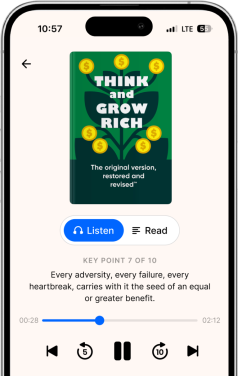
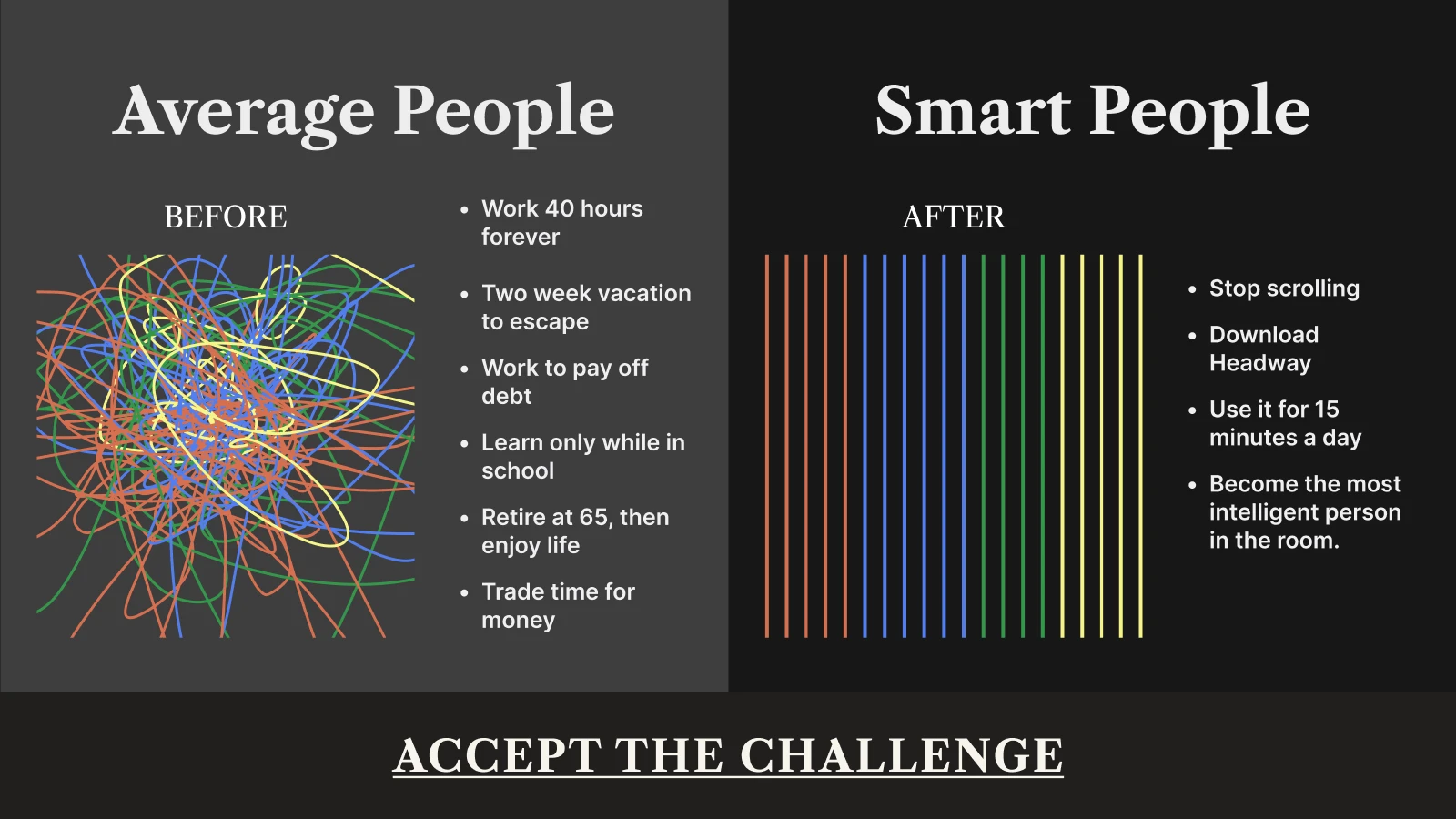
And if you've been meaning to learn, grow, and improve but can never find the right moment, Headway can help you start now. Its 15-minute book summaries condense important lessons into manageable nuggets that you can save on your mobile device. No pressure, no guilt, just small steps that stack into real change.
Try Headway now and welcome daily growth into your life!
Quick summary: Mobile learning content examples
Mobile learning lets you learn anytime, anywhere through smartphones and tablets.
It gives you flexibility, saves money, and lets you learn at your own pace.
Popular tools like Headway, Duolingo, and Coursera bring lessons right to your pocket.
Short content formats, fun games, and quizzes make your learning process seamless.
Mobile technology helps everyone access learning that used to need a traditional classroom.
Keep reading to learn more about the benefits and key tools for mobile learning!
What is mobile learning, and why is it everywhere right now?
Mobile learning (also called m-learning) means learning through mobile devices like smartphones and tablets. Instead of sitting at a desk with a laptop or attending in-person classes, learners can study wherever they are — on the bus, at home, or during a break at work.
This way of learning grew from e-learning as mobile technology got better. Years ago, online learning needed computers and good internet connectivity. Now, with iOS and Android devices in almost everyone's hands, education travels with you.
You can watch training courses, read book summaries, take quizzes, or listen to podcasts, all from the same device you use to text your friends.
Why does this matter? Because life doesn't wait for the perfect learning environment. You might have fifteen minutes between meetings, a half-hour ride to work, or just five minutes of quiet time before bed. Mobile learning turns those moments into chances to grow.
Instead of scrolling social media or feeling bad about wasting time, you can make real progress. Moving to mobile phones as learning tools means more than just being easy. It changes how you think about education.
Traditional classroom settings require fixed schedules and your in-person presence. Mobile learning respects that your time matters. It meets you where you are — really and truly.
📘 Find more time-savvy lessons on the Headway app!
The four key benefits of mobile learning that actually change your daily life
So what's in it for you? Why should you care about learning on your phone instead of the old-school way? Let's talk about the real perks that make a difference in your everyday life.
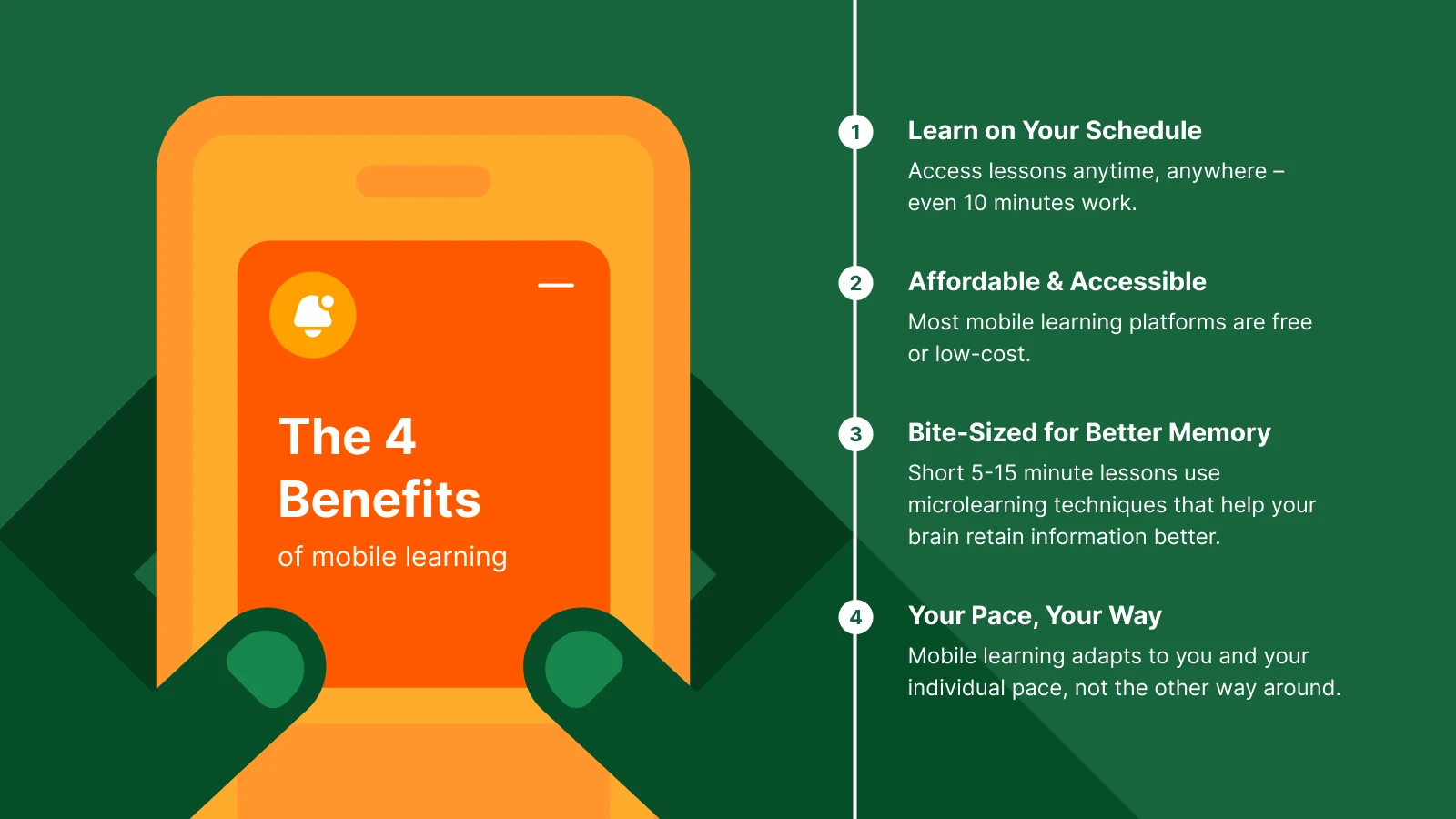
1. Flexibility that works with your schedule
The main advantage of mobile learning is simple: You have autonomy over when and where your learning occurs. You have a spare ten minutes while your coffee brews? Pop up a learning app. You have time to kill in a waiting room? Pull up a short lesson.
Unlike corporate training sessions that need hours of your day, mobile learning content fits around your life instead of taking it over.
This flexibility helps people with busy schedules the most — parents, shift workers, and students with jobs. You don't need to pick between personal development and other stuff you need to do.
Mobile applications let you do both, turning free time into growth time without guilt or stress.
2. Lower costs, easier access
Regular education costs money — tuition, textbooks, gas money, and sometimes childcare, just so you can go to class. Mobile learning platforms cut through these problems. Many are cheap or free.
You already own the device. And you probably already pay for internet connectivity. That's all you need. No travel costs. No expensive learning materials sent to your door.
This cost-effective way opens doors for people who couldn't afford professional development or higher education before. Someone working two jobs can still access training programs on their phone during breaks.
A stay-at-home parent can learn new skills while the kids nap. Mobile devices alleviate the financial constraints that prevent many intelligent individuals from advancing.
3. Better retention through bite-sized lessons
Your brain wasn't made for four-hour lectures. Science shows we remember things better when they come in smaller pieces with breaks between. That's called microlearning, and it's exactly what mobile learning does best.
Instead of hitting you with everything at once, microlearning breaks topics into chunks you can actually take in.
Short learning activities — five to fifteen minutes — keep you interested without tiring your brain. You finish feeling good rather than worn out. Plus, you're more likely to come back tomorrow if today felt good. That consistency builds real knowledge retention over time.
4. Personalized learning at your own pace
As we all know, traditional classrooms force us to move at the same speed. But everyone has their own learning pace. Mobile learning lets you control your time completely.
Need to replay a section? Do it. Want to skip ahead? Go for it. Feel like practicing with flashcards before moving forward? Your call.
This personalized learning way respects that you're an individual, not just another student in a room. Learning platforms adapt to you instead of making you adapt to them.
📘 Make your daily learning habit stick with the Headway app!

Top five mobile learning tools and platforms you should know about
Ready to get started? There are tons of options out there, and picking the right one can feel overwhelming. Here are some of the best mobile learning tools that real people actually use and love — each one with its own strengths depending on what you want to learn.
1. Coursera
Your mobile university that brings real college courses and professional certificates right to your phone.
Platform: iOS, Android, and desktop through an LMS (learning management system)
Best for: People wanting professional development, new careers, or higher education certificates
Key features: Coursera works with universities and companies to offer training courses, specializations, and full degrees. You can learn everything from data science to art history, often at your own pace.
The mobile app lets you download modules for offline viewing, making it great for rides to work or travel. It has video lectures, readings, assignments, and quizzes.
2. Headway
Your personal growth companion that turns the world's best books into 15-minute lessons.
Platform: iOS and Android mobile app
Best for: Busy adults who want self-growth without huge time commitments
Key features: Headway turns popular books into 15-minute summaries you can read or listen to. It's not about replacing reading — it's about making knowledge easy to get when you have limited time.
The app has daily insights, personalized learning paths, and gamification parts that make learning feel less like homework and more like progress. You can check out topics from productivity and psychology to business and relationships, all through learning content made for real-time use.
The functionality is simple: open the app, pick a summary, spend fifteen minutes, and walk away with ideas you can use.
📘 Turn idle moments into self-growth opportunities with the Headway app!
3. Duolingo
The fun, game-like app that makes learning a new language feel like playing instead of studying.
Platform: iOS, Android, and a web-based learning platform
Best for: Language learners at any level, from total beginners to middle-level speakers
Key features: Duolingo turns language learning into a game with short lessons, points, and streaks. The app uses quizzes, speaking exercises, and listening activities to build skills in reading, writing, listening, and speaking.
It's free, has dozens of languages, and takes just five to ten minutes per session. The gamification keeps you going, while the bite-sized formats stop you from getting tired.
4. Khan Academy
The free homework helper and knowledge builder that explains tough subjects in ways that actually make sense.
Platform: iOS, Android, and a web-based learning platform
Best for: Students, parents helping kids, or anyone filling knowledge gaps in math and science
Key features: Khan Academy offers free educational content in subjects like math, science, economics, and history. The mobile app gives you video lessons, practice exercises, and instant feedback.
It's built around mastery learning — you prove you get one concept before moving to the next. Perfect for both school help and personal curiosity.
5. LinkedIn Learning
The career-focused platform that helps you level up your professional skills and stand out at work.
Platform: iOS, Android, and desktop
Best for: Working people building career skills and companies running corporate training programs
Key features: LinkedIn Learning offers thousands of training courses on business, technology, and creative skills. The mobile app lets you watch videos, take notes, and earn certificates.
It connects to your LinkedIn profile, publicly showcasing your professional development. Companies often use it for onboarding and compliance training because it tracks completion and provides case studies alongside instruction.
How you can use mobile learning in daily life: Six best practices to try
Okay, you've got the tools — now what? Having an app on your phone doesn't magically make you smarter. You need a plan that actually works with your messy, unpredictable life. Here's how to make mobile learning stick without stressing yourself out.
1. Start small and build momentum
You don't need to change your whole life overnight. Start with just one free microlearning app and commit to using it for ten minutes daily. That's it. And there is no pressure to become a mobile learning expert right away.
Pick a specific time that already exists in your day. Maybe it's right after you pour your morning coffee or during your lunch break. Connect your mobile learning experience to an existing habit so it becomes automatic rather than another item on your to-do list, which stresses you out.
2. Focus on topics that matter to you right now
Don't waste time learning things just because they sound good. Pick learning content connected to real problems you're facing or goals you're chasing. Want to get promoted?
Look for training programs in leadership or your industry. Having trouble with procrastination? Try summaries of books like 'The Science of Overcoming Procrastination,' which gives you practical tips you can use right away.
When learning materials connect to your real life, you'll remember more and stay motivated longer. According to 'How We Learn,' our brains hold onto information better when we see why it matters. Mobile learning works best when it's personal, not just a check-the-box exercise.
3. Mix formats to keep things interesting
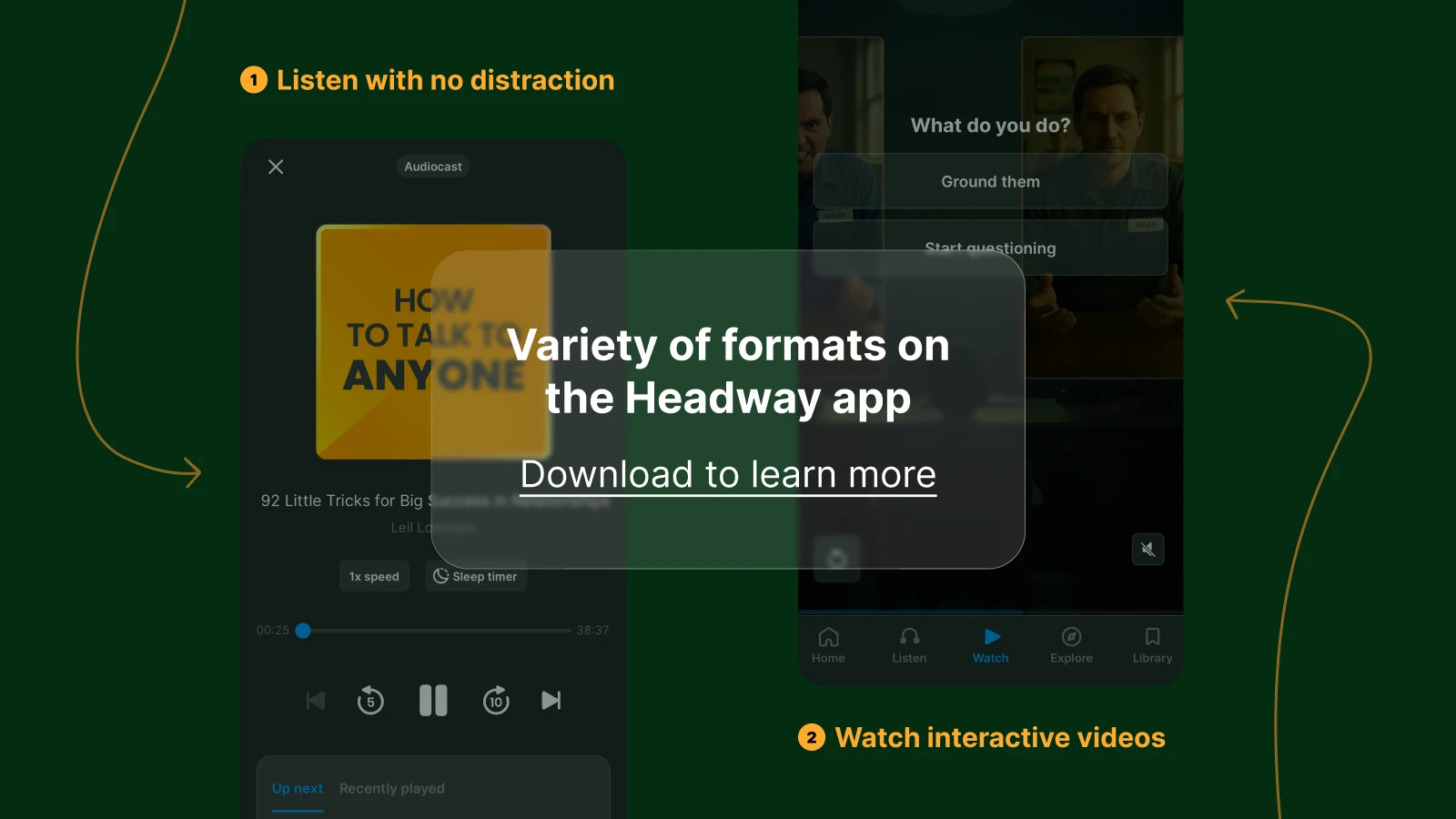
Your brain becomes bored when you do the same thing over and over. Mix up your learning activities to stay interested. One day, listen to a podcast during your ride to work. Next, read a book summary. Later in the week, try quizzes or flashcards to test what you've learned.
Most learning platforms offer multimedia options — videos, audio, text, and interactive simulations. Use them all. Different formats also help with knowledge retention because your brain processes information through multiple paths, making it stick better.
4. Set realistic goals and track progress
Fuzzy plans, like "learn more," rarely work. Set specific, doable goals: "Finish three book summaries this week" or "Complete one training course this month." Mobile applications often have progress tracking and reminders to help you stay on target without feeling nagged.
When you can see how far you've come, you're more likely to keep going. That sense of moving forward feels good and builds confidence.
5. Connect with others when possible
Learning doesn't have to be a lonely experience. Many learning platforms have social learning features — discussion forums, study groups, or leaderboards. Sharing what you're learning with friends, coworkers, or online communities makes it more fun and keeps you accountable.
Even simple things help: text a friend about something cool you learned today, or join a subreddit related to your learning goals. Social media can actually support your growth when you use it on purpose rather than letting it distract you.
6. Review and apply what you learn
The fastest way to forget something is to never use it. After finishing a module or summary, take two minutes to write down the main points and one way you'll apply them. This simple step really helps retention.
So, learning quickly isn't just about taking in content faster; it's about making it stick through real-time applications and thinking about what you learned.
Start learning today with Headway book summaries
Mobile learning brings new technology into your daily life with a single swipe. No matter if you're on a laptop during lunch, using your smartphone on the train, or listening to audio while doing dishes, you now have access to learning tools that actually respect your time.
And best of all, you don't need a traditional classroom or expensive training programs to grow. You just need consistency and the right learning platform.
Headway gives you precisely that — book summaries and insights from the world's most renowned thinkers, squeezed into your daily routine. With personalized learning paths and daily reminders, the app helps you build a learning habit that sticks without making it feel like another chore.
📘 Download the Headway app now and turn your phone into a tool for real change. Start with one summary today, and see where it takes you!
Frequently asked questions about mobile learning
Which device is best for learning?
Smartphones work best for most learners because they're always with you and support different formats, like videos, podcasts, and reading. Tablets have bigger screens for detailed content, while laptops work better for longer training courses. Pick based on how you learn and what you already carry every day.
What is the most popular mobile platform?
Android has the biggest share around the world, making it the most popular mobile platform. However, iOS is more common in places like North America. Most good learning platforms and mobile applications work on both operating systems, allowing learners to access content regardless of the device they use.
Why is mobile learning important?
Mobile learning removes barriers to education — cost, location, and rigid schedules. It makes professional development, higher education, and personal growth available to anyone with a smartphone. This method opens up learning opportunities for millions who couldn't take part in traditional classroom or e-learning programs before.
What are the top mobile learning apps for daily summaries?
Headway stands out for delivering 15-minute book summaries covering business, productivity, and personal growth. Blinkist offers similar condensed insights from bestsellers. Instaread and getAbstract also provide quality summaries. These apps transform your spare moments into learning opportunities, helping you absorb key ideas from hundreds of books without the time commitment.
What is the best type of learning?
The best learning mixes multiple approaches: microlearning for daily progress, social learning for community support, and personalized learning that adapts to your pace. No single method works for everyone. Good learning strategies blend different formats, multimedia, and real-world use to meet each person's needs.
What is the difference between mobile learning and e-learning?
E-learning means any electronic learning, including desktop computers and online platforms. Mobile learning specifically uses mobile devices, like smartphones and tablets. While e-learning might need internet connectivity and longer sessions, mobile learning focuses on shorter, flexible modules that you can access anywhere, making it easier for busy lifestyles.