Self-growth
 Apps & Digital Tools
 Business & Career
 Success
 Growth Tools
 Psychology
 Communication
 Relationships

A quick glance at your phone at a red light seems harmless, until it isn't. Distraction-affected crashes killed 3,275 people in the US in 2023, 8 percent of all traffic fatalities that year. That's exactly the gap the best CarPlay apps are built to close, keeping your hands on the wheel and your eyes on the road.
This guide is built for the iPhone user who wants a smarter dashboard, though if you drive an Android phone, Android Auto covers similar ground with apps like Google Maps, YouTube Music, and Google Play Books.
Headway also earns a spot on this list as the audio pick for turning idle commute minutes into fifteen-minute insights pulled from real nonfiction books.
Download Headway and give your next drive something worth remembering, one summary at a time.

Quick summary: The best CarPlay apps to open before you back out of the driveway
These best CarPlay apps cover the car's screen without pulling your focus off the road. Consider this your shortlist of the top CarPlay apps for 2026.
Apple Maps gives native, Siri-driven turn-by-turn directions with zero extra setup.
Google Maps adds sharper traffic data and wider map coverage for road trips.
Spotify remains the most widely used music streaming app across CarPlay dashboards.
Apple Music pairs deep iPhone library sync with direct Siri playback control.
Headway turns commute minutes into audiobook insights and personalized playlists of ideas.
Keep reading for the full rundown, including which apps actually deserve a spot on your dashboard.
Navigation apps for turn-by-turn directions and traffic jams
Every good drive starts with the right navigation app. On CarPlay, these apps handle turn-by-turn directions, live rerouting, and traffic jams without ever making you glance away from the windshield.
1. Apple Maps
Every CarPlay screen comes with Apple Maps pre-installed, and Siri handles almost the entire experience from there. Ask for a reroute around traffic jams or the nearest gas station, and turn-by-turn directions appear without any extra setup or accounts needed.
Key features: Siri-driven turn-by-turn directions, automatic traffic jam rerouting, zero setup required.
Best for: iPhone users who want the simplest possible navigation app experience.
2. Google Maps
Denser location data and sharper real-time traffic awareness set Google Maps apart from Apple's native option. City driving and international trips tend to favor this app, since local map detail matters more here than tight iPhone integration.
Key features: Detailed real-time traffic data, wide international map coverage, downloadable offline maps for select regions.
Best for: Drivers who prioritize map detail over native Siri integration.
Either one gets you where you're going. Which one wins probably comes down to how much you trust Siri versus how much you trust Google's traffic data.
📘 Turn red lights into tiny wins with Headway!

Music streaming and audio-learning apps for your car's infotainment system
Music streaming apps rely almost entirely on voice commands and playback controls instead of screen browsing, which is exactly how CarPlay wants it. Ask for a song, control playback with your voice, and let the app handle the rest.
3. Spotify
As the most widely used music streaming app across CarPlay dashboards, Spotify leans hard into personalized playlists and hands-free playback control through Siri. Voice commands handle almost everything, and the app even carries live radio stations for anyone who still wants that option.
Key features: Personalized playlists, Siri playback control, live radio stations.
Best for: Drivers who already have a Spotify library and want it available instantly on the CarPlay screen.
4. Apple Music
Your existing iPhone library syncs directly into Apple Music, so anything you've already downloaded shows up instantly on the car's infotainment screen. Siri voice commands control playback throughout, handling song requests and full album queues alike.
Key features: Deep iPhone library sync, direct Siri integration, offline downloads.
Best for: The iPhone user who's already settled into Apple's ecosystem and wants zero extra setup.
5. Headway
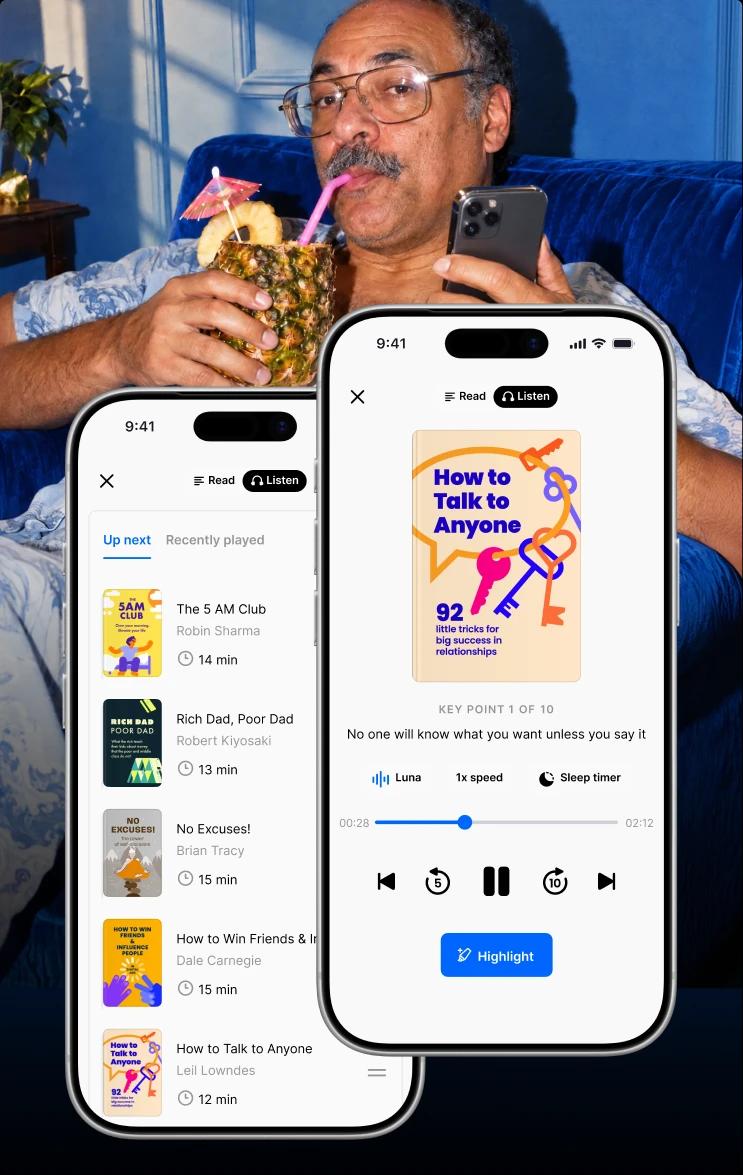
Unlike the other entries in this category, Headway is built for ideas instead of songs, turning nonfiction books into fifteen-minute audio insights you can finish before you park.
The app can generate a short action summary of a book, and some drives call for exactly that kind of mental reset instead of another playlist.
If you like this bite-sized approach, our full roundup of the best microlearning apps has plenty more, and Headway also counts as one of several apps to replace social media worth trying if screen time is a habit you're trying to break.

Key features: Fifteen-minute audio and text summaries, personalized recommendations, spaced repetition to help ideas stick.
Best for: Commuters who want their drive time to double as personal growth time.
6. Amazon Music
Prime subscribers already have this one bundled in, which makes Amazon Music a natural fit for anyone who doesn't want to duplicate a music streaming subscription. The library runs deep, and playback syncs with the same voice commands used elsewhere on CarPlay.
Key features: Prime subscription bundling, large music library, voice-controlled playback.
Best for: Amazon Prime members who want one less subscription to manage.
If you like live radio too, several of these apps stream local stations alongside your on-demand picks, so you're not stuck choosing one format for the whole drive.
Podcast apps for a vast library on demand
A good podcast app on CarPlay means instant access to a vast library without fumbling through menus at 65 miles an hour.
7. Apple Podcasts
Every existing iPhone subscription carries over automatically the moment you plug in, since Apple Podcasts comes pre-installed on CarPlay. Instant access to your full show list means no setup and no searching, just tapping play.
Key features: Pre-installed on CarPlay, automatic subscription sync, instant access to every followed show.
Best for: iPhone users who want their existing podcast library without lifting a finger.
8. Pocket Casts
Flexible queues make this a favorite among podcast app options, and a smart speed feature trims silence automatically to shave minutes off long episodes. Adjustable playback speed and the ability to easily jump between episodes round out the experience for anyone managing a long queue.
Key features: Smart speed silence trimming, adjustable playback speed, flexible episode queues.
Best for: Heavy podcast listeners who manage a long, varied queue.
9. Audible
A vast library of full-length audiobooks lives here, paired with variable playback speed for anyone covering long stretches of highway. Chapter navigation makes it simple to pick up exactly where you left off.
Key features: Vast audiobook library, variable playback speed, chapter navigation.
Best for: Long-haul drivers who prefer a full book over a short summary.
10. Apple Books
Apple Books doubles as an e-reader and audiobook player, letting reading and listening live in the same place. Progress syncs across iPhone, iPad, and the car's infotainment screen, so switching devices never means losing your spot.
Key features: Combined e-reader and audiobook functionality, cross-device sync, native iPhone integration.
Best for: Readers who bounce between text and audio depending on the moment.
11. Libby
A library card is all it takes to borrow audiobooks for free through Libby, which connects directly to your local library's catalog. No subscription fee ever enters the picture, just a wait list for popular titles now and then.
Key features: Free audiobook borrowing, local library card integration, wide title selection.
Best for: Budget-conscious listeners who already have a library card.
For more picks in this category, our full list of the best podcast apps covers plenty of others.
📘 Fill dead air with something worth remembering on Headway!

More navigation options for hazard alerts and offline maps
Apple Maps and Google Maps cover most drivers, but a couple of other apps are worth a spot on your CarPlay screen too, especially for hazard alerts and offline maps.
12. Waze
Community-powered reporting sets this app apart, flagging accidents, hazards, speed traps, and police presence in real time. Daily commuters lean on Waze specifically to dodge traffic jams before they even start.
Key features: Real-time hazard alerts, crowd-sourced traffic data, speed trap and police presence reporting.
Best for: Daily commuters who want to avoid traffic before it happens.
13. HERE WeGo
Offline maps are the whole point of this app, since HERE WeGo lets you download detailed maps ahead of time instead of relying on a live connection. Weak signal areas and international trips both benefit from that approach.
Key features: Downloadable offline maps, wide international coverage, turn-by-turn directions without a live signal.
Best for: Travelers heading into areas with unreliable cell coverage.
Both apps are free downloads and take a couple of minutes to set up, well worth it before a long trip. Planning a longer one? Our list of travel apps covers more essentials beyond what fits on a CarPlay screen.
Weather apps that focus on the road ahead instead of your backyard
Apple hasn't shipped its own weather app for CarPlay, which leaves the category to a couple of solid third-party options.
14. CARROT Weather
Live radar, severe weather alerts, and wind data all layer directly over your route here, functioning almost like a second navigation app. The personality-driven interface adds a bit of humor to what's usually a dry category.
Key features: Live radar overlays, severe weather alerts, route-based wind data.
Best for: Drivers who want weather apps that go beyond a basic forecast.
15. Weather on the Way
Travel is the entire premise behind this app, since it shows how upcoming weather along your route will change before your trip ends instead of just today's forecast at home. That distinction matters most on longer drives that cross multiple weather systems.
Key features: Route-based forecasting, upcoming weather timelines, trip-length planning.
Best for: Road trippers covering long distances across changing conditions.
Either app gives you a much clearer picture than glancing at the sky through your windshield.
📘 Trade forecast anxiety for a clear next step with Headway!

Which CarPlay app earns dashboard space?
Headway keeps summaries ready with offline mode.
Listen to summariesCommunication apps built around voice commands instead of a screen
CarPlay blocks video apps and anything visual, like a photo or a post attachment, from displaying on the screen. Communication apps have to work around that, relying on voice commands and audio-only features instead.
16. Apple Messages
Siri reads and sends every message here, which means Apple Messages was built entirely around voice commands instead of a screen. You never have to glance down to send a text or hear one read back to you.
Key features: Siri-driven text dictation, hands-free message reading, native iPhone integration.
Best for: iPhone users who want zero-glance texting.
17. WhatsApp
Cross-platform contacts make this one useful, since WhatsApp supports voice replies and spoken notifications through Siri just like Apple's own messaging app. Anyone juggling contacts on different platforms benefits most here.
Key features: Siri voice replies, spoken notifications, cross-platform messaging.
Best for: Drivers whose contacts split between iPhone and Android.
18. Microsoft Teams
Video meetings never make it to the car's screen, so Microsoft Teams switches entirely to audio-only calls on CarPlay. Joining or leaving a meeting takes one voice command, nothing more.
Key features: Audio-only meeting access, hands-free join and leave controls, calendar sync.
Best for: Professionals who need to dial into a work call mid-commute.
19. Zoom
The same restriction applies here as with Teams, since Zoom also drops video entirely and keeps things audio-only for safety reasons. Making calls this way still feels natural, since the app relies on the same voice commands used throughout CarPlay.
Key features: Audio-only call support, simple voice-activated controls, meeting reminders.
Best for: Anyone who needs to catch part of a video meeting without watching a screen.
Since Siri reads your texts back exactly as written, it's worth avoiding inappropriate language and keeping your conversation respectful, especially with passengers in the car. Making calls and voice calls in general stay simple across all of these apps: one voice command, and you're connected.
EV charging and parking apps for the last mile of the drive
The last few minutes of a drive often matter as much as the first, especially if you're hunting for EV charging stations or parking spots in a busy area.
20. PlugShare
Live availability data for nearby EV charging stations is the whole draw here, making route planning around charging stops far less stressful. Directions to each station route straight through the car's screen once you've picked one.
Key features: Live charging station availability, route planning around charging stops, user-submitted station reviews.
Best for: EV drivers planning longer trips with multiple charging stops.
21. ChargePoint
Reservations and payment handling mostly stay on your iPhone with this one, while CarPlay itself just surfaces nearby stations and directions to get you there. A large charging network backs the app, which helps in areas with fewer options.
Key features: Large charging network, reservation and payment handling, CarPlay-surfaced directions.
Best for: EV owners who want a dedicated charging network app instead of a general locator.
22. SpotHero
SpotHero's entire appeal is reserving parking spots ahead of time, letting you lock in a space in dense downtown areas before you even arrive. Circling the block hunting for parking becomes a thing of the past.
Key features: Advance parking spot reservations, dense downtown coverage, a guaranteed spot on arrival.
Best for: City drivers who hate circling the block looking for parking.
23. EasyPark
A simple tap handles payment here, since EasyPark runs entirely on pay-by-app parking instead of meters or ticket machines. Skipping the hunt for coins is reason enough for plenty of drivers to switch.
Key features: Pay-by-app parking, simple tap payment, no coins or meters required.
Best for: Drivers who want to skip meters and pay entirely through their phone.
None of these apps replace a map, but they save you the last five minutes of frustration that maps alone can't fix.
📘 Squeeze more insight out of your last few minutes with Headway!
Free vs paid CarPlay apps: Where a subscription starts to matter
Most navigation and messaging apps on this list stay free. Music and audio apps are where a subscription usually enters the picture.
| App | Category | Free to use | Paid plan |
|---|---|---|---|
Spotify | Music streaming | Yes, with ads | Premium removes ads (check current pricing before you subscribe). |
Apple Music | Music streaming | No free tier | Subscription required (check current pricing before you subscribe). |
Headway | Audio learning | Free trial available | Subscription unlocks the full library (check current pricing before you subscribe). |
Audible | Audiobooks | No free tier | Monthly credit plan (check current pricing before you subscribe). |
Libby | Audiobooks | Yes, with a library card | Free, no paid tier. |
EasyPark | Parking | Pay-per-use | No flat subscription, rates vary by city. |
Wireless CarPlay, wired CarPlay, and getting the most from your setup
Some cars connect wirelessly the moment you get in, and others still need a USB cable plugged in every time. Neither option changes which apps show up, but it does change how smooth the whole driving experience feels.
Wireless CarPlay is the newer feature, pairing automatically over Bluetooth and Wi-Fi once you've set it up. Wired CarPlay is more reliable in a pinch, since it also charges your phone while you drive, something wireless setups don't always do.
If you just got a new car, check the manual or ask the dealer if wireless CarPlay is supported before you toss the cable in a drawer for good.


Real drivers, real results: What Headway users say
Plenty of Headway users already treat the app as part of their daily commute or downtime. Here's what a few of them had to say.
"I have ADHD, and now with this app I can get what I want out of these great books while I do the dishes, vacuum, walk the dog. It's perfect! My intelligence is rising." (App Store review)
"Headway is my favorite way to continue reading and learn from books due to my tight work schedule. It is very much worth it for me to have subscribed." (App Store review)
"I love that I can listen to key points from so many books in just a few minutes a day. I would never be able to read all of them. This is amazing!" (App Store review)
"This app helps me save time by sifting through the noise so I have more time to learn while attending to house chores." (App Store review)
📘 Make your own commute count with Headway!
Turn your next drive into a mini learning session with Headway
The best CarPlay apps on this list cover almost everything a daily drive needs: maps that reroute around traffic jams, music that reads your mood, and entertainment apps that make the miles disappear.
Headway rounds out that lineup as the pick for turning idle minutes into something you'll actually remember, and if you want more picks like it, our guide to the best learning apps covers plenty of others.
The app works on Apple CarPlay and Android Auto, so switching cars or phones never means starting over, and progress even carries over to your Apple Watch, so pairing Headway with one of the best Apple Watch apps rounds out the setup on your wrist too. Daily streaks keep the habit going even on days you only catch five minutes at a red light.
Whichever combination of the best CarPlay apps you choose, give your next drive a purpose beyond getting from point A to point B.
Download Headway and turn your commute into fifteen minutes of insight before you even reach the driveway.
FAQs about best CarPlay apps
Is Apple CarPlay free to use?
Yes. Apple CarPlay itself doesn't cost anything, it's a built-in iPhone feature that works the moment your car supports it. You pay for individual CarPlay apps, like music streaming or audio-learning subscriptions. Navigation apps, Apple Podcasts, and plenty of the picks on this list stay completely free, so you can build a solid setup without spending a cent beyond your existing iPhone.
Which cars and phones support Apple CarPlay?
Most cars made after 2017 support CarPlay, and Apple maintains a full list of compatible vehicles on its site. On the phone side, CarPlay only works with iPhones, not Android smartphones, since it's built entirely around Apple's ecosystem and Siri. If you drive an Android phone, Android Auto is the equivalent feature and runs many of the same categories of apps.
Why won't my phone connect to the CarPlay screen?
Most connection issues come down to a loose USB cable, an outdated iOS version, or Bluetooth settings that need a reset. Try a different cable first, since it solves the issue more often than people expect. If you're using wireless CarPlay, forget the connection in your car's Bluetooth settings and pair again from scratch. A quick iPhone restart also clears up plenty of stubborn connection issues.
Does running CarPlay drain my phone's battery faster?
CarPlay uses very little battery because most processing happens on your car's infotainment system, not your phone. If you're using wired CarPlay, your phone actually charges while connected. Wireless setups draw a bit more power for the Bluetooth and Wi-Fi connection, so keep a charging cable handy on longer drives if you're relying on GPS and music streaming at the same time.
Can I add apps to CarPlay that aren't already approved?
Not directly. Apple requires every app to build in specific CarPlay feature support before it can appear on the dashboard, which is why the car's screen only shows a curated list of iOS apps rather than your full app library. Developers have to apply and meet Apple's design guidelines, so a new favorite app might take a while to show up, if it ever does.
Can I listen to audiobooks or book summaries through CarPlay?
Yes, and it's one of the best uses of drive time. iPhone apps like Audible and Apple Books handle full-length audiobooks, while Headway focuses on fifteen-minute summaries of nonfiction books you can finish before you reach the office. Libby lets you borrow audiobooks for free using a library card, so there's an option for every budget and attention span.
What is the difference between wired and wireless CarPlay?
Wired CarPlay connects through a USB cable and is usually the most reliable option, and it charges your phone at the same time. Wireless CarPlay connects wirelessly over Bluetooth and Wi-Fi once you've paired it, skipping the cable entirely but sometimes lagging on new cars with weaker antennas. Both give you access to the same apps, the difference is purely in setup and convenience.
Do EV charging and parking apps work directly through CarPlay?
Mostly, yes. Apps like PlugShare show nearby EV charging stations and directions on the car's screen, while parking apps like SpotHero let you reserve spots with a tap before you arrive. A few features, like payment setup or account details, still route back to your iPhone, but the everyday functions work fine straight from the dashboard.