Self-growth
 Apps & Digital Tools
 Business & Career
 Success
 Growth Tools
 Psychology
 Communication
 Relationships

That blank stare you give your daily to-do list isn't laziness. For an ADHD brain, an unorganized list of tasks acts as an immediate trigger for mental freeze. When you are managing adult ADHD, finding the right tool to structure your day-to-day life is a powerful shift. Traditional tools often feel like an extra chore, but specialized ADHD apps can make managing your day simple and engaging.
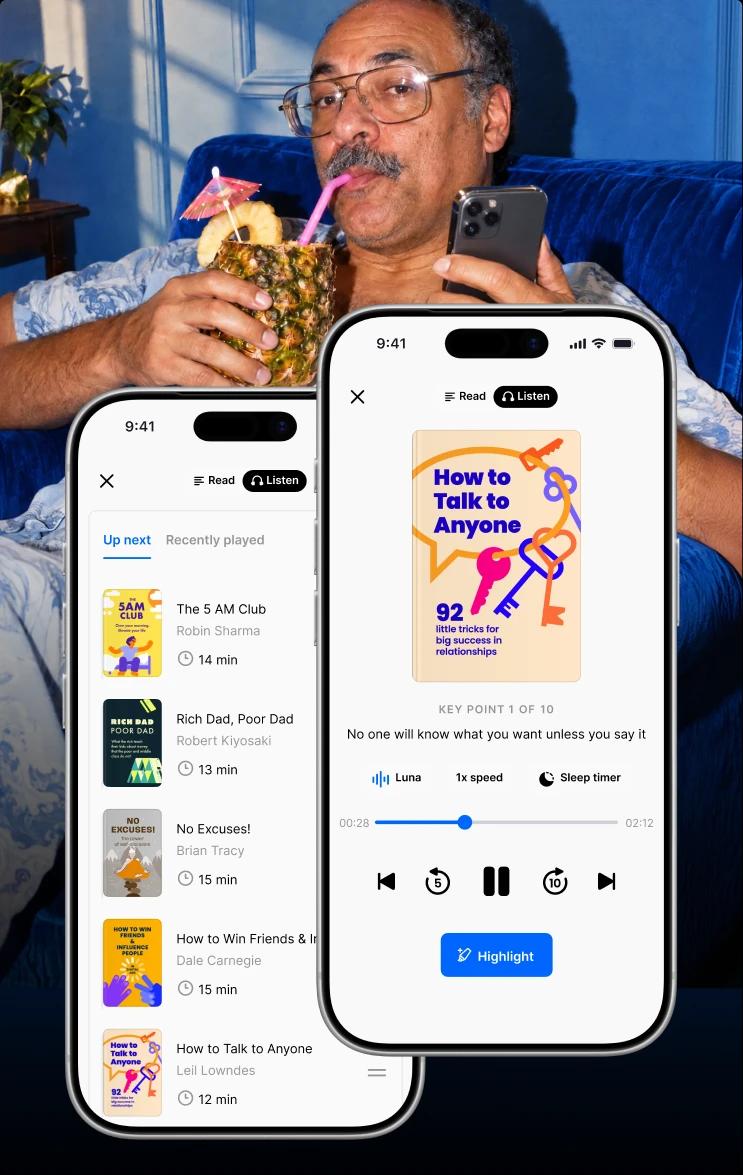
To help you bridge the gap between your goals and daily action, you can turn to the Headway app. If you are new to the platform, it is a tool that provides 15-minute summaries of the world's best self-development and psychology books. Instead of spending weeks reading a dense textbook, you can listen to or read key ideas wherever you are.
📘 Start building growth plans that match your goals with Headway.
Disclaimer: This article is for informational purposes only. For medical advice or diagnosis, consult a professional.

Quick answer: What are the best apps for ADHD adults?
Finding the right support for your neurodivergent mind in daily life does not have to be difficult. Different tools solve different executive functions, from time blindness to task initiation paralysis. Here is a clear list of the best ADHD apps for adults, categorized by the specific challenges they solve:
Tackling task paralysis: Goblin Tools breaks large projects into tiny, low-anxiety steps and clear to-do lists.
Managing time blindness: Tiimo provides a visual day planner with color-coded timers.
Gamifying your daily routine: Habitica turns your habits and daily tasks into a playable role-playing game.
Building a solid daily routine: Headway delivers 15-minute audio and text book summaries to help you maintain consistency.
Silencing digital noise: One sec helps you pause before opening distracting apps on your phone.
To help you quickly compare the top tools, we compiled an ADHD-friendly overview of each app's core features, pricing, and best use cases. This comparison table makes it easier to identify which tool matches your current cognitive needs without feeling overwhelmed.
| App name | Primary ADHD focus | Pricing | Supported platforms |
|---|---|---|---|
Goblin Tools | Task paralysis & Initiation | Free web version, low-cost app | iOS, Android, Web |
Tiimo | Time blindness & Planning | Subscription with free trial | iOS, Android, Apple Watch |
Llama Life | Single-tasking & Focus sessions | Subscription with free trial | iOS, Web |
Habitica | Gamified routine building | Free with optional purchases | iOS, Android, Web |
Todoist | Rapid task capture | Free version available | iOS, Android, macOS, Windows |
Forest | Distraction blocking | Low-cost iOS, Free Android with ads | iOS, Android, Chrome |
Headway | Habit building & Self-care | Free version, subscription options | iOS, Android, Web |
What is an ADHD app, and why does your brain need one?
Your brain has a magnificent but highly sensitive network. When you live with attention-deficit hyperactivity disorder, the chemical transmitters that control focus behave differently. This means your executive functions — the cognitive skills needed to start and complete tasks — struggle with dopamine regulation. Traditional productivity apps assume a linear way of thinking that often feels exhausting for an ADHD person or a person with ADHD symptoms.
Instead of forcing your mind to fit a standard system, you can use specialized ADHD apps. These mobile apps act as external support systems for your mind. They provide visual cues, immediate rewards, and simple structures to help you start moving. Using apps for people with ADHD lets you clear the mental clutter and focus on what you enjoy.
Best ADHD apps for time management and tackling time blindness
Sensing the passage of time is a complex challenge for the ADHD brain. If you struggle with time blindness, an hour can feel like five minutes, or a quick task can feel like a mountain. Using dedicated ADHD time management apps can help you anchor your mind. These tools replace abstract digital clocks with visual blocks. This visual setup makes it easier to prioritize your schedule and reduces anxiety about due dates.
1. Tiimo: The visual daily planner
Many traditional calendars rely on tiny text lists that are easy to forget. Tiimo uses visual timelines and customizable icons to represent your daily schedule. This design helps you see exactly what you should do next.
Focus: Visual planning and combating time blindness.
Key features: Color-coded visual timelines, customizable activities, and a clean interface.
Platform availability: Android, iOS, Web, and Apple Watch.
2. Llama Life: Focus on one task at a time
When your schedule is packed, starting a single task feels overwhelming. Llama Life solves this by keeping your focus on a single timed item instead of a long list. The timer counts down to create a gentle sense of focus.
Focus: Single-tasking and timed focus sessions.
Key features: Countdowns, customizable chimes, and an extra-time button.
Platform availability: Android, iOS, and Web.
3. Google Calendar: The classic color-coded anchor
While not designed exclusively for neurodivergent minds, Google Calendar is a powerful management tool when customized. You can create multiple color-coded calendars to separate work, self-care, and chores. This separation keeps you from feeling overwhelmed by your daily routine.
Focus: Structural organization and appointment tracking.
Key features: Recurrent events, color coding, and integrations with other productivity tools.
Platform availability: Android, iOS, and Web.
4. Outlook: The professional schedule shield
Microsoft Outlook is excellent for managing professional deadlines and coordinating work tasks. You can use its built-in categories and flags to organize your inbox before it becomes overwhelming.
Focus: Email management and professional planning.
Key features: Category tags, scheduled delivery, and shared work calendars.
Platform availability: iOS, Android, and Windows.
Best ADHD apps for task management and beating procrastination
Traditional to-do lists can trigger task-initiation freeze because they do not show you where to start. When procrastination takes over, the right apps for ADHD adults can break the cycle. These tools make starting your daily tasks feel much less threatening. They allow you to capture random ideas quickly so you do not lose them.
5. Goblin Tools: The cure for task paralysis
Goblin Tools is a major help for anyone who struggles with complex projects. It uses simple artificial intelligence to break a massive task into tiny, manageable subtasks. You can adjust the "spiciness" level to get more or fewer steps depending on your energy.
Focus: Task breakdown and initiation.
Key features: AI-driven task decomposition, formalizer tool, and estimator.
Platform availability: Android, iOS, and Web.
6. Todoist: The rapid thought-capture system
Entering tasks into an app must be extremely fast, or you will get distracted. Todoist lets you use natural language to add tasks instantly, like "call dentist tomorrow at noon." This feature makes it easy to complete tasks before they vanish from your mind.
Focus: Task management and capturing ideas.
Key features: Natural language input, subtasks, and recurrent due dates.
Platform availability: Android, iOS, Web, Mac, and Windows.
📘 To build stronger organizational habits, read the summary of David Allen's 'Getting Things Done' and learn a simple system for prioritizing and completing tasks. Or create a personalized reading list tailored to your needs.
7. Habitica: Turn your life into a role-playing game
If your brain needs immediate rewards to stay motivated, Habitica is a fantastic choice. This gamified app turns your daily tasks and habit tracker into a classic role-playing game. You earn gold and experience points for completing your real-life chores.
Focus: Gamified habit building and task completion.
Key features: Custom avatars, virtual pet collection, and group quests with friends.
Platform availability: iOS, Android, and Web.
8. Headway: Overcome the emotional blocks of procrastination
Procrastination is often an emotional response to task anxiety rather than poor time management. Headway helps you understand your mental blocks by breaking down major productivity books into simple, 15-minute lessons.
Focus: Overcoming task anxiety and cognitive blocks.
Key features: Actionable 15-minute book summaries, audio formats, and personalized reading plans.
Platform availability: iOS, Android, and Web.
Note: Headway is not a diagnostic tool. It supports time management indirectly through habit formation.



Best ADHD apps for focus, distractions, and hyperfocus
Managing your attention-deficit symptoms requires a balance between shielding your focus and steering your hyperfocus. Standard productivity apps often send too many notifications, which ruins your concentration. The best ADHD productivity apps help you block out the digital noise entirely. They allow you to build quiet zones so you can complete your most important tasks.
9. Forest: Grow a virtual forest of focus
Forest turns focus sessions into a simple, visual game. When you need to concentrate, you open the app and plant a seed. As long as you keep the app open, your virtual tree grows, but if you leave to check social media, your tree dies.
Focus: Distraction blocking and visual timer.
Key features: Gamified focus sessions, virtual coin rewards, and the option to plant real trees.
Platform availability: iOS, Android, and Chrome extension.
10. Focusmate: Silent virtual body doubling
Body doubling is a proven behavioral strategy where you work alongside another person. Focusmate connects you with a real partner for a quiet, virtual work session over video. Knowing someone else is working next to you keeps your mind anchored to your task.
Focus: Accountability and starting difficult projects.
Key features: Live video sessions, customizable session lengths, and partner ratings.
Platform availability: iOS, Android, and Web.

11. One sec: The pause button for social media
Opening an app is often a mindless habit triggered by a sudden urge for dopamine. One sec forces you to take a deep breath before opening blacklisted apps on your phone. This brief pause breaks the unconscious loop of seeking quick distraction.
Focus: Social media boundaries and mindfulness.
Key features: Guided breathing breaks, customizable intervention screens, and usage stats.
Platform availability: iOS, Android.
12. Headspace: Mind calming for the hyperactive mind
When your thoughts are racing, sitting still feels almost impossible. Headspace offers guided meditations and focus sounds designed to soothe an overstimulated nervous system.
Focus: Mindfulness and stress reduction.
Key features: Sleepcasts, micro-meditations, and white noise tracks.
Platform availability: iOS, Android, and Web.
13. Focus@Will: Scientifically optimized focus music
For some neurodivergent minds, complete silence feels deafening rather than conducive to focus. Focus@Will delivers custom instrumental music engineered to engage your brain without pulling you away from your work.
Focus: Sound-based concentration and distraction blocking.
Key features: Audio engineered for different brain types, built-in productivity tracker, and offline mode.
Platform availability: iOS, Android, and Web.
How to choose the right app for your neurodivergent brain
When you explore the App Store, it is easy to feel overwhelmed by choices. Downloading too many tools at once is a quick path to notifications overload and anxiety. To build a system that lasts, select just one tool that targets your biggest daily struggle.
Give yourself at least two weeks to adapt to the new layout. If an app makes you feel guilty, delete it and try a simpler alternative. Your systems should support your well-being, not create extra pressure.
Why building habits matters more than downloading new tools
It is incredibly common to download five new apps, feel organized for three days, and then abandon them completely. This cycle often leads to feelings of guilt and frustration. The truth is that no tool can replace the mental foundation of building habits. You need to understand how your neurodivergent mind works to create lasting systems.
The right habits make any digital system succeed. Instead of waiting for a magical app to solve procrastination, you can practice daily, small-scale mental habits. This foundational work helps you understand your emotional triggers and build self-efficacy. Once your habits align with your cognitive needs, your apps become powerful amplifiers rather than sources of guilt.
Build the habits behind the apps with the Headway app
The Headway app works alongside your favorite ADHD apps as a cognitive toolkit to stop the cycle of app abandonment and build real self-care habits. By condensing major self-growth and wellness books into snappy summaries, Headway delivers the key ideas you need without overwhelming your attention span. It is a simple way to practice microlearning while washing dishes, walking, or commuting.
Instead of letting unread books pile up, you can get actionable advice on time management, productivity, and emotional wellness. Headway offers a variety of interactive features designed to keep your dopamine-seeking brain engaged.
Personalized growth plans: Get a customized daily reading list focused on your wellness, mindset, and career goals.
Bite-sized summaries: Listen to 15-minute audio summaries while you wash dishes or walk, keeping your mind engaged.
Interactive Shorts: Learn key self-growth ideas through quick, visual stories that feel like social media but build actual skills.
Spaced repetition: Use simple flashcards or highlights to remember cognitive tools from your favorite summaries.
To begin understanding your brain's unique chemistry, check out these recommended book summaries on Headway:
'Atomic Habits' by James Clear: Learn how to make tiny environmental changes that make starting daily tasks effortless.
'The Pomodoro Technique' by Francesco Cirillo: Master the art of structured focus sessions and scheduled breaks.
📘 Ready to build habits that actually stick? Download the Headway app today and start your personalized daily self-growth routine in just 15 minutes.
Frequently asked questions about ADHD apps
What is the best free ADHD app?
If you are looking for free ADHD apps to manage task paralysis, Goblin Tools is your best choice. This simple web tool uses basic artificial intelligence to break large, intimidating tasks into tiny, actionable subtasks. It requires zero subscription fees or complex registration, making it an excellent, low-friction option for organizing chores.
Do ADHD apps actually work?
Yes, they work if they match your specific brain wiring and are paired with consistent habits. These apps act as an external support system for your executive functions. They are most effective when used alongside cognitive behavioral therapy strategies to quiet your inner critic and build your self-care routine.
How do I stop abandoning productivity apps?
To stop abandoning your apps, you must keep your setup incredibly simple. Avoid complex planners that require hours of configuration. Focus on one major friction point at a time, such as time blindness or procrastination. Pair your apps with microlearning tools like Headway to stay motivated and build consistent routines.
What are the best apps to help with ADHD?
To manage daily struggles, the best apps to help with ADHD target executive dysfunctions directly. Tools like Goblin Tools solve the task initiation freeze by breaking down major responsibilities. Meanwhile, Tiimo combats time blindness with clear visual indicators. Using these tools alongside Headway provides the mental strategies you need to maintain consistency and structure.
Are there ADHD apps for kids, or are these tools only for adults?
Many developers create specialized ADHD apps for kids to help them build daily structure. Tools like Choiceworks or Brili use visual rewards and fun routines to make daily tasks engaging. While these apps focus on gamified childhood habits, adult ADHD apps like Headway provide the deep psychological concepts that help you organize your life.
What are the best ADHD organization apps for daily planning?
The best ADHD organization apps use color-coded blocks and simple layouts to reduce visual clutter. Tiimo stands out for building visual timelines of your day, while Google Calendar helps structure your long-term appointments. Combining these planners with Headway helps you understand the habits required to keep your planning system organized and useful.
Which productivity apps for ADHD help with procrastination?
Several productivity apps for ADHD tackle procrastination by reducing the friction of getting started. Goblin Tools uses basic automation to remove the anxiety of planning, while Habitica gamifies chores to give you quick rewards. Headway supports this process by summarizing books that teach you to overcome the emotional blocks behind task avoidance.
How do apps for ADHD productivity support focus and task completion?
Effective apps for ADHD productivity provide external structure and accountability to keep you focused. Forest prevents you from checking distracting websites, while Focusmate provides live body-doubling sessions. To reinforce these focus tools, use Headway to absorb quick lessons on time blocking and task management that teach you how to stay on track.
What are the best free ADHD apps to try first?
If you want to start without paying, Goblin Tools is one of the best free apps for ADHD adults to test first. It breaks down projects and helps you estimate timelines without any cost. You can also explore the free version of Habitica to play your way through daily tasks and establish solid routines.
How do I choose the best apps for ADHD that I will actually use?
To choose the best apps for ADHD management, identify your main daily struggle rather than downloading multiple planners. Choose one simple tool that targets either time blindness or task paralysis. Pair that selected app with Headway to build the underlying self-care habits and motivation needed to keep your planning system active and functional.