Self-growth
 Apps & Digital Tools
 Business & Career
 Success
 Growth Tools
 Psychology
 Communication
 Relationships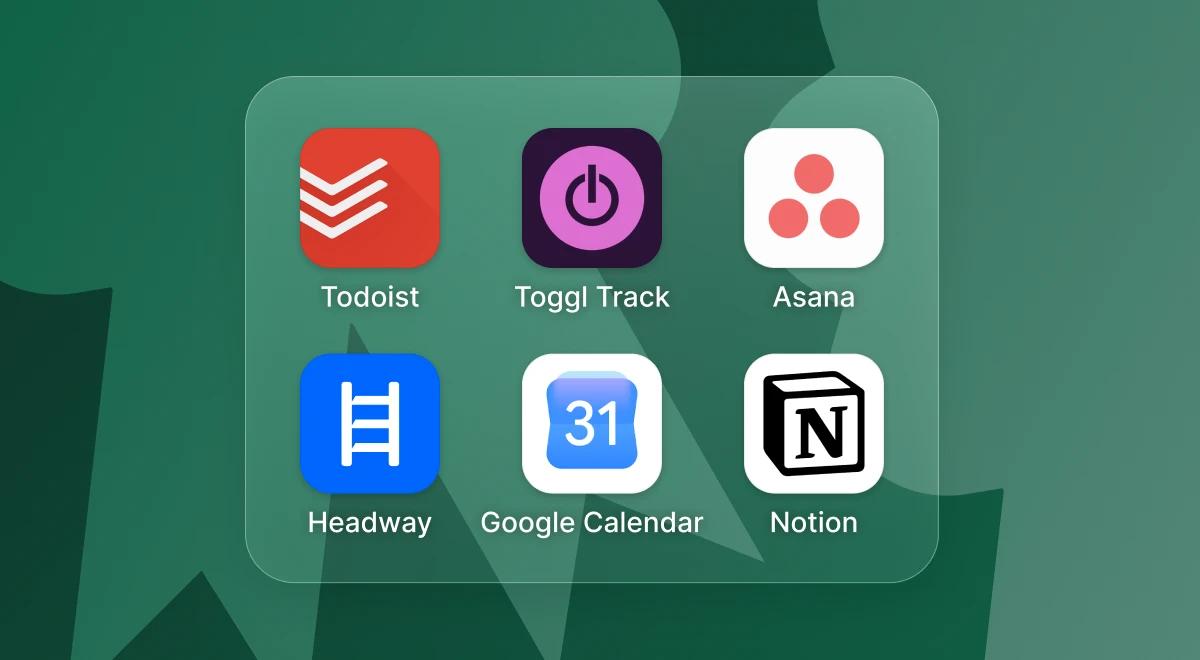

Switching between tasks feels efficient, but the research says otherwise. According to the American Psychological Association, shifting between complex or unfamiliar tasks can cost workers as much as 40 percent of their productive time. Every switch forces the brain to reload rules and context before it can focus again. That is the real story behind most searches for the best apps for productivity tips.
A productivity app is any tool that helps you plan, track, or protect your time. A good handful of them can replace a dozen browser tabs and the sticky notes stuck to your monitor. This list breaks the best platforms into six jobs: tasks, projects, time tracking, calendars, team communication, and notes. Pick two or three instead of downloading everything.
One more habit worth adding to that stack, a few focused minutes with Headway, the app that turns bestselling nonfiction books into short daily summaries with audio and text.
Download Headway and pair a real productivity system with the habit of getting a little sharper every day.

Quick summary: Best productivity apps and core tools at a glance
If this sounds like your Monday morning, here is the fast version before the full breakdown.
Todoist and TickTick handle daily tasks and personal tasks without turning your to-do list into an endless scroll.
Notion, Asana, and ClickUp organize multiple projects and keep team collaboration in one place.
Toggl Track, Clockify, and RescueTime are time tracking apps that show exactly where your focus time goes.
Google Calendar turns time blocking into one connected calendar and a repeatable daily habit.
Headway builds the short daily learning habit that supports every other productivity tool on this list.
Keep reading for the full lineup, real pricing, and how to pick a combination that fits your actual week.
Daily tasks platforms that keep your to-do list from spiraling
A task manager is a simple productivity tool that holds your to-do list, sets reminders, and lets you check things off as you finish them. These two are a solid, low-effort starting point among task management apps, designed to save time rather than add another app to manage.
1. Todoist
Todoist keeps a running to-do list that adapts to natural language, so typing "call mom every Sunday" instantly creates a recurring reminder without extra taps. Repetitive tasks disappear from memory instead of piling up, and you can add tasks in seconds without opening a single menu.
The free plan covers up to 5 personal projects, reminders, and both list and board layouts, while paid plans start with a calendar view and unlimited history for a monthly fee.
2. TickTick
Habit tracking and task management live together in TickTick, along with a built-in Pomodoro timer for anyone who wants daily tasks and habit tracking on one home screen. That combination helps you stay organized without opening a separate habit app.
Most task managers now sync across phone and desktop by default, so a task added on your commute shows up the moment you open your laptop. If your list keeps drifting away from your bigger targets, pairing a task manager with dedicated goal-setting tools helps you stay anchored to what actually matters this month.
📘Turn planning fatigue into follow-through with Headway!
Project management tools and daily tasks apps for teams juggling multiple projects
In a business context, a single to-do list stops working the moment more than one person needs to see it. That is where project management apps and a dedicated project management tool take over.
3. Asana
Teams tracking multiple projects with assigned owners and deadlines tend to land on Asana first. Its free plan works fine for small teams, and premium plans add timelines and reporting features once a team outgrows a simple shared list.
4. ClickUp
As an all-in-one hub, ClickUp packs a genuinely generous free plan, unlimited tasks, and several view types into a single workspace. Paid plans add automated workflows and dashboards that update automatically as work moves through each stage.
5. Notion
Notion holds notes, docs, and a lightweight project tracker in one workspace, wrapped in an intuitive interface that does not need a tutorial. It is free for individuals and slots into existing workflows without forcing a team to change how it already operates, though team plans charge per seat for longer version history.
Notion works differently from other tools on this list, since it handles project tracking and note-taking in the same window.
Some of these platforms now bundle an AI assistant, and AI productivity tools show up on almost every pricing page these days. Advanced AI features are usually a paid add-on, though, not something included by default on the free version, so check before you assume you are getting AI-powered features for nothing.
For a closer look at tools built specifically around tidiness and structure rather than task tracking, our guide to the best organization apps covers a few worth trying.
Time tracking apps and focus apps that show where your hours go
Time tracking tools turn a vague guess about your workday into a report you can actually read. Automated time-management software adds efficiency insights through alerts when a task or a break runs long, so tracking progress does not depend on you remembering to check a clock.
6. Toggl Track
Toggl Track offers a generous free tier that covers unlimited projects for up to 5 users with no time limit. Paid plans add billable rates and reporting features for a particular project once client billing enters the picture.
7. Clockify
Clockify built its reputation on detailed reports for time spent per task and project. The free plan includes the core features most solo users need, while paid tiers add audit trails and invoicing for anyone managing a bigger team.
8. RescueTime
RescueTime skips the manual timer and tracks activity automatically in the background, then builds analytics that help protect focus time and spot where the day actually leaks away.
Tools like this count as focus tools as much as time trackers, since seeing the data changes how you spend the next hour. Anyone who wants simpler focus apps instead of a full report can lean on a basic timer add-on instead.
| App | Free plan | Paid plans start at | Best for |
|---|---|---|---|
Toggl Track | Free for up to 5 users, unlimited projects | Around $9 per user per month billed annually | Freelancers who want low-friction manual tracking. |
Clockify | Free with core time tracking, no seat limit historically | Around $4 per user per month billed annually | Small teams that want a free plan with no user cap. |
RescueTime | Lite free plan, background auto-tracking | Around $7 per month billed annually | Anyone who forgets to start a timer. |
Prices shift often, so double-check the current rate before you commit to an annual plan. If starting the timer is the hardest part of your day, pairing one of these with the best apps for motivation can make the habit stick past week one.
📘Give the minutes you just found somewhere better to go with Headway!
Calendar apps that turn time blocking into a daily habit
A calendar app is where all of this actually becomes real, since a task or a project only matters once it has a slot on the clock. Time blocking means scheduling a fixed block of calendar time for one task instead of leaving it open on a to-do list. It is also how people protect deep work, the kind of focused stretch that a notification-filled day rarely allows.
9. Google Calendar
Already installed for most Google Workspace users, Google Calendar is free and puts its real value in time blocking. Setting aside a fixed block for a task makes it far more likely those hours stay protected from meetings and interruptions.
Keeping calendar events, task deadlines, and meeting notes scattered across different apps resets your focus every time you switch screens. One connected calendar, checked once in the morning, does more for a productivity system than five open tabs ever will.
Team communication tools that cut down on extra meetings
A team communication tool exists so that a quick question does not need its own meeting on the calendar.
10. Microsoft Teams
Chat, video calls, and file sharing all sit inside Microsoft Teams, built around Microsoft 365. Teams already living in Word, Excel, and Outlook every day tend to find it fits their existing workflows without much setup.
11. Slack
Slack organizes conversation into channels for async updates and quick threads. It is usually paired with a separate task manager or project tool rather than replacing one, so personal chatter does not bury real work tasks in the same feed.
These two cover most of team productivity for daily back-and-forth. Neither one replaces the tools above when you need to assign tasks or track a deadline.
📘 Free up real focus time with Headway!
Note-taking and mind-mapping apps that catch ideas before they vanish
Sticky notes work fine until you have more than a dozen of them stuck around your monitor. These note-taking apps hold everything in one searchable place instead, and both beat sticky notes and outlast most other apps that try to do the same job.
12. Evernote
If you want a place for meeting notes and quick clips you can search later, Evernote holds all of it in one home. Its free tier limits notebook and device count, which pushes heavier users toward a paid plan.
13. MindMeister
MindMeister turns a brainstorm or a project into a visual map, since it is mind mapping software built for exactly that. It can help you stay focused during a messy brainstorm instead of losing the thread, and the free plan caps out at 3 mind maps, enough to test the format before committing to more.
Both apps run fine on a Windows PC, a Mac, or a phone, and both intentionally limit their free tools compared to what the paid plans add.
The daily habit that makes every other app on this list work better
Every tool above still needs a person behind it who actually shows up each day, and that part is harder to automate than any calendar or task list.
14. Headway
Headway is not a task manager or a timer. It is the habit that makes the other 13 tools on this list work better.
A few minutes a day with a nonfiction book summary builds the same kind of repeatable routine that time blocking and task management ask you to practice everywhere else, and it does not compete with Todoist or Toggl Track for the same slot on your home screen. Instead, it trains the skill behind all of them: finishing one thing before you start the next.
It also gives you somewhere better to go than social media when your focus breaks mid-afternoon. Our guide to apps to replace social media covers that swap in more detail. Pair it with one of the best microlearning apps roundups if you want to compare formats before you settle on a daily routine.
📘 Build the habit behind every other habit with Headway!

AI productivity tools that speed up daily work
AI assistants have become a real category of productivity apps in their own right, not just a bonus feature bolted onto a task manager. ChatGPT can save users 6 to 8 hours per week on writing, planning, and research, and that time adds up fast once it becomes part of a normal workday.
AI tools like Claude and ChatGPT can generate content quickly, which frees up time for actual thinking instead of staring at a blank page. Choosing the right productivity tool still depends on specific workflow needs, so the best fit is the assistant that matches the kind of work you do most.
15. ChatGPT
ChatGPT handles first drafts, quick research summaries, and brainstorming inside a single chat window, which makes it a solid writing partner for anyone who spends part of the day producing content. The free plan covers most everyday requests, while a paid plan unlocks faster responses, larger file uploads, and access to newer models.
16. Claude
Claude leans toward longer, more structured work, like reviewing a contract, reorganizing a messy document, or working through a multi-step plan without losing track of earlier context. It suits anyone who wants an assistant that reads carefully rather than answers fast, and both free and paid tiers are available depending on how much daily use you need.
Workflow automation tools
A second kind of AI productivity tool works quietly in the background, moving information between the apps you already use so nothing gets typed twice.
17. Zapier
Zapier connects over 9,000 apps for workflow automation, so a new lead captured in one tool can automatically create a task in another without anyone touching a keyboard. Setting up a single automated workflow, usually called a Zap, takes just a few minutes once you know which two apps need to talk to each other.
18. Calendly
Calendly automates meeting scheduling with extensive integrations, syncing with most calendar apps so invitees can pick an open slot without a single back-and-forth email. It pairs naturally with Google Calendar for anyone who loses real chunks of the day just arranging when to meet.
19. Reclaim
Reclaim automatically adjusts your calendar for conflicts, shifting personal tasks and recurring habits around new meetings so a protected focus block does not just vanish the moment something else gets scheduled. It sits on top of Google Calendar rather than replacing it, filling gaps with the work that actually matters.
Toggl Track integrates with Zapier for automated time entries, so a task marked done in Asana or ClickUp can start or stop a timer without anyone opening Toggl Track directly. That kind of quiet handoff between apps is exactly what workflow automation tools are built for.


What real Headway users say about building better habits
A productivity system only works once it turns into something you actually do every day. Here is what a few real Headway users had to say about making that shift stick.
"Twenty minutes of thinking saves hours of rework. Every time I skip it, I feel the difference. Those 20 minutes are not time away from work, they are the most productive investment I make all day."
— Abdelrahman Mohamed Soliman, Cost Control Manager
"I was looking for a way to stay intellectually sharp without overwhelming my schedule. Headway promised something I value deeply: precision over volume."
— Deyvis Bebicaci, Entrepreneur and Leadership Advisor
"Before discovering Headway, I would usually scroll through social media or watch TV during my coffee time. Switching to focused reading turned that moment into something more rewarding."
— Jessica Teitelbaum, Revenue Operations Specialist
Real changes like these usually start with one small swap, not a full overhaul of your schedule.
Turn this list into a lasting habit with Headway
Testing these best apps for productivity tips is a lot to try at once. Pick two or three: one task manager, one time tracker or calendar, and one habit that has nothing to do with output. That last one is where Headway earns its spot, since a productivity system built only on task lists and deadlines burns out fast without something that also grows your thinking.
The Headway app pairs personalized growth plans with 15-minute summaries you can read or listen to, plus spaced repetition and highlights that help ideas stick instead of fading by Friday.
Offline mode, CarPlay, and Android Auto support mean the habit travels with you, and daily streaks keep it from quietly disappearing the way most planning tools do after week two.
Download Headway and give your new productivity system a habit that keeps building, even on the days your task list falls apart.
FAQs about best apps for productivity tips
How much time should you spend planning your day?
Ten minutes is usually enough. Open your task manager, glance at your calendar app, and pick the two or three daily tasks that actually matter, then close the app and get to work. Longer planning sessions rarely save time, they just move the procrastination earlier. Multiple ways exist to structure this ritual, but the core tools test is simple: if planning takes longer than the work tasks themselves, it needs to shrink.
Which app is best for time management?
It depends on which part of time management is giving you trouble. Task management apps like Todoist and TickTick are best for daily tasks and reminders. Time tracking apps like Toggl Track, Clockify, and RescueTime show where your focus time actually goes. Most people end up using one of each rather than expecting a single app to handle both jobs.
What productivity app has the best free plan?
ClickUp and Toggl Track are two of the best productivity apps with generous free plans, offering unlimited tasks or unlimited projects for small teams. Todoist's free version handles daily tasks and reminders well, and Google Calendar is completely free for anyone with a Google Workspace or personal Gmail account. Check the comparison table above before you commit to any paid plans.
Is Notion or Todoist better for productivity?
They solve different problems, so the best productivity tool for your setup depends on what you need most. Todoist is a dedicated task manager built around a fast, intuitive interface and quick daily tasks. Notion is a flexible workspace for notes, docs, and lightweight project tracking, which suits people who want fewer apps open at once.
What is the best app for time blocking?
Google Calendar remains the simplest option since most people already have it open. The method matters more than the app, though. Block a fixed slot of calendar time for one task, protect it like a real meeting, and treat every other request as something that waits. Pairing time blocking with a short daily habit, like a Headway summary, also gives your brain a clear stopping point.
Can one single app replace all my productivity tools?
Not really, and trying to force one is usually where systems fall apart. Most people who stay organized long term combine a task manager and a calendar app. They also add a time tracker or project management tool, rather than expecting one all-in-one app to do every job at once. Two or three focused tools tend to outlast one bloated one.
What productivity app has the shortest learning curve for beginners?
Todoist and Google Calendar both have close to no learning curve, since you can add tasks or a calendar event within your first minute of opening either app. Apps like Notion or ClickUp offer more advanced features and automated workflows, but they take longer to set up. Start with the simplest option in each category before you add anything more complex.
How can you stay consistent with a new productivity app after the first week?
Consistency usually comes from pairing the app with something you already do daily, like checking it right after your morning coffee. Stripping away extra features helps too, since a cluttered app with too many advanced features is easy to abandon. A short daily habit, like a 15-minute Headway summary, works the same way and can anchor the rest of your routine.