Self-growth
 Apps & Digital Tools
 Business & Career
 Success
 Growth Tools
 Psychology
 Communication
 Relationships

Are you tired of downloading multiple productivity apps only to stop using them a week later? Finding the right goal-setting tools helps you break big goals into small steps.
Research shows that clear planning drives you closer to success. And, honestly, a good app keeps you moving forward during hectic days.
If you want to grow and feel more in control, but life keeps getting in the way, try Headway. It fits into fast-paced days and helps you build progress, one small step at a time.
Try Headway for your daily growth!
All app features described in this article are accurate as of August 2026. Prices may vary depending on your region, current promotions, and seasonal offers.
Quick list: Which goal-setting tool is best for you?
This section helps you quickly choose an app. Review this simple table to find an option that perfectly matches your needs.
| App | Best for | Goal type | Key strength | Beginner-friendly |
|---|---|---|---|---|
Headway | Daily growth bites | Self-growth | Microlearning lessons | Yes |
Todoist | Task management | Productivity | Simple to-do list | Yes |
Habitica | Habit tracking | Daily routines | Gamification | Yes |
Read on for the full list of apps!
📘 Stop app-hopping. Find your growth foundation with Headway!
30 best goal-setting tools for every type of goal
Finding an app that matches your specific goals is important for long-term success. The best apps for goal setting fall across different categories, so here are the top choices to explore.
Best goal-setting tools for personal development
The best online tools for personal growth focus heavily on mindset, habits, and self-reflection. These options provide support for your daily journey. If you are the visual type who plans from a vision board, a guided journal can serve the same purpose in digital form.

Discover top personal development apps — take the quiz to grow daily.
1. Headway
Some goals fail because people lose clarity or motivation. That is exactly where Headway fits in.
Best for: Daily growth bites and self-growth support.
Why it works: It offers a gentle daily nudge toward the version of yourself you envision.
Key features:
Bite-sized insights from top nonfiction books.
Audio and text formats fit any schedule easily.
Progress tracking keeps you moving forward consistently.
Gentle motivation replaces guilt or pressure.
Downsides: It serves primarily as an educational layer rather than a detailed task manager.
2. Notion
Notion gives you a blank canvas to design your own workspace. It seamlessly adapts to any goal-setting framework.
Best for: Building custom dashboards and templates.
Why it works: You can clearly map out objectives and key results.
Key features:
Highly flexible pages for goal management.
Easy to track progress using Kanban boards.
Excellent for creating a centralized hub.
Downsides: The initial setup process takes a significant amount of time.
📘 Turn big goals into daily wins with bite-sized learning from Headway!
3. Reflectly
Reflectly uses artificial intelligence to help you journal. Tracking your mood helps you maintain a positive mindset.
Best for: Journaling and mood tracking.
Why it works: It prompts you with questions to guide your reflections.
Key features:
Simple daily check-ins take only a minute.
Beautiful interface encourages daily use.
Data visualization shows your mood trends.
Downsides: It lacks specific project management features. (Review the best AI apps for iPhone to see similar options.)

4. Day One
Day One is a digital diary that helps you record milestones. Writing down your thoughts clarifies your personal goals.
Best for: Documenting thoughts over time.
Why it works: It keeps your memories organized and accessible.
Key features:
Attach photos and locations to entries.
Tag entries to organize sub-goals.
Clean typography makes writing enjoyable.
Downsides: The free version restricts photo uploads.
📘 Compare smarter. See why Headway tops the personal development list!
5. Grid Diary
Grid Diary uses a simple grid format to prompt reflection. It guides you through daily questions to clarify your thoughts.
Best for: Guided journaling and daily reflection.
Why it works: Answering specific prompts reduces the friction of starting a blank page.
Key features:
Customized prompt grids.
Password protection for privacy.
Export options to PDF or text.
Downsides: The interface feels slightly rigid.
Best goal-setting tools for productivity
The best apps for productivity provide structure, deadlines, and clear task management. These platforms help you manage day-to-day responsibilities without the clutter.
6. Todoist
Todoist is a reliable to-do list that captures tasks instantly. It organizes your life using simple folders.
Best for: Daily task management and short-term planning.
Why it works: Natural language processing sets due dates effortlessly.
Key features:
Clean design minimizes distractions completely.
Karma points reward goal achievement.
Integration with major calendar apps.
Downsides: Reminders require a paid subscription.
📘 Build the mindset that makes all other goals possible with Headway!
7. Trello
Trello uses boards, lists, and cards to visualize workflows. It makes complex projects feel attainable.
Best for: Visual task management.
Why it works: Moving cards across columns shows clear goal progress.
Key features:
Drag-and-drop functionality is highly intuitive.
Checklists break down larger goals.
Color-coded labels highlight priority items.
Downsides: Boards become cluttered with too many cards.
8. Asana
Asana helps you organize initiatives and team goals. It brings clarity to complex, multi-step projects.
Best for: Managing shared goals and team collaboration.
Why it works: It connects high-level organizational goals to daily tasks.
Key features:
Multiple views include lists, boards, and timelines.
Custom fields measure progress accurately.
Integration with communication platforms ensures everyone stays updated.
Downsides: The interface overwhelms new users initially.
📘 Get gentle daily nudges toward your best self with Headway!
9. TickTick
TickTick combines task management with a Pomodoro timer, making it one of the best apps for time management. This integration helps you focus on execution.
Best for: Combining time tracking with task lists.
Why it works: Built-in timers keep you focused on specific tasks.
Key features:
Voice input captures ideas quickly.
Location-based alerts trigger contextual reminders.
Habit tracking sits right next to your tasks.
Downsides: Customer support responses are sometimes slow.
10. Monday.com
Monday.com provides visual boards to manage workflows. Using data effectively helps you make informed decisions regarding your next steps.
Best for: Visual project management and team collaboration.
Why it works: Color-coded status columns provide instant clarity on project health.
Key features:
Extensive automation options.
High-level dashboards for executives.
File sharing within tasks.
Downsides: Pricing plans require a minimum number of seats.
📘 Replace guilt with growth. Learn without pressure on Headway!
Best goal-setting tools for habit-building
Consistency requires repetition and visible tracking. The best apps for habit tracking ensure you stay focused on daily actions.
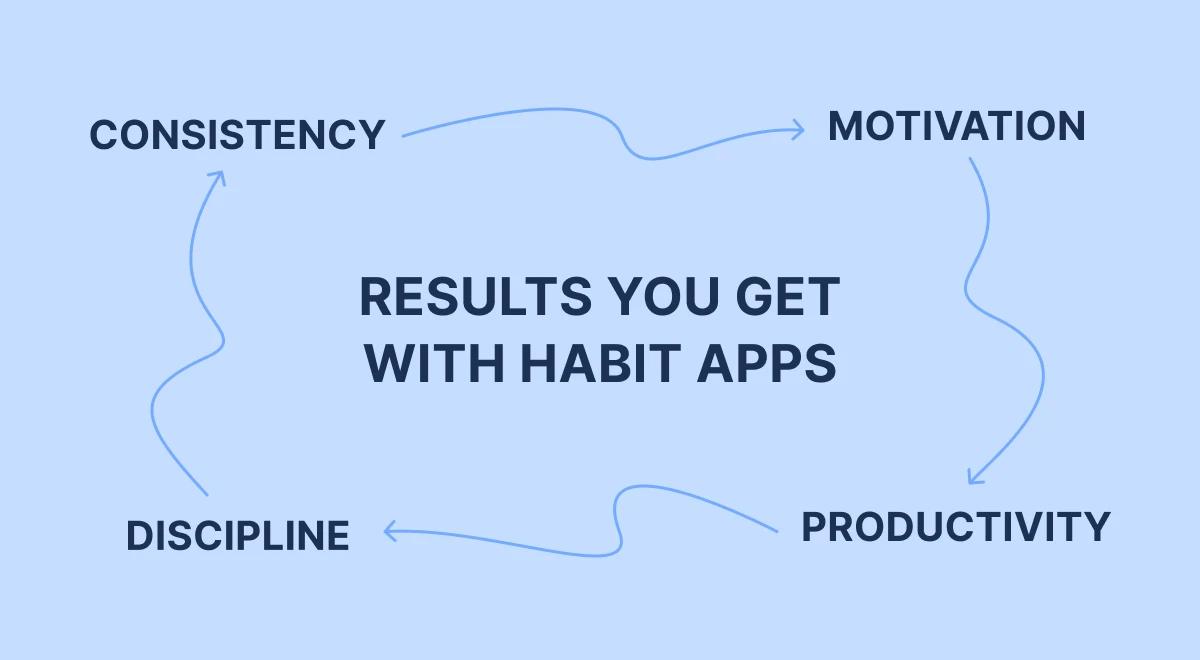
Get your plan to build lasting consistency, motivation, and discipline.
11. Habitica
Habitica turns your life into a role-playing game. You earn experience points for completing real-life tasks.
Best for: Gamifying your habits and routines.
Why it works: Earning virtual rewards makes mundane tasks enjoyable.
Key features:
Customizable avatars level up alongside you.
Guilds connect you with supportive team members.
Penalties occur when you miss daily tasks.
Downsides: The game mechanics can sometimes distract from actual work. (Find more apps for motivation to keep going.)
12. Strides
Strides offers detailed charts to track different types of goals. You can monitor habits, targets, or averages.
Best for: People who love graphs and metrics.
Why it works: Visual dashboards show exactly where you stand.
Key features:
Four distinct tracker types fit any objective.
Green and red indicators show real-time status.
Customizable notifications remind you to log data.
Downsides: The app is only available on iOS devices.
📘 Pair your task manager with real knowledge from Headway!
13. Loop Habit Tracker
Loop Habit Tracker is an open-source app with zero advertisements. It calculates the strength of your habits over time. For anyone hunting for the best free goal-setting apps, this is the purest option on the list.
Best for: Minimalist habit tracking on Android.
Why it works: It uses an advanced algorithm to measure consistency.
Key features:
Completely free without any hidden costs.
Detailed statistics display long-term trends.
Widgets allow you to track directly from your home screen.
Downsides: It lacks cloud syncing across multiple devices.
14. Way of Life
Way of Life uses a simple color-coded system to build routines. Red means you failed, while green means success.
Best for: Identifying good and bad habits quickly.
Why it works: The visual chain encourages you to maintain streaks.
Key features:
Journal feature lets you add context to failures.
Custom tags categorize your routines easily.
Data export options help you analyze performance.
Downsides: The free tier limits you to three habits.
📘 Track habits AND expand your mind simultaneously with Headway!
15. Habitify
Habitify is a sleek tracker that works across all devices. Goal-tracking apps like this provide essential data to keep you accountable.
Best for: Data-driven habit tracking across multiple platforms.
Why it works: Detailed statistics show exactly where your routines succeed or fail.
Key features:
Dark mode interface.
Detailed progress charts.
Health app integration.
Downsides: The free tier strictly limits the number of active habits.
Best goal-setting tools for career goals
Professional growth requires long-term planning and skill-building. These platforms align your actions with business goals.
16. LinkedIn
LinkedIn connects you with industry professionals and opportunities. Building a strong profile leads to career advancement.
Best for: Networking and tracking career milestones.
Why it works: It showcases your skills to potential employers.
Key features:
Job alerts notify you regarding relevant openings.
Endorsements validate your professional expertise.
Articles provide industry-specific knowledge.
Downsides: The feed sometimes contains excessive self-promotion.
📘 Level up your career with strategies from top business books on Headway!
17. Jira
Jira is a powerful tool for software development teams. It uses agile methodologies to track complex company objectives.
Best for: Technical project management and issue tracking.
Why it works: It connects strategy directly to execution.
Key features:
Scrum boards facilitate sprint planning.
Extensive reporting tools analyze team performance.
Automation rules streamline repetitive actions.
Downsides: The steep price deters small businesses.
18. Lattice
Lattice handles performance management and employee engagement. It aligns individual tasks with broader company initiatives.
Best for: Tracking OKRs and conducting performance reviews.
Why it works: Regular check-ins keep managers and employees aligned.
Key features:
Praise feature publicly recognizes employee achievements.
Goal tracking integrates directly into review cycles.
Continuous feedback tools foster communication.
Downsides: It targets large enterprises rather than individuals.
📘 Study smarter, not harder, absorb key concepts fast with Headway!
19. Microsoft To Do
Microsoft To Do integrates perfectly within the Microsoft ecosystem. It ranks among the best free apps for productivity, helping professionals organize their workday efficiently.
Best for: Managing tasks within Office 365.
Why it works: The daily planner provides a fresh start every morning.
Key features:
Seamless sync with Outlook tasks.
Smart suggestions help you prioritize effectively.
List sharing facilitates basic team collaboration.
Downsides: It lacks advanced features found in dedicated project tools.
20. 15Five
15Five facilitates continuous feedback between managers and teams. Regularly discussing progress significantly boosts employee performance.
Best for: Regular check-ins and performance management.
Why it works: Weekly updates keep managers and staff aligned consistently.
Key features:
High fives for team recognition.
Objective tracking for individuals.
Automated review cycles.
Downsides: It targets corporate teams rather than solo entrepreneurs.
📘 Turn your commute into a learning session with Headway!



Best goal-setting tools for students and lifelong learners
Academics and continuous education require focus and retention strategies. These apps help you absorb information and prepare for exams.
21. Quizlet
Quizlet uses digital flashcards to help you memorize facts. It turns studying into an interactive experience.
Best for: Rote memorization and exam preparation.
Why it works: Active recall effectively strengthens neural pathways.
Key features:
Millions of pre-made study sets save time.
Multiple study modes test your knowledge in different ways.
Audio pronunciation aids language studies.
Downsides: User-generated content sometimes contains errors.
22. Evernote
Evernote acts as a digital filing cabinet for your research. It captures web clippings, PDFs, and handwritten notes.
Best for: Organizing research and class notes.
Why it works: Powerful search finds text inside images and documents.
Key features:
Notebook stacks keep subjects separate.
Document scanning digitizes paper handouts.
Web Clipper saves articles with one click.
Downsides: The app feels heavy and slow on older devices. (Review the best brain training apps for more cognitive tools.)
📘 Got only 10 minutes? Make them count with Headway!
23. Anki
Anki is a highly customizable flashcard program. It uses a sophisticated spaced repetition algorithm.
Best for: Long-term retention of difficult subjects.
Why it works: It schedules reviews right before you forget the information.
Key features:
Support for audio, images, and scientific markup.
Synchronization across multiple devices is seamless.
Massive ecosystem of shared decks.
Downsides: The user interface is outdated and unintuitive. (Check out other free microlearning apps to expand your knowledge base.)
24. Forest
Forest uses a virtual tree to keep you focused. Leaving the app causes your digital tree to wither.
Best for: Staying focused and avoiding phone distractions.
Why it works: Visualizing your focus time as a growing plant provides motivation.
Key features:
Virtual coin rewards for successful sessions.
Real tree planting partnerships.
Detailed focus statistics.
Downsides: You can't pause the timer once it starts.
📘 Skip the fluff, get the wisdom, learn efficiently with Headway!
25. GoodNotes
GoodNotes replaces paper notebooks with digital alternatives. It provides powerful handwriting recognition for tablet users.
Best for: Handwritten digital notes and document annotation.
Why it works: Organizing notebooks digitally prevents lost papers and clutter.
Key features:
PDF markup tools.
Global search for handwritten text.
Custom notebook templates.
Downsides: It works best with a stylus or Apple Pencil.
Best goal-setting tools when you only have 10 minutes a day
Fast-paced days demand low-effort solutions that yield results. These apps require minimal time investment to maintain momentum.

Explore the best low-effort habit trackers — get practical insights for success.
26. Streaks
Streaks tracks up to 24 daily tasks effortlessly. It integrates tightly with the Apple Health app.
Best for: Fast consumption and minimal interaction.
Why it works: The pressure to avoid breaking a streak is highly motivating.
Key features:
Six core icons clearly display your daily requirements.
Automatic completion triggers via health data.
Custom color themes and icons.
Downsides: The interface hides deeper statistics behind gestures. (These serve as great apps to replace social media during breaks.)
📘 Complete your goal-setting toolkit with motivation from Headway!
27. Fabulous
Fabulous uses behavioral science to help you build routines. It starts with incredibly small steps, such as drinking water.
Best for: Building morning and evening routines gradually.
Why it works: It prevents overwhelm through guided, incremental journeys.
Key features:
Beautiful, immersive visual design.
Audio coaching sessions provide guidance.
Daily letters offer scientific insights regarding habits.
Downsides: The rigid structure frustrates users who prefer flexibility.
28. 5 Minute Journal
This application focuses purely on daily gratitude. It asks quick questions in the morning and at night.
Best for: Cultivating gratitude through brief daily entries.
Why it works: Focusing on positive moments shifts your mindset effectively.
Key features:
Timeline view of past entries.
Photo attachments.
Daily inspiring quotes.
Downsides: The questions remain identical every single day.
📘 Keep your mindset sharp while tracking progress with Headway!
29. Finch
Finch gives you a virtual pet to care for daily. Completing self-care tasks helps your pet grow.
Best for: Gentle self-care and mental health tracking.
Why it works: Caring for a virtual friend motivates you to care for yourself.
Key features:
Mood check-ins.
Quick breathing exercises.
Custom pet outfits.
Downsides: The cartoonish design might not appeal to everyone.
30. Routinery
Routinery strings habits together into timed sequences. It acts as an automated timer for your morning or evening.
Best for: Executing specific routines without getting distracted.
Why it works: An auditory timer keeps you moving from one task to the next.
Key features:
Habit suggestions.
Vocal feedback.
Detailed routine statistics.
Downsides: The strict timer creates anxiety for some users.
📘 Prevent goal burnout, build sustainable growth habits on Headway!
A simple 3-part system that helps your goals stick
Having too many apps creates confusion rather than clarity. You need a structured approach to make your goals permanent.
First, choose a tool to plan your objectives. Among the best productivity apps, Todoist handles deadlines well, ensuring your tasks are time-bound. Planning prevents chaos and provides a clear map for the day.
Second, select a tool to monitor progress. Strides allows you to review metrics and KPIs efficiently. Tracking shows you exactly where you stand and what needs adjustment.
Third, find a tool to stay motivated and absorb new ideas. Headway provides the inspiration needed to keep going. Reading summaries from books such as 'Atomic Habits' or 'Deep Work' ensures your mindset remains sharp.
📘 Choose the app that powers all your other goals, try Headway!
What are goal-setting tools, and how do they help?
Goal-setting tools are digital platforms designed to help you outline, execute, and track your ambitions. These applications turn vague desires into actionable steps to achieve goals. They act as external systems to support your willpower. Whether you call it a goal tracker app, a habit tracker, or an OKR platform, the job is the same: externalizing the follow-through.
They break goals into small steps.
They track progress visually.
They build habits through repetition.
They stay accountable using reminders. An accountability partner who can see your progress works even better.
They maintain motivation via charts.

Why most people fail without the right goal-setting system
Goals are often too vague to execute properly. Telling yourself to exercise more is less effective than scheduling a specific workout. SMART goals provide the clarity needed to take immediate action.
Furthermore, the lack of visible progress causes people to quit early. If you can't see how far you have come, the journey feels endless. Tracking milestones ensures you recognize your achievements along the way.
Finally, attempting too many goals at once can lead to burnout. People try to overhaul their entire lives in one week. Using a structured framework helps you prioritize what truly matters right now. Popular frameworks like OKRs — popularized by John Doerr in ‘Measure What Matters’ — or the 12 Week Year give you that structure off the shelf. Overhauling everything at once is the classic New Year’s resolution trap — and the reason most resolutions die by February.
📘 Start your growth journey right now. Download Headway today!
Keep your goals moving forward with the Headway app
Finding the right goal-setting tools transforms your ambitions into daily actions. Establishing clear milestones and tracking metrics helps you stay focused on your specific goals. Since continuous growth is essential for success, Headway is the perfect tool for gaining knowledge on any topic.
As one of the best apps for self-improvement, Headway delivers bite-sized insights from top nonfiction books directly to your device. You can listen to audio summaries during your commute or read text versions during breaks. Make a smart choice for your future and start your growth journey right now!
Download the Headway app today to boost your personal development and knowledge daily.
FAQs on best apps for goal setting
What are the best goal-setting tools for beginners?
Beginners should start with simple apps such as Todoist or Habitica. These tools offer intuitive interfaces without overwhelming features. They focus on basic task management and straightforward habit tracking to build consistency early on.
Are goal-setting tools worth it?
Yes, these tools significantly increase your chances of success. They provide the necessary structure to turn abstract ideas into specific goals. Using a dedicated app prevents you from relying solely on memory or fleeting motivation.
What is the difference between a goal-setting app and a habit tracker?
A goal-setting app focuses on achieving a specific outcome before a certain deadline. A habit tracker monitors the repetition of a behavior over time. Both work together to help you achieve larger objectives effectively.
Which goal-setting tools are best for personal development?
Headway and Reflectly are excellent choices for personal growth. Headway delivers microlearning lessons from top nonfiction books. Reflectly helps you monitor your mood and thoughts, ensuring your mindset supports your long-term ambitions.
Can one app help with both productivity and self-growth?
Certain platforms offer high flexibility to handle both areas. Notion allows you to build a custom workspace that includes to-do lists and reading journals. However, specialized apps often provide a smoother, more tailored experience.
What is the best goal-setting tool if I only have a few minutes a day?
Streaks and Headway are perfect for fast-paced schedules. Streaks lets you log habits with a single tap. Headway offers quick 15-minute book summaries, letting you absorb valuable insights during short breaks or commutes.