Self-growth
 Business & Career
 Success
 Communication
 Healing
 Relationships
 Psychology
 Happiness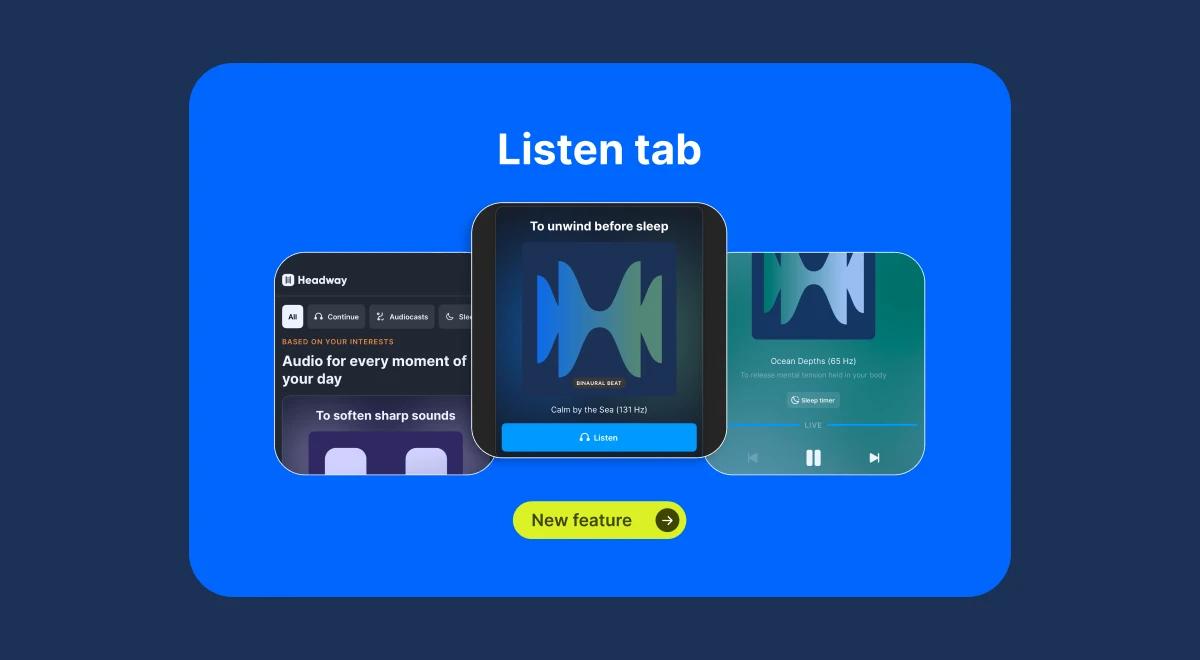
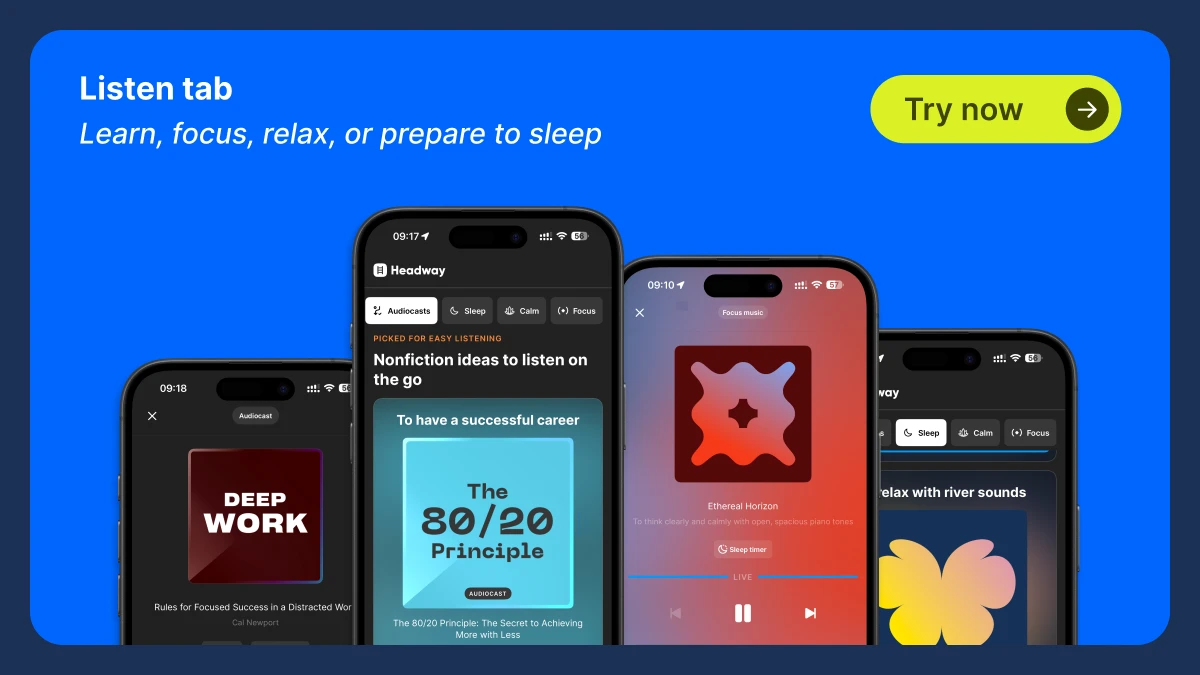
We're excited to announce one of the latest updates to the Headway app: the Listen tab. This updated tab brings a fresh audio experience to your learning and self-improvement routine. With it, you can easily access audiocasts and a variety of sounds for sleep, relaxation, and focus. Here's how it works.
What's in the Listen tab?
When you tap on the Listen tab with its distinctive headphone icon, you'll land on the main Listen section. From there, you can browse a range of features organized around your personal development needs.
Main features
Among the main features are:
Audiocasts: Short, focused audio sessions designed to help you build new skills, shift your mindset, and grow in areas that matter to you.
Categories: Additional audio content to support your wellness goals, including sleep sounds, calm music, and focus tracks.
Audiocasts
The audiocast section is built around growth. You might start with something like 'How to Talk to Anyone' to build confidence, or pick something focused on productivity or sleep. Each audiocast includes:
Description: A brief summary of what the audiocast covers.
Duration: The total listening time, so you can choose what fits your schedule.
Once you start playing, you have full control over the experience:
Playback speed: Adjust between slower, normal, or up to twice the normal speed.
Next recommendations: The player suggests your next audiocast based on your interests.
Sleep timer: Set the audio to stop after a specified amount of time, like 5, 10, or 15 minutes.
Categories: Sleep, Calm, and Focus
The Listen tab offers more than just audiocasts. It also includes three categories designed to support your wellness and productivity:
Sleep: Relaxing sounds and summaries to ease you into a restful night.
Calm: Soothing audio to help you relax, breathe, and reset during stressful moments.
Focus: Music and sounds to sharpen concentration and help you stay productive throughout the day.
Each category offers the same customizable controls as the audiocasts, including playback speed, voice selection, and the sleep timer.
Voice selection
Many audiocasts let you choose the narrator. You can switch between male and female voices to personalize your listening experience.


What can you listen to?
Here are some examples of the audiocasts and sounds available in the Listen tab:
Audiocasts
'The 80/20 Principle' — To increase productivity
'Emotional Intelligence' — To increase productivity
'Deep Work' — To increase productivity
'The 5 AM Club' — To drift off to sleep (also available as a summary)
'12 Rules for Life' — To drift off to sleep (summary available)
Calm sounds
Purple noise — Sounds to calm your mind and help you reset
Pink noise — Relaxation and focus aid
Focus sounds
Focus music — Sounds to help you concentrate and stay productive
Brainwave sound — Audio designed to improve focus and mental clarity
Sleep sounds
Sounds to drift off to sleep — Includes summaries and sounds to ease into sleep, like the 'The 5 AM Club' summary.
These are just a few examples of the wide variety of content you can find in the Listen tab. Whether you're looking to boost your productivity, relax, or fall asleep, there's something for everyone.
How this renewed Listen tab will benefit the user experience
This Listen tab was developed to give you a more personal and effective way to use audio content, whether you're working through an audiocast or winding down with calming sounds.
Everything is organized so you can find what you want quickly. You can personalize your experience by choosing your narrator's voice, adjusting the playback speed, and setting a sleep timer. Moving between audiocasts or sound categories is smooth, with the player automatically surfacing the next recommended piece of content.
Finally, the Listen tab also provides enhanced focus and relaxation through the Sleep, Calm, and Focus categories, making it easy to find the right audio for the moment, whether you need to concentrate, decompress, or fall asleep.
Why you'll love the Listen tab
The Listen tab brings efficiency and flexibility to your personal development routine. Whether you want to strengthen your mindset, sharpen your focus, or simply relax, it offers a personalized, on-demand audio experience with intuitive controls and content organized around how you actually feel and what you actually need.
At Headway, you'll find a Listen tab that's designed to meet all your needs.
Frequently asked questions about the Listen tab
What is the Listen tab in Headway?
The Listen tab is a dedicated section of the Headway app built around audio. It brings your audiocasts, sleep sounds, calm music, and focus tracks into one place, with controls that let you personalize the experience. This version is an update of the existing tab, refreshed with new features and content.
What content is available in the Listen tab?
The Listen tab includes audiocasts, short audio sessions built around specific goals like building confidence or achieving balance, as well as Sleep, Calm, and Focus sounds. Content like purple noise and pink noise falls under the Calm and Sleep categories. And new content is added regularly.
How do I control my listening experience?
It's actually very easy to control your listening experience in the Headway app. The Listen tab includes three customizable controls: Playback Speed (0.8x–2x), Voice Selection (male or female narrator), and Sleep Timer (5, 10, or 15 minutes).
What types of audiocasts are available?
Audiocasts cover a range of personal development topics. A few examples include:
'The 80/20 Principle' — To increase productivity
'Emotional Intelligence' — To increase self-awareness
'Deep Work' — To increase productivity
'How to Talk to Anyone' — To boost confidence
'The 5 AM Club' — To drift off to sleep
What audio categories are available for relaxation and focus?
Apart from audiocasts, the Listen tab includes three sound categories. Sleep sounds help you ease into rest. Calm audio, such as purple noise or pink noise, helps you breathe, relax, and reset. Focus sounds are designed to sharpen concentration and mental clarity.