Self-growth
 Apps & Digital Tools
 Business & Career
 Success
 Growth Tools
 Psychology
 Communication
 Relationships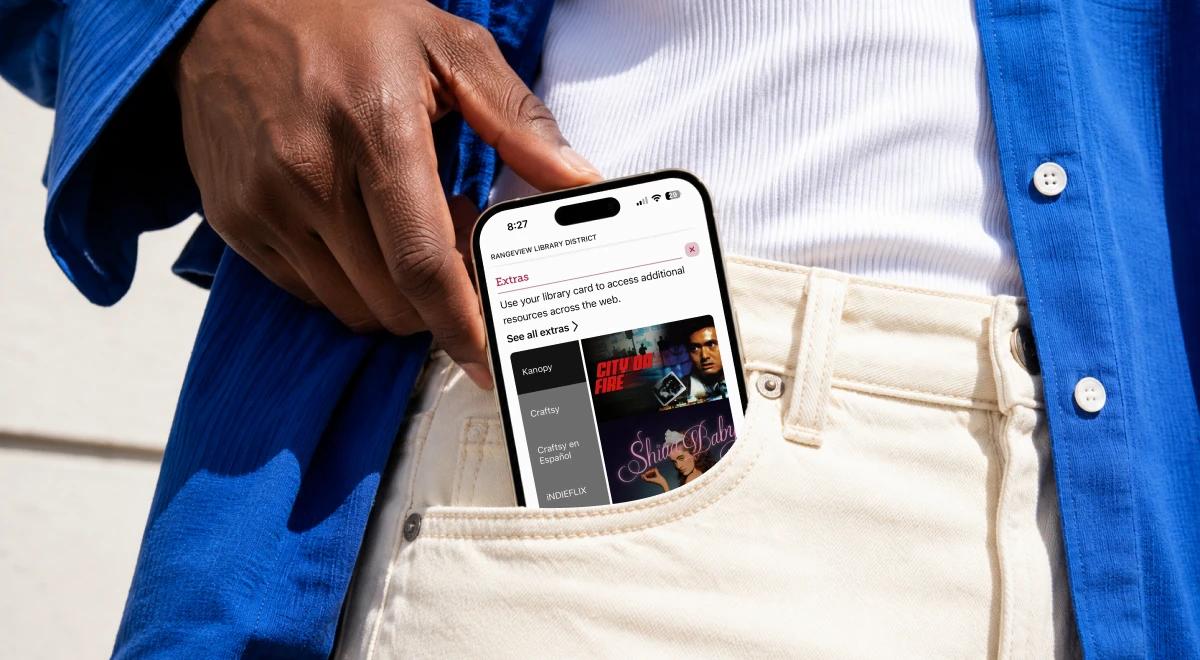

Many people use this library app to enjoy bestsellers and audiobooks for free. In fact, statistics on Americans using libraries these days note that those who own an e-reader are much more likely to have a library card. This is good news because research shows that reading more can help you stay healthy for a long time.
If you have been putting off that one book for weeks (or months), Headway helps you start today. Even if you only have a few minutes, you can gain knowledge from your favorite titles.

Test-drive Headway to get insights without the reading guilt and start making real change in just a few minutes a day!
Quick summary of the Libby app
If you want the fast version, here is the basic rundown of what the Libby app offers:
The Libby app lets you borrow ebooks, audiobooks, and magazines for free with a valid library card.
Libby works with public libraries that use OverDrive.
You can stream or download titles for offline reading.
Popular titles may have waitlists because libraries have limited digital copies.
Libby is for free reading, while Headway is for daily self-growth with summaries.
Find a detailed app review below!
What the Libby app is
Libby app is a free reading app that connects to your public library through OverDrive. It lets you use a library card to borrow ebooks, audiobooks, and magazines. It is built for a clean and simple experience on your favorite devices.
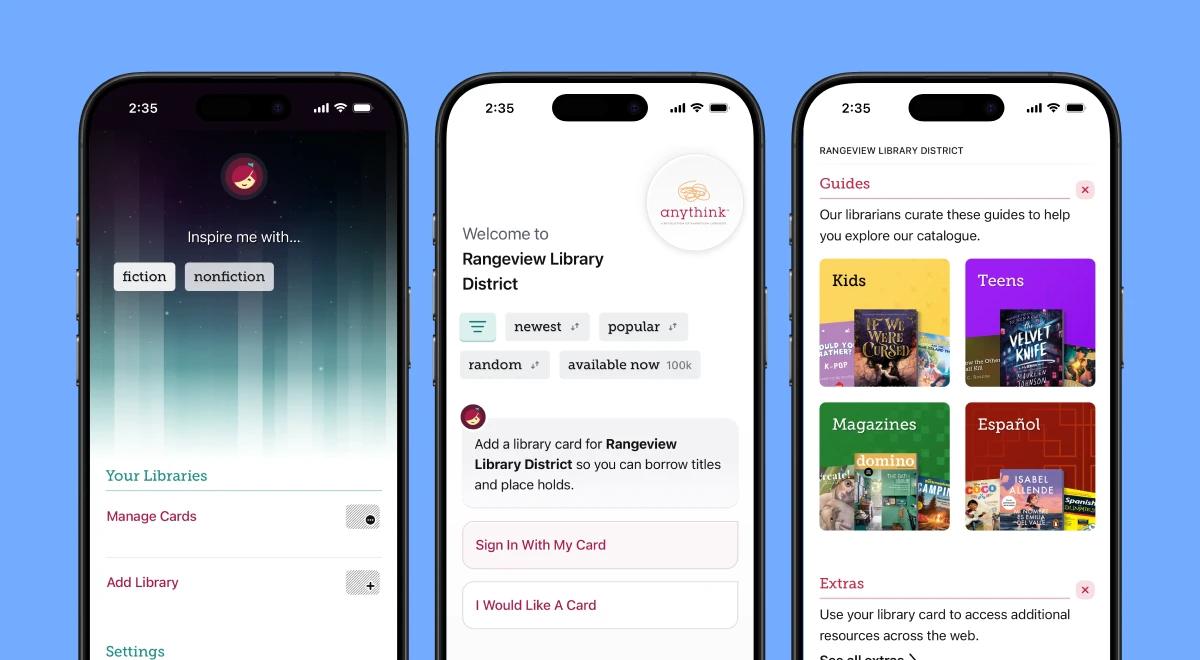
The app works on iPhone and Android. It even links with your Kindle. Whether you want to read or listen to a story, this platform brings the library to your screen. It is much easier than carrying around heavy library books.
📘Want something different? Try Headway for daily growth!
How the Libby app works
Starting with the app is quite simple. You don't need a tech degree to figure out how to use the Libby app. Here are the exact steps to get your first book:
Download the Libby app on your iOS or Android device.
Find your local library within the app.
Add your library card information to your account.
Search for a title you want to read.
Borrow books or place a hold if there is a waitlist.
Read or listen on your device, or send to a Kindle.
📘Make your phone your smartest habit with the Headway app!
Is the Libby app really free?
Yes, the app is completely free to use. You do not have to pay a subscription fee or deal with in-app purchases. All you need is a valid library card from a library that uses the OverDrive system.
There are no late fees because library books are returned automatically on their due date. You never have to worry about a surprise charge on your credit card. If you are comparing this to services like Audible, you might read an " Is Audible worth it guide to see the price difference.
What can you access in the Libby app?
The digital library has thousands of items, including popular book club picks and titles that have won Libby Book Awards, for you to browse. Your choices depend on what your library buys. Here is a quick look at what you might find:
| Content type | Available in Libby | Best for |
|---|---|---|
Ebooks | Yes | Reading on phones or tablets. |
Audiobooks | Yes | Listening during commutes. |
Libby app features that make reading easier
The app offers many tools and advanced features to enhance your reading list. Here is what you can expect when you use the Libby app:
Offline reading and listening: You can download files over wi-fi to save data later.
Sleep timer: Set a sleep timer for precise audio playback so your story stops when you fall asleep.
Kindle support: Users in the US can send books to their Amazon devices or to an e-reader like a Kobo.
Car listening: It works with Apple CarPlay and Android Auto for safe driving.
If you like tracking your reading stats, you can check out a StoryGraph vs Goodreads guide to see how to log your stats. The Libby app keeps its own bookmarks, so you never lose your place.
Libby app pros and cons: what readers should know before downloading
Every tool has good and bad points. Here is an honest look at the Libby app:
| Pros | Cons |
|---|---|
Free with a library card | Waitlists for popular new books |
No late fees or subscription | Availability depends on your library |
Support for many devices | Requires a library card to start |
📘Start making change with Headway!
Libby app vs Headway: which one fits your reading goals?
Choosing between these tools depends on your needs. One is for full books, the other is for quick insights. You can read a Headway vs Blinkist guide for more about the non-fiction world. Here is a comparison:
| Feature | Libby | Headway |
|---|---|---|
Best for | Full-length fiction/nonfiction | Self-growth and learning |
Content type | Entire books and magazines | 15-minute book summaries |
Habit-building | Lower focus | High (gamified features) |
Who should use the Libby app?
This platform is a strong choice for certain types of readers. If you fit into these groups, you should download Libby today:
Library card holders: If you already use your public library, this is a natural next step.
Budget-conscious readers: It is hard to beat the price of free books.
Families: Parents can find children's stories without spending much money.
If you want to read more about visual summaries, you might find an Imprint app review helpful. It focuses on a different way to learn.
📘 Turn your curiosity into a daily self-growth habit with Headway.


Who should use the Libby app?
This platform is a strong choice for certain types of readers. If you fit into these groups, you should download Libby today:
Library card holders: If you already use your public library, this is a natural next step.
Budget-conscious readers: It is hard to beat the price of free books.
Families: Parents can find children's stories without spending much money.
If you want to read more about visual summaries, you might find an Imprint app review helpful. It focuses on a different way to learn.
📘 Turn your curiosity into a daily self-growth habit with Headway.
Who may need a Libby app alternative?
Not everyone loves the waitlists or the library model. You might want to look at something else if you are:
Busy professionals: If you rarely finish full-length books, summaries may be better.
Self-growth learners: People looking for curated facts often prefer apps like Headway. You can see the Is Blinkist Worth It guide for more options.
Instant-access seekers: If you don't want to wait for weeks.
How to make the most of the Libby app
Getting the best results requires a few tricks. Here is how to improve your experience:
Add more than one library card if you have them.
Use tags to build a wishlist for later.
Place holds on popular titles early.
Mix long books with summaries to stay on track.
📘 Unlock key insights from bestsellers in 15 minutes a day. Start with Headway.
The smarter reading stack: use the Libby app and Headway together
You don't have to choose just one tool. Many readers use both to stay productive. Use the Libby app for your weekend novels and Headway for your morning learning. This way, you get the best of both worlds. It helps you keep your momentum even when you are busy.
If you want to know how Audible fits into your routine, read our comparison. But for many, pairing library access with bite-sized insights is the ultimate move.

Turn your reading curiosity into a daily self-growth habit with Headway
The Libby app is a wonderful way to enjoy stories for free. It gives you access to a huge digital collection with no late fees. However, real growth often needs more structure and consistency than a random library book can provide.
Headway fits into your busy days and helps you build progress, one small step at a time. It turns big ideas into short lessons that actually stick in your memory. You can learn from the best nonfiction bestsellers even when you only have a few minutes during your coffee break.
Stop letting your busy schedule ruin your learning goals.
Download the Headway app today and start building the daily habit that will help you become the best version of yourself.
FAQs
Is the Libby app free?
Yes, the app is completely free to install and use. You do not have to pay for a subscription or buy credits. There are no hidden costs or late fees. As long as you have a valid card from a participating library, you can enjoy all the features without spending any money.
Do you need a library card to use the Libby app?
Yes, you must have a card from a library that uses the OverDrive system. The app uses your card information to let you sign in and borrow items. If you do not have a card, you can often apply for one at your local branch or through the library's website before using the app.
Can you use the Libby app without wi-fi?
Yes, the app supports offline reading. You can download titles while you are connected to the internet. Once the download is finished, you can read or listen anywhere, even without a connection. This is great for traveling on airplanes or in areas with poor cellular service.
Can you send Libby books to Kindle?
Yes, users in the United States can send eligible ebooks to their Kindle devices. You just need to select the "Read with Kindle" option after you borrow a book. This will redirect you to the Amazon website to finish the delivery to your device. It is a very popular feature for Kindle owners.
Why does the Libby app have waitlists?
Waitlists happen because libraries have a limited number of digital copies for each title. Just like a physical book, only one person can use a digital copy at a time. If all the copies are checked out, you must place a hold and wait for your turn. Popular new releases usually have longer waitlists.
Is the Libby app better than Audible?
It depends on what you want. Libby is free, but you might have to wait for books. Audible costs money, but you own the books forever and get instant access. Libby is better for saving money, while Audible is better for power users who want a massive selection of exclusives. You can see our full review for more.
What is the best Libby app alternative for self-growth?
Headway is the best choice for self-growth. While Libby provides full books, Headway offers 15-minute summaries of the best nonfiction titles. This is perfect for busy people who want to learn new skills quickly. It helps you stay consistent and build a daily habit without the time commitment of a 20-hour book.