Self-growth
 Business & Career
 Success
 Communication
 Healing
 Relationships
 Psychology
 Happiness
Ever browsed through Netflix for at least a solid 20 minutes, unable to pick something to watch? Readers have that same problem with books. On Goodreads, you can find many people who have rated, reviewed, and discussed the same books you read. Here, we'll help you create a Goodreads account, so you have access to plenty of great recommendations and features.
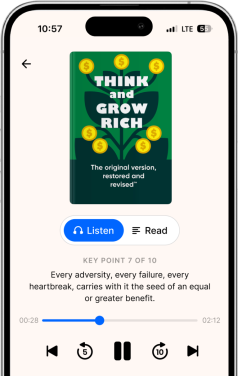
With the addition of Headway, you can also learn from best-selling nonfiction in as little as 15 minutes, rather than reading the entire book.
What Goodreads offers:
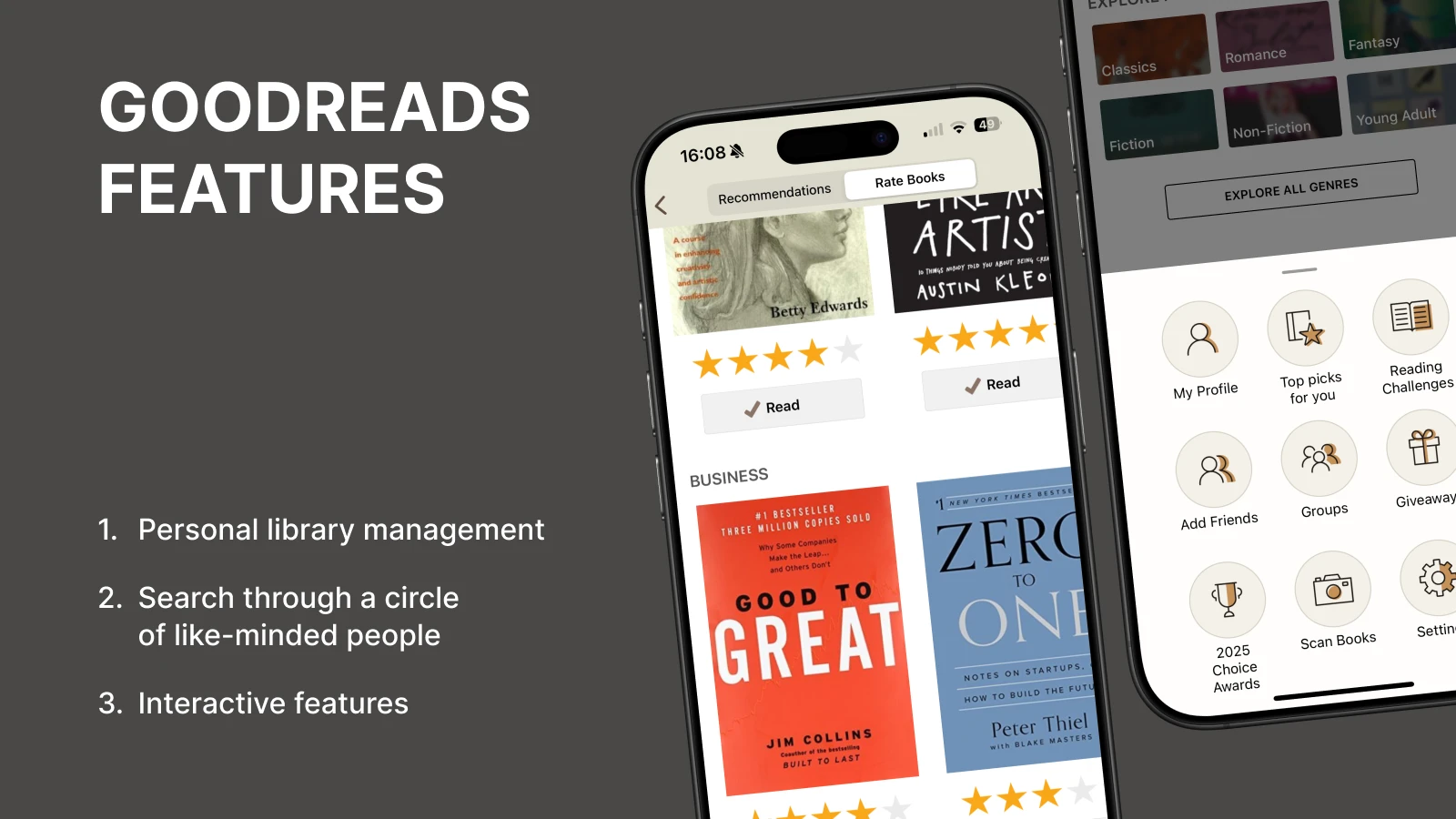
Personal library management: Create custom bookshelves, track the number of books you've read, and organize titles by genre, mood, or reading status.
Search through a circle of like-minded people: Browse Goodreads lists curated by millions of readers, read book reviews from people with similar tastes, and find good books through personalized recommendations based on your ratings.
Interactive features: Join reading challenges, participate in quizzes about your favorite books, enter author giveaways for free books, and connect with book clubs focused on genres you love.
What is Goodreads, and why do people use it
Think of Goodreads as your personal library mixed with a social media platform. It's where readers come to catalog their reading history, share opinions, and find their next favorite book.
The platform works like this: you create bookshelves (virtual collections), add books you've finished or want to tackle, and leave book reviews. Then, Goodreads uses this data to suggest titles you might enjoy. You can also follow friends, see what they're reading, and join book clubs focused on specific genres or themes.
It's popular because you don't just track books; you become part of a massive social networking site where millions of Goodreads members discuss published books, share book recommendations, and participate in reading challenges.
Unlike simple book lists or notes in your smartphone, Goodreads creates a living record of your reading journey. You can look back at your read books from years ago, see how your tastes have evolved, and even compare your progress with friends.
How Goodreads works: Detailed instructions
Signing up for Goodreads is a simple process. Once you sign up, you'll have the option to start adding titles for all books you've read and want to read, along with the ability to rate and review these titles and follow your favorite authors.
In just a few minutes, you'll become part of a vibrant, supportive online community of fellow book lovers, while receiving immediate benefits from the service.
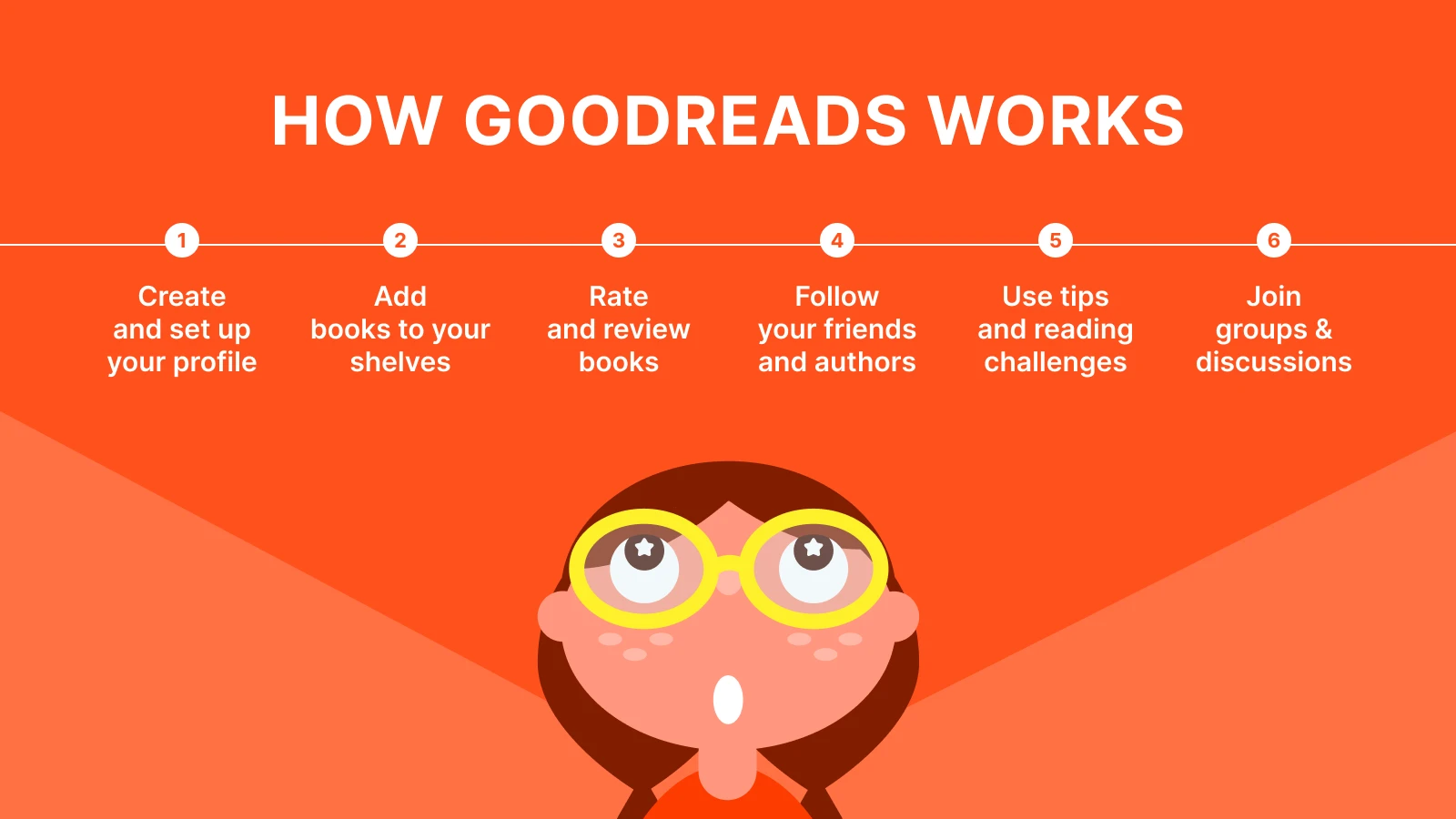
1. Create an account and set up your profile
To get started with Goodreads, go to the Goodreads website or download the Goodreads app. You can sign up with your email address or connect your Goodreads account using your Amazon account (Amazon owns Goodreads). You can add a profile image and write a brief bio if you'd like; then, you're all set!
2. Add books to shelves
Every Goodreads account comes with three default bookshelves: "Read," "Currently Reading," and "Want to Read." Start adding books by searching titles or authors. Click "Want to Read" for books on your list, or mark them as "Read" if you've already finished them. You can create custom shelves too — like "Self-Growth Favorites" or "Books That Changed My Mind." If you're a Kindle reader, you can sync your Amazon purchases to automatically populate your shelves with books you've bought.
3. Rate and review books
Once you have finished reading, you can rate the book using a star system, with 1 star being the lowest and 5 stars being the highest. If you want to say something about the book beyond just a rating, leave a comment. Some users write lengthy feedback or critiques, while others prefer to write only a short phrase about their thoughts.
Regardless of how long or short the review is, providing feedback will help other readers looking for new material and also help Goodreads train its algorithm based on your preferences.
4. Follow friends and authors
Find people you know by syncing your contacts or searching usernames. When you follow friends, you'll see their recent activity on your homepage — what they're reading, their latest ratings, and reviews. You can also follow published authors to get updates when they release new books or host Goodreads giveaways.
5. Use recommendations and reading challenges
Goodreads analyzes your shelves and ratings to suggest books you might like. These recommendations pop up on your homepage. You can also join an annual reading challenge — set a goal (for example, 24 books this year) and watch your progress throughout the months.
6. Join groups and discussions
There are thousands of Goodreads groups focused on genres, themes, or just general book chat. Join one (or five) to connect with fellow book lovers, participate in buddy reads, or debate the merits of that controversial ending everyone's talking about.
📘 Want to read books smarter, not longer? Try Headway for 15-minute summaries that help you learn from bestsellers during your coffee break.
How Goodreads makes book recommendations for you
Goodreads recommendations are driven by a combination of social signals and algorithms, and there are several factors that contribute to what you see.
Your ratings are everything. If you rate five mystery books with four or five stars, you'll get additional mystery titles in your feed. Additionally, Goodreads tracks the reading habits of your friends. If a user who has books on their shelf that are similar to yours has rated a certain title with a high star rating, you'll likely see it recommended to you, too.
Then there's the social layer. Book pages show average ratings from all Goodreads users, along with reviews sorted by popularity. High ratings and enthusiastic book reviews push books up in visibility. The algorithm takes into account genre tags, publication dates, and word-of-mouth recommendations. For example, if millions of people start adding a new book to their Want to Read shelf within a very short time, that book will rise in ranking — meaning it has a strong chance to become popular.
The book industry relies heavily on these recommendation systems. Publishers watch Goodreads lists closely to spot emerging trends and reader preferences.
A book that gains traction on popular Goodreads lists often sees a spike in sales across platforms.
However, your recommendations are only as reliable as the data you provide. The more reviews and ratings you give, the more accurate Goodreads' understanding of your tastes becomes. Think of it as teaching an AI about literature by feeding it lots of ratings and reviews.
Goodreads: What works, what doesn't, and why it matters
Like any platform, Goodreads has its strengths and quirks. Let's look closer:
| What's cool about Goodreads | What can be annoying |
|---|
Free — you register and immediately track books, no subscriptions or paywall. | The design is a bit old-fashioned — it works, but not very modern. |
Huge community — millions of users, lots of reviews, recommendations, and book friends. | Not for quick learning — Goodreads is focused on full books, not short summaries or audios. |
Personal recommendations — the more you read and rate, the more accurate the next book suggestions are. | Audiobooks are not very convenient — you can add them, but it's not as smooth as dedicated audiobook services. |
Reading challenges — you set a yearly goal and track your progress. It's quirky, but very motivating. | "Review bombing" — sometimes books receive a flurry of low ratings even before they're released, which distorts the ratings. |
Contact with authors — follow your favorite writers, participate in giveaways, and sometimes even communicate with them. |
Interactive features — quizzes, themed selections, and lists from Goodreads — make it easy to find interesting books. |
For people who enjoy discovering new literature but don't want to wait weeks to read a 300-page book, microlearning applications, like Headway, are an excellent choice. Rather than spending hours reading the entire book, you can get a 15-minute summary and audio guide.
Slow reading or instant knowledge: Compare Goodreads and Headway
Goodreads succeeds at one thing: it helps you track books. It's perfect if you want to log the number of books you've read, join book clubs, or see what friends enjoy.
Headway takes a different approach. It's designed for people who want to learn from books without dedicating hours to reading. You get concise, book summaries — think 15-minute audio insights that capture the big ideas from nonfiction bestsellers.
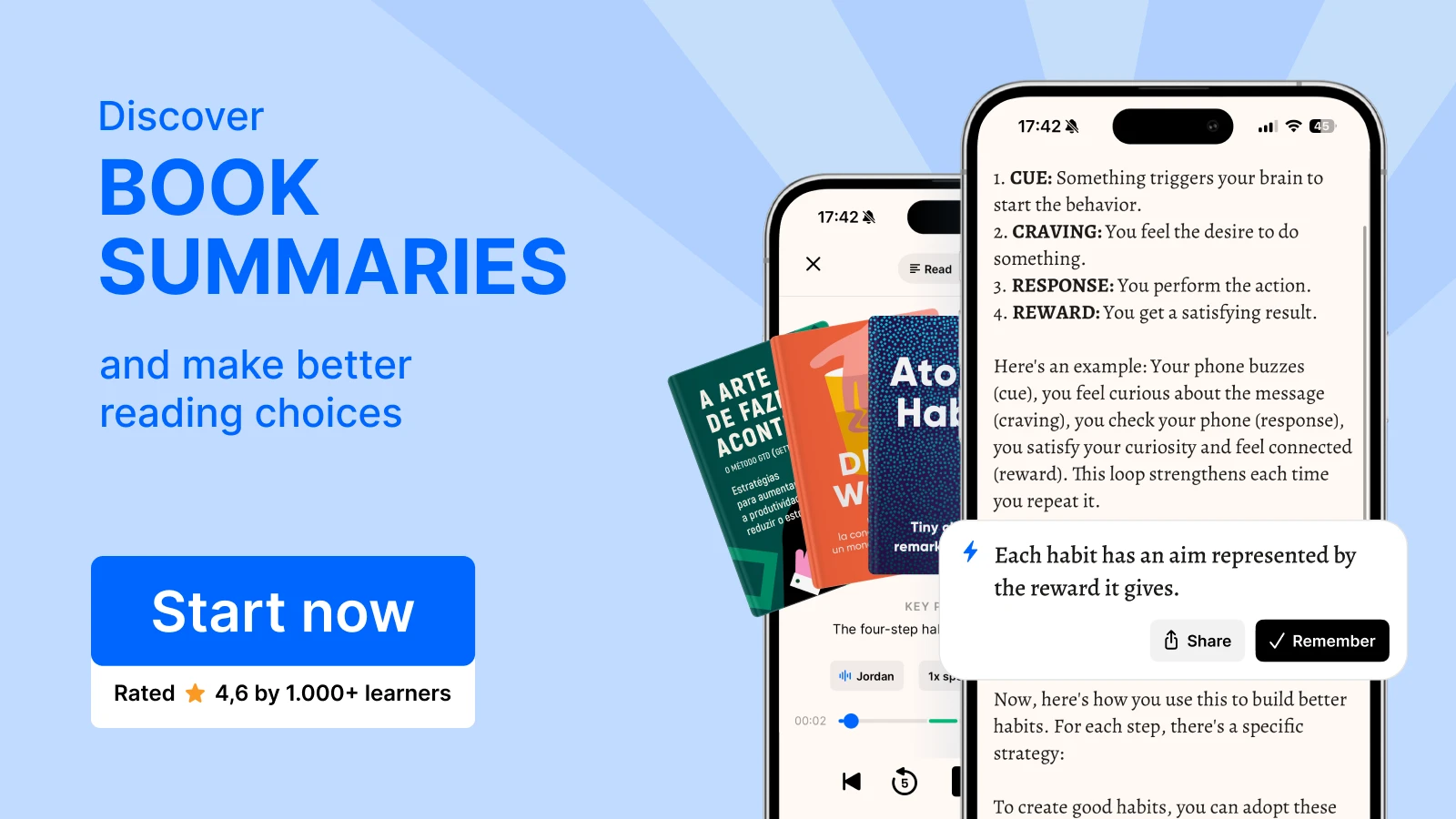
Here's the thing: they complement each other. Use Goodreads to maintain your reading list and find your next book. Use Headway when you're curious about a self-growth or productivity title but don't have time to read the whole thing right now. You might discover concepts while you're commuting, working out at the gym, or drinking your morning coffee, and then decide to read the full book later when you're ready.
Goodreads has a social aspect, while Headway is more actionable, so they offer different ways of discovering and learning from books.
Top reads and audio summaries
If you're building your reading list (or looking for audio summaries to try first), here are some top picks organized by theme:
Best for productivity:
'Atomic Habits' by James Clear — small changes, with big results
'Deep Work' by Cal Newport — how to focus in a distracted world
'Getting Things Done' by David Allen — ways to master your to-do list
Best for habits & self-growth:
The Power of Habit by Charles Duhigg — why we do what we do
Mindset by Carol Dweck — fixed vs growth thinking
'The 7 Habits of Highly Effective People' by Stephen Covey — timeless principles
Best for leadership:
'Start With Why' by Simon Sinek — inspiring action through purpose
'Leaders Eat Last' by Simon Sinek — building trust in teams
'Dare to Lead' by Brené Brown — vulnerability as strength
You can find summaries on these topics and many more in audio formats through Headway, ideal for commuters and busy learners. Want to listen to summaries instead of reading? Headway offers concise audio summaries that help you quickly recall key ideas.
Turn your Goodreads book list into daily insights with Headway
Goodreads is great for discovering books and connecting with other readers. But here's the reality: life gets busy. That self-help book you added to your "Want to Read" list six months ago? It's still there, untouched.
Between career, family, and endless things to do, there's simply not enough time for it. And this is where it becomes obvious that finding great book recommendations is one thing, but actually finding time to read or listen to them is a whole different challenge. For such moments, Headway's quick audio insights can be a real lifesaver. After all, they allow you to gain knowledge even during the busiest parts of the day.
And here's where Headway steps in. Instead of feeling guilty about the growing pile, you can explore nonfiction bestsellers in audio with Headway and boost your growth — 15 minutes at a time. Learn from the books everyone's talking about, then go back to Goodreads to rate and review the full versions if they resonate.
Think of it this way: Goodreads helps you discover what to read. Headway helps you learn what can change your life.
Frequently asked questions about how Goodreads works
How does Goodreads recommend books?
Your ratings, reading habits, and wish list are used to help recommend books on Goodreads. Goodreads also considers data gathered from users with similar preferences to present tailored recommendations that best match your tastes.
Do you have to pay for Goodreads?
Goodreads is a totally free platform; it does not require any sort of subscription or monthly payment and has no hidden fees. By simply registering an account, a user has access to all aspects of the site, including the ability to participate in reading challenges, browse through recommendations, and more.
Can Goodreads track audiobooks?
Yes, Goodreads can track audiobooks if you add them to your library, just like you would print or ebooks. You can mark them as listened to, rate them, write reviews, and add them to your "Want to Read" or "Currently Reading" lists.
How do I track my reading progress on Goodreads?
To track your progress on Goodreads, add a book to your "Currently Reading" shelf. Then, update your percentage read or number of pages read. This process helps you see how much you have left, get recommendations, and participate in annual reading challenges with the community.
How to get good recommendations on Goodreads?
Rate every book you can — any book you have enjoyed or disliked. The more varied your ratings, the better the algorithm understands your true reading preferences. Connect with other users who have similar reading habits, because Goodreads highlights the most popular books among your group.
Is there a monthly fee for Goodreads?
No, Goodreads is free: registration, ratings, lists, and reading tracking are all free of charge. You can find, add, and rate books without a subscription. There are ads and book purchases through partners, but the platform itself does not take regular payments from users.
Did you know that Goodreads is owned by Amazon?
Yes, Goodreads has been owned by Amazon since 2013. It integrates Amazon book purchases, ratings, and reviews with the reader platform. Users can easily browse products, add books to lists, and get personalized recommendations thanks to Amazon data.