Self-growth
 Business & Career
 Success
 Communication
 Healing
 Relationships
 Psychology
 Happiness
Apps to stop doomscrolling are digital wellbeing tools designed to break the endless scrolling cycle by blocking distracting apps, creating friction before you open social media, or replacing mindless consumption with activities that actually benefit your mental health.
Quick answer: Best apps to stop doomscrolling
| Category | App | Best for |
|---|
Habit replacement | Headway | Building a growth mindset |
Hard blocking | Freedom | Cross-device blocking |
Mindful pauses | One Sec | Interrupting muscle memory |
Bite-sized learning | Nibble | Quick knowledge snacks |
Visual motivation | Forest | Seeing your progress grow |
Gentle nudges | ScreenZen | Gradual behavior change |
Skill building | Skillsta | Professional development |
The uncomfortable truth is that you've probably tried blockers before. You deleted TikTok, set time limits, and maybe even went grayscale. And here you are, reading another article about how to stop scrolling.
📘 That's not a willpower problem. That's a system problem. Headway replaces scrolling with structured learning that works even when motivation fades. Download Headway and stop relying on willpower that keeps failing you.
What are apps to stop doomscrolling?
Apps to stop doomscrolling are software tools designed to limit screen time by blocking distracting websites, interrupting your scroll habit, or replacing mindless consumption with productive activities. They add friction between you and your social media feed, giving your brain a chance to make a conscious choice rather than run on autopilot.
But here's what nobody tells you: friction alone doesn't fix a doomscrolling habit. Your brain needs somewhere to go.
Why we doomscroll: The psychology of the infinite scroll
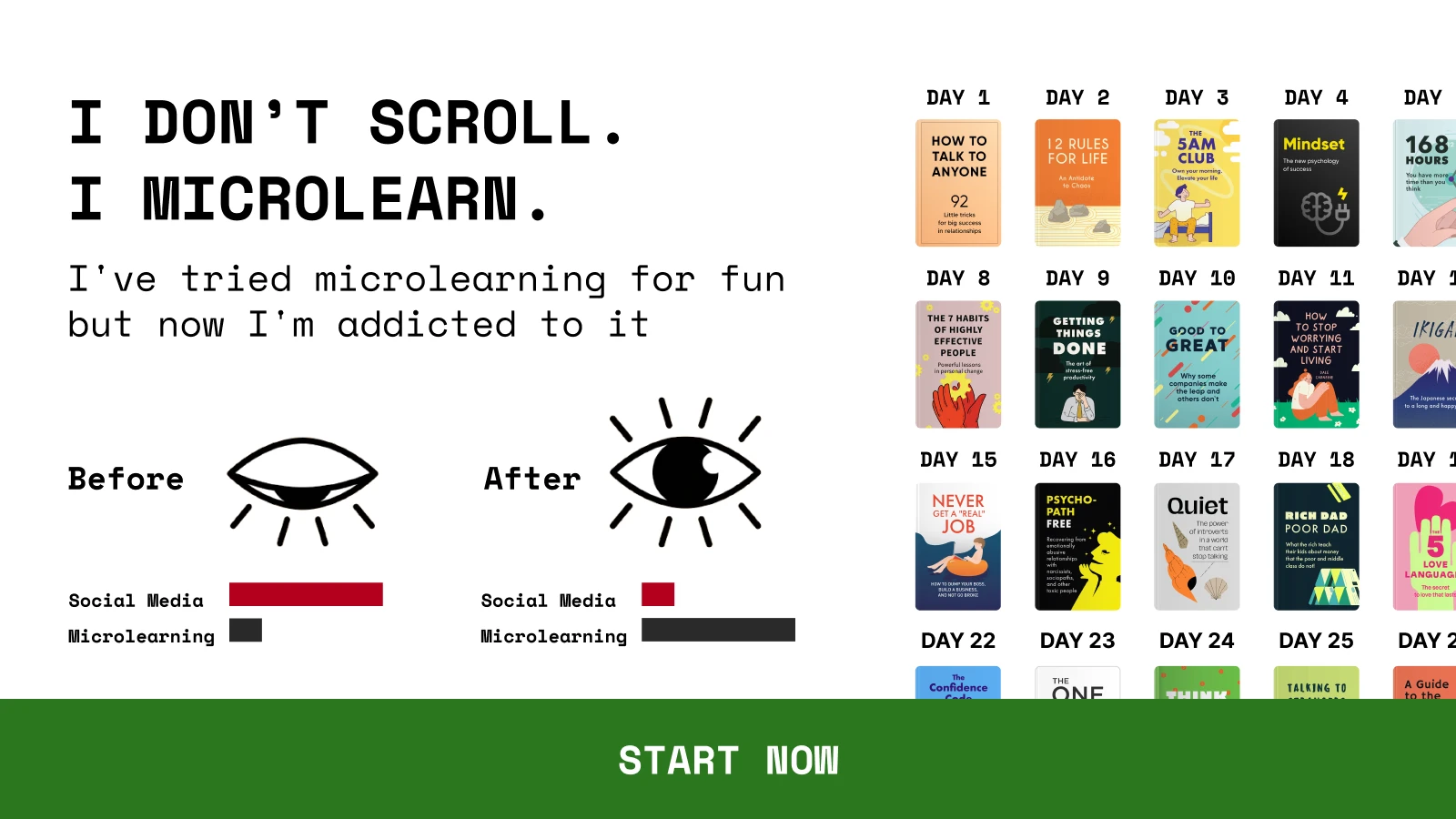
Your brain treats social media like a slot machine. Variable rewards (sometimes you find something interesting, sometimes you don't) keep you pulling the lever. The algorithms learn what makes you pause, react, or scroll slower, and then feed you more of the same. That dopamine rush that you get from a funny video? It's the same chemical response that keeps people gambling.
But most people miss that your brain yearns for novelty, not Instagram or TikTok specifically. FOMO (fear of missing out) makes this worse. You scroll because you might miss something important. But after spending an hour on your social media feed, can you remember three things that you've learned?
That is where most advice fails you. "Just use willpower." "Delete the apps." "Set your notifications to silent." You've heard it, and you've tried it. But these practices didn't stick because blocking creates a vacuum, and vacuums often become filled by the same behavior you were trying to escape.
The 3 types of anti-doomscrolling apps
Not all solutions work the same way. Understanding the categories helps you see why most of them fail:
1. The Blockers: Apps like Freedom, Opal, and AppBlock use forceful restriction. They block apps and block websites entirely during scheduled times. Good for severe habits, but here's the problem: you're left staring at a locked screen with nothing to do. Most people find workarounds within a week.
2. The Nudgers: Apps like One Sec and ScreenZen create friction. They interrupt your automatic behavior with a pause, a breathing exercise, or a question. It's better than blocking, but they still leave you with the same question: "Now what?"
3. The Replacements: This one is the only sustainable long-term fix. Instead of just blocking the bad, you replace it with something better. Your brain still gets the novelty it craves, but now it's productive novelty. Here is where Headway shines — giving your brain the stimulation it craves through book summaries instead of endless scrolling.
So, what's the difference? Blockers and nudgers require you to generate motivation every single time. Replacement systems work automatically.
Top 12 apps to stop doomscrolling in 2026
1. Headway — Best for building a growth mindset
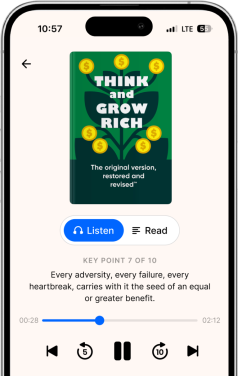
Unlike blockers that leave you staring at a locked screen, Headway offers a better place to go. The app turns bestselling nonfiction books into 15-minute summaries in both text and audio formats.
Instead of spending 15 minutes on social media learning nothing, you spend 5–15 minutes absorbing real ideas from experts. Your brain still gets novelty, but now it's productive novelty. The app tracks your streaks, offers personalized growth plans, and fits into any daily routine.
But what makes this different from reading full books or saving articles "for later"? In a word, structure. Headway removes the decision of what to read, how long to read, and when to stop. So now, you don't even need motivation; all you need is a system that works when motivation fails, which this app provides.
📘 Start building a growth mindset with Headway now.
2. Freedom — Best for hard blocking across devices
Freedom blocks distracting apps and websites across your iPhone, iPad, Android, Mac, and Windows devices simultaneously. You create blocklists, schedule focus sessions, and let the app lock you out. No exceptions. This approach is the nuclear option for people who need strict boundaries.
The main limitation here is that Freedom tells you what you can't do. It doesn't tell you what you should do instead.
3. One Sec — Best for mindful pauses
One Sec adds a breathing exercise before opening social media apps. When you tap Instagram, you wait. You breathe. Then the app asks if you still want to proceed. This interruption short-circuits the muscle memory that makes you open apps without thinking.
And it works, until you get used to the pause. Then you breathe through it automatically and open the app anyway.
4. Forest — Best for visual motivation
Forest gamifies focus with virtual trees. When you stay off your phone, your tree grows. Check your phone, and it dies. The visual representation makes the abstract concept of "less screen time" more concrete.
It's great for short focus sessions. Less effective for replacing what you do with your freed-up time.
5. Opal — Best for deep work focus
Opal creates "focus sessions" that block distracting apps during scheduled periods. The interface is clean. You pick your apps, set your time, and Opal handles the rest. It's available for Apple and Android devices.
6. StayFree — Best for analyzing your phone usage
StayFree shows you exactly how much time you spend on each app, complete with detailed charts and app limits. Knowing that you spent three hours on Instagram yesterday is more powerful than vague guilt.
But awareness without a replacement plan is just informed regret.
7. ScreenZen — Best for gentle nudges
ScreenZen takes a softer approach. Instead of blocking, it adds small delays and reminders. You can still access everything, but the friction makes mindless scrolling harder.
8. Nibble — Best for quick knowledge snacks
Nibble delivers bite-sized learning content that replaces your scroll sessions. The app offers short articles on various topics, giving your brain something productive to consume when it craves novelty.
9. Minimalist Phone — Best for UI redesign
This new app transforms your phone's home screen into a simple text-based list. No colorful icons, no visual triggers. And it's available on the App Store and Google Play for iPhone and Android users who want a complete interface overhaul.
10. Lock Me Out — Best for severe addiction
Lock Me Out completely locks you out of selected apps for set periods of time. No override option. You commit to the time, and that's it. This app is for people who need the strictest enforcement.
11. Refocus — Best for gamification
Refocus turns reducing screen time into a game with points, achievements, and challenges. If you respond well to competition and rewards, this approach works.
12. Skillsta — Best for professional skill building
Skillsta focuses on building interpersonal and professional skills through bite-sized lessons. If your goal is career growth, this new app will channel your phone time toward communication, productivity, and leadership development.
How to build a "no-scroll" routine (the swap strategy)
Blocking apps is only half the solution. You need healthier alternatives to fill the time:
Morning — Replace the bed scroll: Instead of reaching for your phone immediately, start with one Headway summary. This "Morning Momentum" technique gives your brain stimulation while setting a productive tone.
Afternoon — Stack friction and intention: Use a blocker like Freedom during work hours. When you feel the urge to scroll, open Headway instead. The amount of time stays similar, but the output changes completely.
Night — Wind down without screens: Set your blocker to activate two hours before bed. Replace reels with audio content. Your sleep quality improves when you stop feeding your brain rapid-fire content. Headway makes this easy with calming binaural beats, audio book summaries, and a built-in sleep timer — everything you need to unwind without reaching for social media.
The key takeaway is that you cannot simply remove a habit. You must replace it. Your doomscrolling habit exists because it meets a need — novelty, escape, or stimulation. Find a healthier alternative that meets the same need, and the swap becomes automatic.
A system removes the decision. That's the difference between "trying to scroll less" and actually changing.
📘 Replace habits intentionally with Headway.
Why is this article isn't enough
You now have 12 apps to stop doomscrolling. You understand the psychology. You know about blockers, nudgers, and replacements.
And if you close this tab and do nothing, you'll be back to the same pattern by tonight.
That's not criticism — that's just how habits work. Information doesn't change behavior. Systems change behavior.
The apps on this list can help you reduce screen time and protect your mental wellbeing. But the best apps do more than block — they redirect. Every minute you spend doomscrolling is a minute you could spend learning something that improves your career, your relationships, or your understanding of the world. Real-world benefits come from real-world knowledge.
Without a replacement system, this problem repeats. You don't need more insight. You need structure.
Headway removes the friction that makes self-improvement feel hard: what to read, how long to commit, and whether it's worth your time. The app makes your habit change. You just need to show up.
If this sounds familiar — if you've tried blockers, deleted apps, set limits, and still ended up here — this article is not enough. Download Headway and replace the scroll with something that compounds.
Frequently asked questions on apps to stop doomscrolling
Does doomscrolling affect mental health?
Yes. Research links excessive social media use to increased anxiety, depression, and sleep problems. The constant exposure to negative news and comparison with others takes a measurable toll on overall wellbeing. Reducing mindless scrolling and replacing it with intentional content improves mood and focus.
What is the best free app to stop doomscrolling?
For free options, Forest offers a basic free tier with virtual trees, and Headway provides a daily free book summary. Most blocking apps like Freedom and Opal offer free trials. StayFree is completely free for users who want usage tracking and app limits.
How do I stop scrolling on TikTok specifically?
Use One Sec to add a pause before TikTok opens. Set time limits through your phone's built-in digital wellbeing settings. But the real answer is that pauses and limits only work temporarily. You need something to replace the habit. When you feel the urge, open Headway instead. Your brain wants novelty, so give it novelty that matters.
Why don't blockers work long-term?
Blockers create a vacuum. They tell you what you can't do, but not what to do instead. Most people find workarounds, deactivate the blocks, or simply wait them out. The only sustainable solution is replacing the behavior with something equally satisfying but more valuable.
How to stop doomscrolling permanently?
Permanent change requires replacing the habit, not just blocking it. Your brain seeks novelty and stimulation — that won't change. The fix is redirecting that craving toward something valuable. Build a daily routine of reaching for Headway instead of social media. When the replacement becomes automatic, the doomscrolling habit loses its grip.
Can your brain recover from doomscrolling?
Yes. Your brain adapts to whatever you feed it. After weeks of excessive scrolling, your attention span shortens and your dopamine sensitivity drops. But the brain is plastic; it recovers when you change the input. Replacing rapid-fire content with focused learning helps restore your ability to concentrate and find satisfaction in slower, deeper engagement.
Can 3 days without a phone reset your brain?
A short detox can help, but it won't fix the underlying pattern. Three days might reduce the immediate urge, but the moment you pick up your phone again, the old triggers return. Lasting change comes from building new habits, not temporary abstinence. Replace the scroll with structured content, and the reset becomes permanent.