Self-growth
 Business & Career
 Success
 Communication
 Healing
 Relationships
 Psychology
 Happiness
These two apps receive the most attention when readers search for ways to track their books: The StoryGraph and Goodreads. They're both solid options, but they take pretty different approaches:
The StoryGraph focuses on personalized book recommendations and gives you detailed stats about your reading patterns.
Goodreads, on the other hand, is all about the community — think millions of users sharing reviews and connecting over their love of books.
But which one is right for you in 2026?
Here, we'll dive deep into a feature-by-feature comparison to help you choose the best book tracker for you and find out which app suits your style!
Which is better: The StoryGraph vs Goodreads? (Quick answer)
The StoryGraph is excellent if you want smart recommendations and love seeing stats about your reading habits. Goodreads has the bigger community by far, plus tons of user reviews and seamless Kindle syncing. Ultimately, it comes down to what matters more to you — tracking your data in detail or being part of a huge network of readers.
📘 Get Headway and stop letting good books collect digital dust on your list!
The StoryGraph vs Goodreads comparison table: Which one is the best app for tracking books?
| Feature | The StoryGraph | Goodreads |
|---|
Recommendations | Personalized based on mood, pace, and themes | Based on popularity and social proof |
Reading stats | Tracks mood, pace, formats, reading goals, and graphs | Tracks challenges and shelf data |
Social & community | Less social, more privacy-first | Groups, friends, reviews, discussions |
Reviews & ratings | Quarter stars, structured reviews, and content warnings | Standard 1–5 stars |
Interface & usability | Modern, clean design | Older, clunky interface |
Database size | Smaller but growing, easy to add books | Massive catalog with many editions |
Kindle integration | No direct Kindle integration | Seamless Kindle integration |
Privacy & safety | High focus on user privacy | Data collection practices raise concerns |
Paid features | Offers premium features with a paid plan | Free, with limited ads |
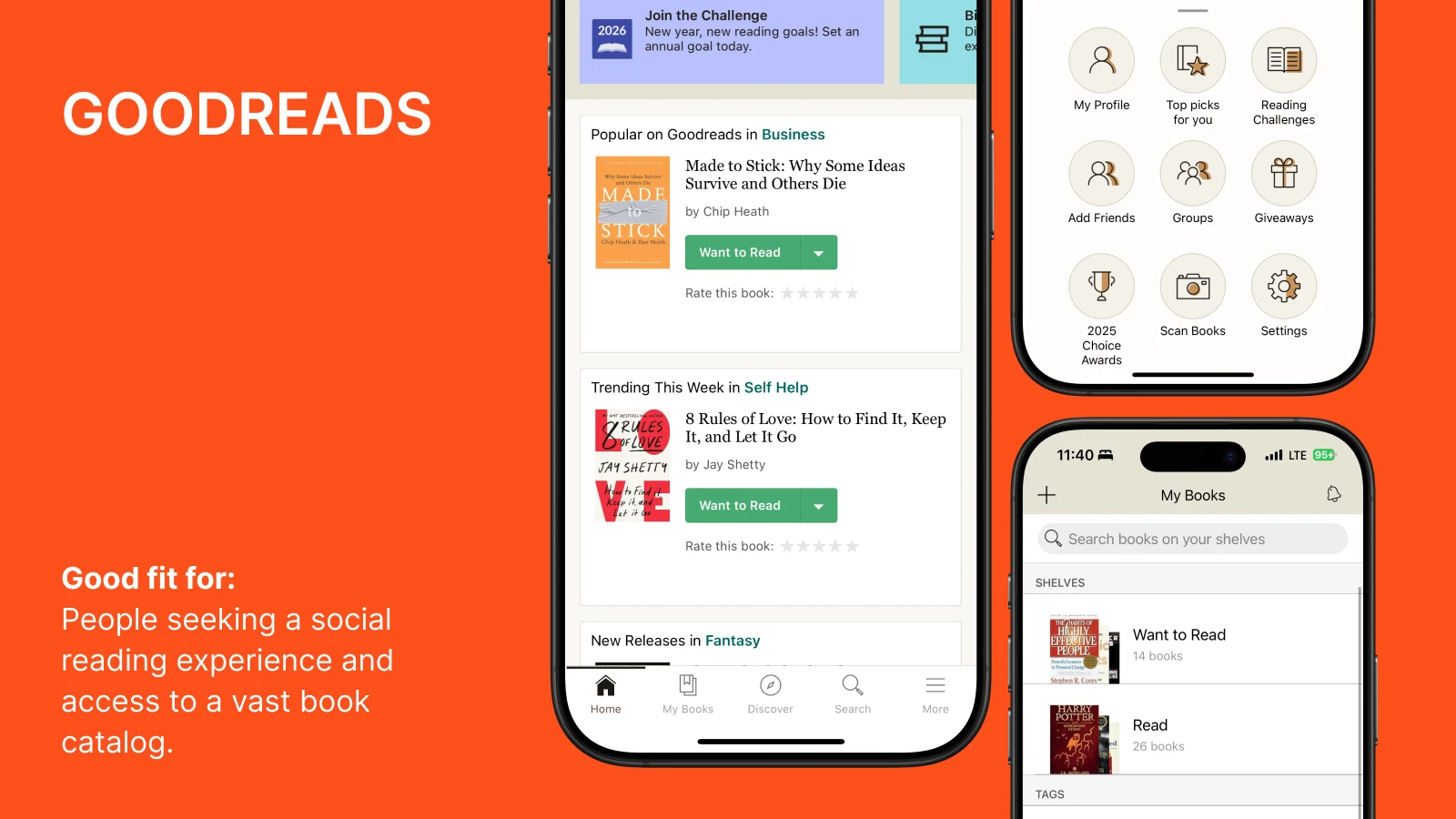
What is Goodreads?
Goodreads is the biggest book community out there. You track what you've read, rate books, and chat with other readers. The database is huge — pretty much any book you can think of is in there, plus thousands of reviews from people who actually read them. Millions of book lovers use it. The community is the whole point, really. Since Amazon acquired it in 2013, it has become even more closely tied to the Kindle ecosystem.
Good fit for: People seeking a social reading experience and access to a vast book catalog.
What is The StoryGraph?
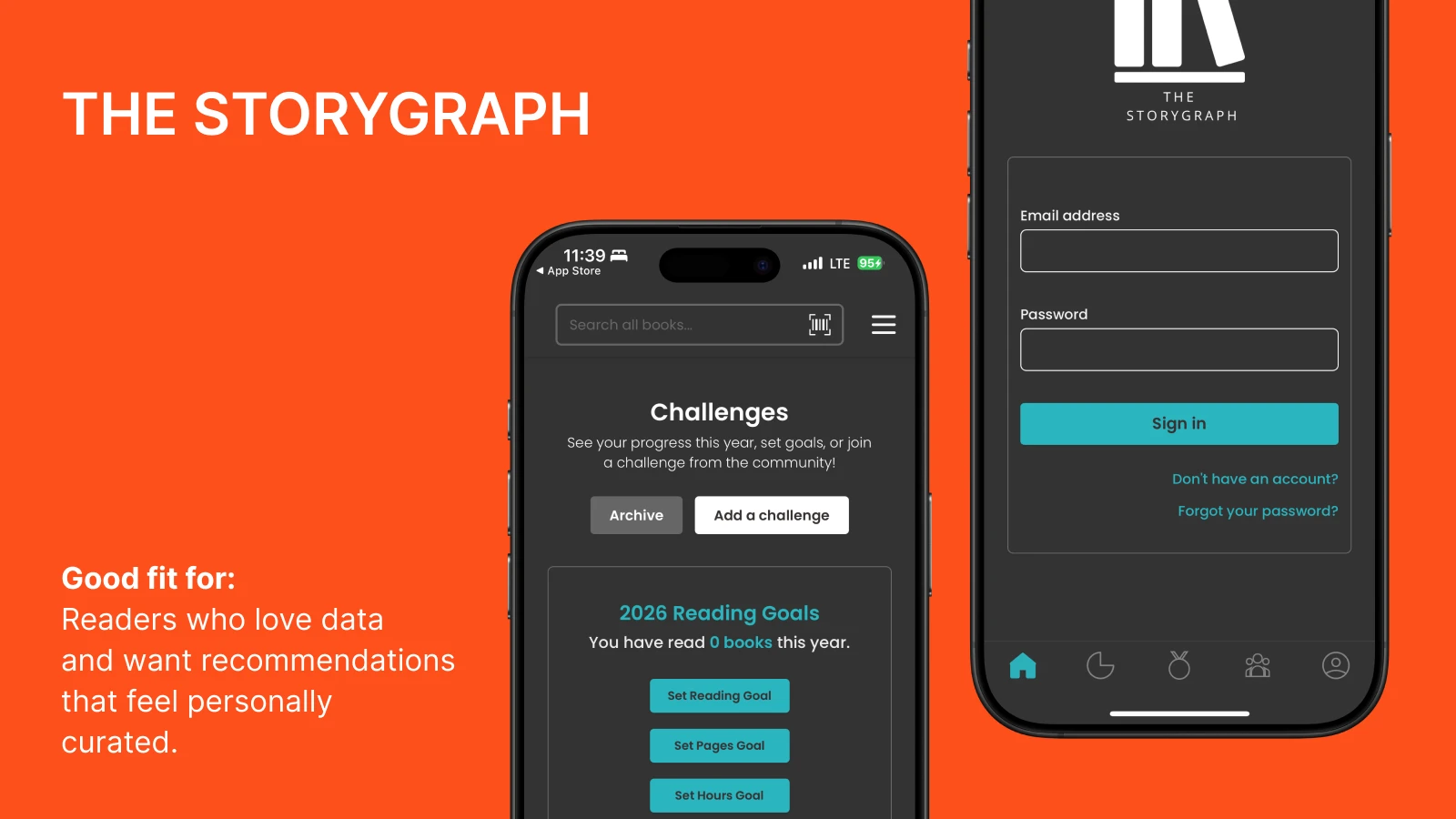
The StoryGraph takes a different approach than Goodreads — it's all about personalization and statistics. Created by Nadia Odunayo as an alternative to Goodreads, the app gives you way more detailed stats about your reading patterns than most other trackers. You can track what you're reading based on factors such as mood, pacing, and format (audiobook vs ebook vs print), and the recommendations actually feel tailored to your taste.
Good fit for: Readers who love data and want recommendations that feel personally curated.
The StoryGraph vs Goodreads features: 2026 comparison
1) Recommendations (Mood-based vs popularity-based)
The StoryGraph asks you about mood, pacing, and themes, because it's trying to learn what you actually like, not just feed you bestsellers. So, the recommendations feel more personal, too. For example, you can even filter by tropes and whether a book is character-driven or plot-driven.
Goodreads mostly shows you what's trending. High ratings, book reviews, and books everyone's already reading. Which is fine if that's what you want, but it's not exactly customized to you.
Verdict: If you get bored with popular stuff easily, The StoryGraph will probably serve you better. Goodreads works if you don't mind reading what everyone else is reading.
2) Reading stats and tracking
The StoryGraph tracks detailed stats like mood, pace, formats, and progress over time. It also provides visually appealing graphs, including pie charts that break down your reading by genre, mood, and format. The stats page is where bookish data nerds really thrive. You can track the number of books you've completed, see patterns in your reading habits, and even review your wrap-up at the end of the year.
Goodreads is simpler, as it tracks your reading challenges and organizes books read on bookshelves, but it lacks the detailed tracking of other elements.
Verdict: Go with The StoryGraph if you're the type who loves reading stats and detailed tracking. Goodreads makes more sense if you just want something simple and don't need all the extra data.
📘 Your commute is long enough to learn something new. Download Headway and use it!
3) Social and community
Goodreads is basically a social media platform for readers. There, you can join book clubs, organize buddy reads, and see what your friends are currently reading on your homepage.
The StoryGraph doesn't have any of that: you log what you read and maybe write a note for yourself. Nobody sees it unless you specifically share it somewhere else.
Verdict: If you like talking about books with other readers and being part of that whole scene, Goodreads delivers. If you'd rather keep your reading life private and skip the social pressure, The StoryGraph is the way to go.
4) Reviews and rating systems
Goodreads does the basic five-star rating. It's quick — you click some stars, maybe leave a review if you feel like it, and that's it. Nothing complicated about it. Each individual book has a dedicated book page where you can see all the community reviews.
The StoryGraph lets you do quarter stars, which is actually nice when you want to say "this was good but not quite four stars." You can also tag books with content warnings and break down your review by specific elements.
Verdict: The StoryGraph has a more refined rating and review system, while Goodreads keeps it simple with an ordinary star system.
5) User experience and interface
The StoryGraph is sleek, with modern design elements, and is intuitive to navigate — no clutter and a clean aesthetic.
Goodreads has an older interface that some users find clunky, with a more traditional feel.
Verdict: The StoryGraph feels more user-friendly and modern, whereas Goodreads can feel bulky in comparison.
📘 Your "want to read" list isn't getting shorter — try Headway instead!
6) Book database and discoverability
Goodreads has way more books. It's been around longer, so pretty much everything's already in there: old editions, self-published or indie titles, whatever. The downside is that the data is often wrong because anyone can edit it.
The StoryGraph's catalog is smaller. You'll miss books if you read anything off the beaten path. But you can request additions, and they're fast about it. Plus, the info they do have is usually right.
Verdict: If discovering popular or new books and editions matters most to you, Goodreads is the way to go. The StoryGraph is best suited for those who want a more accurate book tracking app.
7) Kindle and Amazon integration
Goodreads syncs with Kindle because Amazon owns both. Your progress updates automatically, you can share highlights, and all that works seamlessly.
The StoryGraph doesn't connect to Kindle at all. You have to update things manually.
Verdict: Goodreads is the obvious choice if you are heavily invested in the Kindle ecosystem, while The StoryGraph works better for users who don't need Kindle sync.
8) Pricing and paid features: Is StoryGraph free? How much is Goodreads?
Goodreads is completely free with occasional ads, but not many.
The StoryGraph is also free, but it offers a paid version with more detailed statistics and better recommendations. It costs $49.99 a year or $4.99 a month.
Verdict: The StoryGraph's paid features offer added value for serious readers who want deeper insights, while Goodreads remains a free and community-focused platform.
Should you switch from Goodreads to The StoryGraph?
Most people switch to the recommendations. The StoryGraphs actually feel smarter because they're based on mood and pacing, rather than just what's popular. The interface is also nicer to look at. If privacy matters to you, The StoryGraph also doesn't feed your reading data to Amazon.
The Kindle thing is where it gets annoying, though. Goodreads syncs automatically with your Kindle. The StoryGraph doesn't sync at all, so you're updating progress by hand every time. Also, if you actually use the social features on Goodreads — the groups, the friends list, and all that — The StoryGraph will feel empty because it's just not built for that.
The import process is messy. Your books will come over, but expect some things to be wrong or missing. You'll end up having to fix things manually. If you've been on Goodreads for years with tons of reviews and ratings, think hard about whether you want to deal with that. And heads up: DNF books (did not finish) don't transfer cleanly — you'll have to sort those out yourself on The StoryGraph.
Here's some advice: try The StoryGraph for a month without making a full commitment. See if the stats and recommendations actually matter to you. If they don't, or if you miss the Kindle sync, just go back. You don't have to make it a whole thing.
📘 Track your books with The StoryGraph, learn from them with Headway — download the app!
How to import Goodreads to The StoryGraph (Step-by-step)
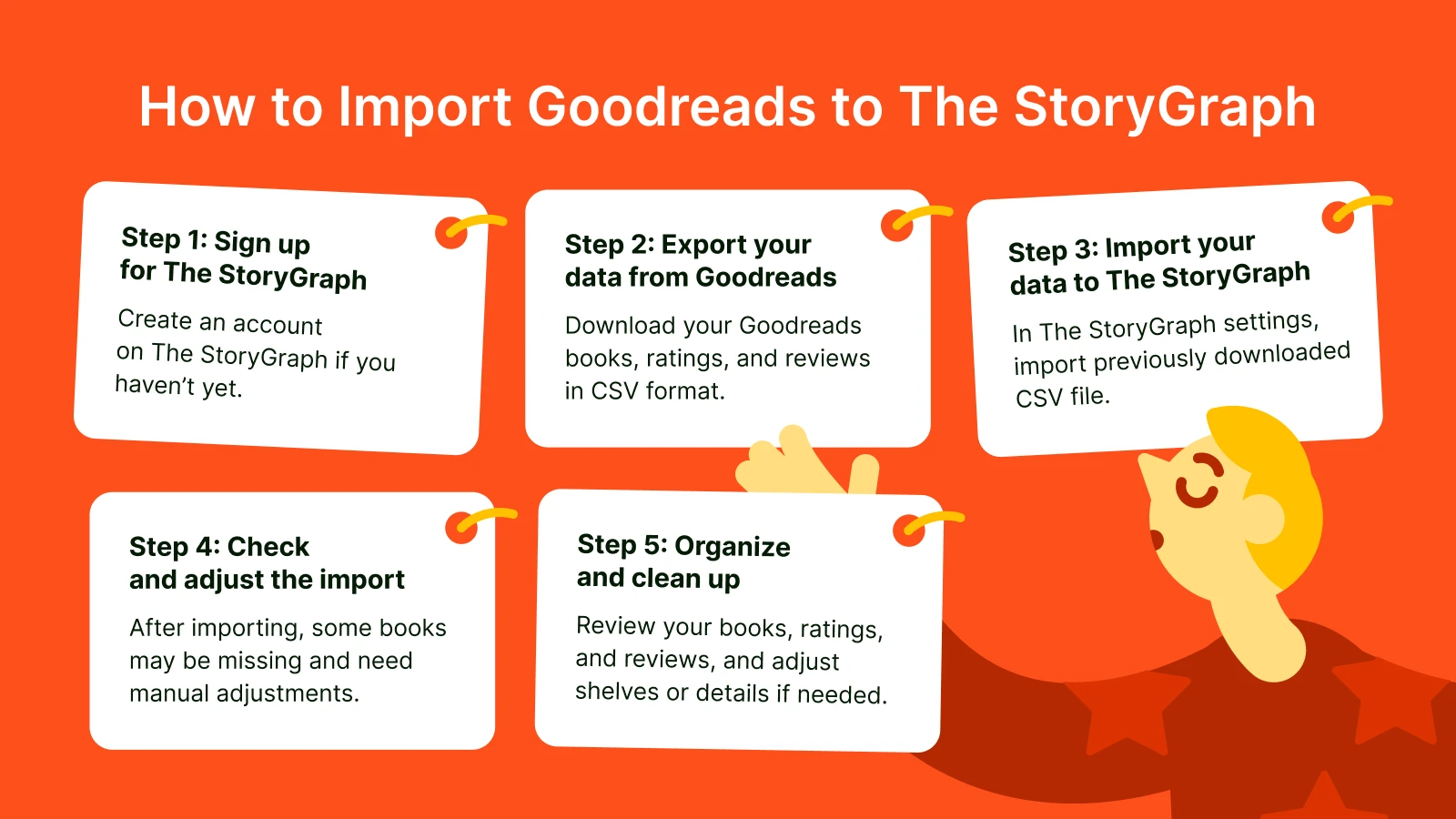
If you're making the switch to The StoryGraph from Goodreads, here's a simple guide to get your reading history and books over to the new platform.
Sign up for The StoryGraph
If you haven't yet, create an account on The StoryGraph.
Export your data from Goodreads
Go to your Goodreads Account Settings.
Scroll down to "Export Your Data" and click on it.
Download your Goodreads data as a CSV file. This file contains your books, ratings, and reviews.
Import your data to The StoryGraph
On The StoryGraph, go to Settings and find the "Import from Goodreads" option.
Upload the CSV file you just downloaded.
Check and adjust the import
After importing, some books may not display correctly. The StoryGraph's database isn't as large as Goodreads's, so you may need to add books that are missing manually.
You may also need to adjust details such as editions or shelves, as the data may not match perfectly.
Organize and clean up
Go through your books, ratings, and reviews to make sure everything looks right. You can reassign books to different shelves or update info where needed.
Common issues to watch for:
Missing books: Some books might not be in The StoryGraph's database.
Data mismatch: Occasionally, details like reviews or ratings may not be imported correctly.
Tip: Once you've transferred your data, it's a good chance to tidy up your shelves and ratings on The StoryGraph.
Goodreads vs StoryGraph final verdict: Which is better for you?
Pick your app:
If you love book stats → Choose The StoryGraph
If you love social reading → Choose Goodreads
If you want personalized recs → Choose The StoryGraph
If you rely on Kindle → Choose Goodreads
If you hate noise and drama → Choose The StoryGraph
If you want the biggest review base → Choose Goodreads
If you want fast discovery for popular books → Choose Goodreads
If you want niche discovery → Choose The StoryGraph
BUT, if you want to save time when reading, consider some of the following:
Headway app → Books and microlearning.
Blinkist → Find out if it's worth it
Audible → A complete review
Imprint → Learning app review
When one book tracking app isn't enough: Headway for the books you won't finish!
The StoryGraph gives you better stats and smarter recommendations. Goodreads has a larger selection of books and a genuine community. Pick based on what bugs you less: the lack of Kindle sync or the messy social feed.
However, whether you're tracking on The StoryGraph or Goodreads, you're probably adding books faster to your TBR list than you can read them, which is a common problem for avid readers. You keep adding to your "currently reading" shelf and wondering what your next book should be.
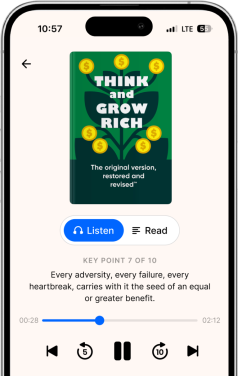
That's why the Headway app becomes a valuable tool for this scenario. Our app features 15-minute summaries (in both text and audio formats) of nonfiction books, focusing on the most useful parts. For example, if you want to know what 'Atomic Habits' says without reading 300 pages about it, you can do that during your lunch break!
📘 If your reading list is getting out of control and you actually want to learn something from those books instead of just collecting them, download Headway.
Frequently asked questions: Goodreads vs Storygraph
Should I use The StoryGraph or Goodreads?
If you seek a better social side — Goodreads is the choice. You see what friends are reading, you can join groups, and your Kindle syncs automatically. The StoryGraph is better in terms of recommendations because it considers mood and pacing + better stats. However, there's no Kindle sync, which gets old quickly if you read there. Neither one is perfect. Pick whichever weakness annoys you less.
Why are people moving from Goodreads to The Story Graph?
Goodreads shows you the same bestsellers that everyone has already bought. Besides, you can go beyond a typical "give me an article" search request and find popular reads in seconds. The StoryGraph asks what mood you're in and what pacing you prefer, then suggests books that match your preferences. Way more personal. The interface doesn't appear to be from 2010. Amazon owns Goodreads and tracks your reading habits, and sells that data to advertisers. The StoryGraph doesn't do that. Also, the statistics are actually interesting instead of just "you read 47 books."
Does Jeff Bezos own Goodreads or not?
Amazon bought it in 2013 for $150 million. Bezos doesn't personally run it, but yeah, it's Amazon's. That's why Kindle integration works so well — they own both sides. Some readers care about this; most don't. The privacy-focused crowd moved to The StoryGraph over it. Presumably, your reading history goes straight to the company that's also trying to sell you more books.
Can I transfer Goodreads to The StoryGraph?
Export your library as a CSV file and upload it to The StoryGraph. Simple enough. Your books come over, your ratings mostly come over. Everything else is a coin flip. Reviews might show up wrong. Books that aren't in The StoryGraph's smaller database just won't appear. DNF tags don't carry over at all. Years of careful organization on Goodreads? Plan to spend an afternoon cleaning things up on the other end.
Which book app is most user-friendly?
The StoryGraph features a modern design, making navigation easier. In terms of user-friendly features, Goodreads feels kind of outdated. However, Headway beats both because you actually get something out of the best book summaries. You're not just tracking titles you added months ago and never opened. Headway gives you the core ideas from nonfiction books in 15 minutes. You learn, you grow, you move on. Better than watching your TBR list grow while you feel guilty about it.
In the battle of Goodreads vs StoryGraph vs Fable, which one actually helps me read more?
It depends on your "reading personality." If you want social validation, Goodreads wins. If you want data-driven mood recommendations, StoryGraph is king. However, Fable vs StoryGraph vs Goodreads is the real debate for book club lovers; Fable is built entirely around shared reading rooms. If you find that tracking books just makes you feel guilty, Headway is the better alternative because it distills the core ideas into 15 minutes, ensuring you actually finish what you start.
What are the main StoryGraph vs Goodreads pros and cons for a casual reader?
When weighing the StoryGraph vs Goodreads pros and cons, it usually comes down to Amazon integration. Goodreads has the best Kindle sync, which is a massive pro for convenience. StoryGraph offers a "cleaner" experience without Amazon’s tracking, but the lack of auto-sync is a major con for many. If you're looking for a community-first experience, looking at Goodreads vs Fable vs StoryGraph reveals that Fable is the only one that truly prioritizes interactive, synchronized book clubs over simple list-making.
Why is there so much debate on StoryGraph vs Goodreads Reddit threads?
If you browse any StoryGraph vs Goodreads Reddit discussion, the consensus is usually about the "vibe." Redditors often complain that Goodreads’ interface feels stuck in the early 2000s, while the storygraph vs goodreads reddit crowd praises StoryGraph for its "half-star" ratings and content warnings. The common denominator in these threads is that readers are tired of basic lists and are moving toward apps that offer more depth and personalization.
How does Fable compare in the StoryGraph vs Goodreads vs Fable hierarchy?
The StoryGraph vs Goodreads vs Fable comparison is like comparing a library, a spreadsheet, and a book club. Goodreads is the library where everyone hangs out; StoryGraph is the spreadsheet that tracks your stats perfectly; and Fable is the cozy book club. When you look at fable vs goodreads vs storygraph, Fable stands out for its "Book Clubs" led by experts and celebrities, making it much more interactive than its competitors.
Which should I pick: Fable vs StoryGraph vs Goodreads?
Go with Goodreads if you want the biggest database. Choose Fable if you want to read with people in real-time. But if your goal is personal growth and efficiency, skip the massive TBR (to-be-read) lists altogether. Headway gives you the insights without the "list fatigue," making it the most practical choice for a busy schedule.