Self-growth
 Business & Career
 Success
 Communication
 Healing
 Relationships
 Psychology
 Happiness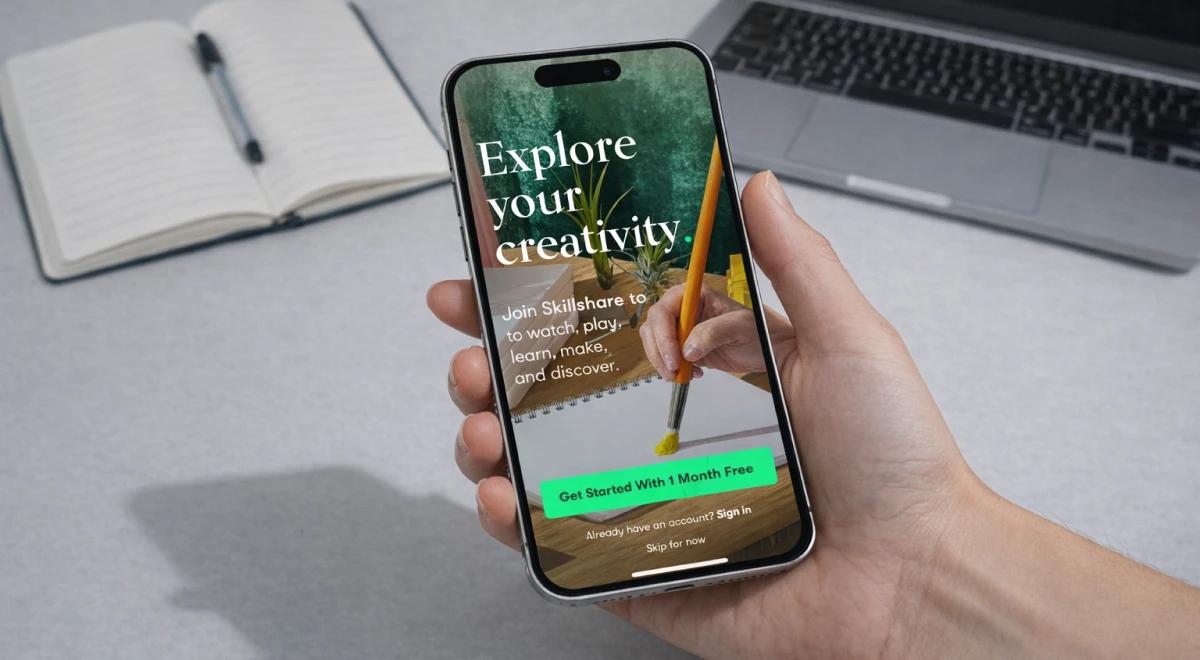
Spending 40 minutes choosing a class often feels like more work than learning the skill itself. Skillshare has been a go-to name for anyone looking to build a creative side hustle, but with over 30,000 classes and over 12 million registered users, it's easy to feel lost before you even hit play.
So is the annual fee a solid investment in 2026, or just another subscription you'll forget about? This Skillshare review covers pricing, course quality, real user feedback, and a few things the platform's marketing doesn't mention upfront.
Quick answer: Is Skillshare worth it?
The short version, if you're short on time:
Yes — if you're a creative hobbyist or freelancer who wants hands-on, project-based learning in graphic design, digital illustration, or photography.
No — if you need university-accredited credentials or in-depth technical training in fields like engineering or medicine.
Cost: Approximately $167.88/year (billed annually). A monthly option is available in the iOS and Android apps, but not on the website.
App Store rating: 4.8 out of 5
Google Play rating: 4.2 out of 5
Best for: Beginners and intermediate learners interested in entrepreneurship, social media, and visual arts.
Note: Prices and policies are current as of March 2026. Always check the official website before purchasing.
What is Skillshare, and who is it actually for?
Skillshare is an online learning community built around "learning by doing." Unlike traditional academic platforms, its classes are led by working professionals, people who use these tools daily, not just teach them.
You'll find industry names like Aaron Draplin for graphic design, Lisa Bardot for Procreate, and Jordy Vandeput for video editing. But the catalog goes well beyond the creative arts. The platform covers high-demand transferable skills like:
Copywriting and SEO: Master the fundamentals of digital marketing.
UX design and web development: Build your first app prototype or website from scratch.
Entrepreneurship and freelancing: Get practical advice on starting and running your own business.
Social media content: Learn how to grow an audience and create content that converts.
To keep you on track, Skillshare uses an Achievements system that gamifies progress through digital badges. You earn them for completing classes, submitting projects, or engaging with the community, and track everything in a personal dashboard.
Learning from the pros: Who teaches on Skillshare?
One of Skillshare's biggest selling points is its roster of more than 9,000 teachers. These aren't academics reading from slides. They're working professionals sharing the exact techniques they use every day. Here are a few you'll likely come across:
Lisa Bardot: An illustrator and Procreate expert who helps beginners kickstart their digital art practice.
Daniel Scott: A certified Adobe instructor known for making UX and UI concepts easy to follow.
Aaron Draplin: A legendary graphic designer with some of the platform's most popular logo design and branding classes.
Jordy Vandeput: A filmmaker and YouTuber who teaches video editing and Adobe Premiere Pro for beginners.
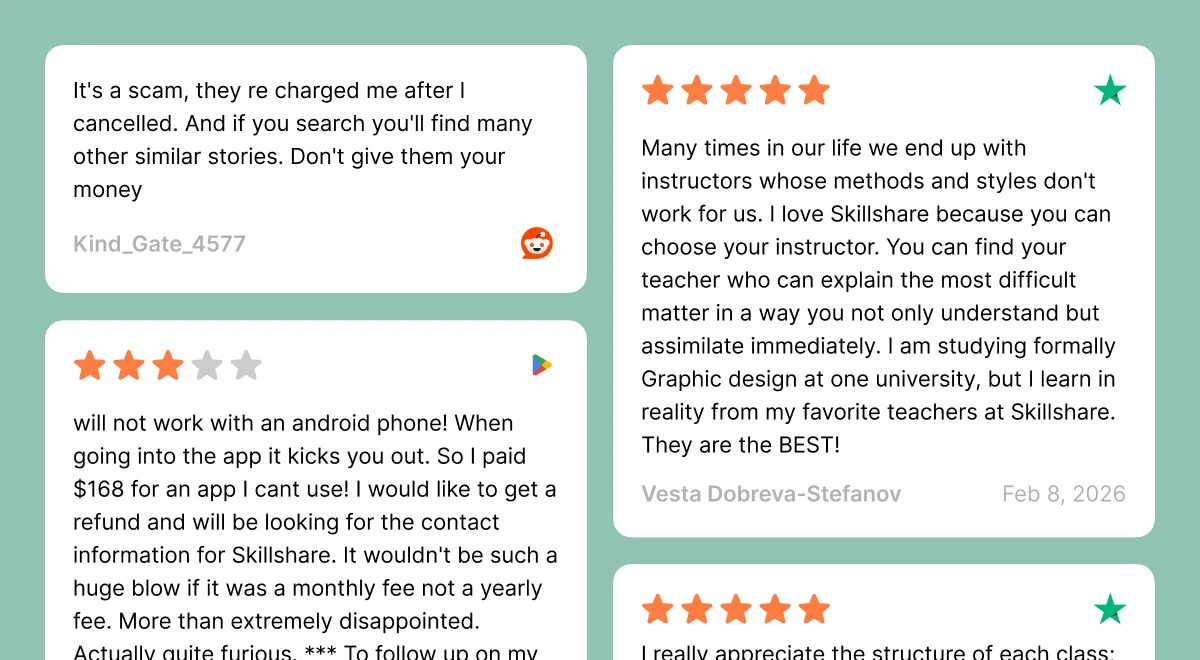
As Vesta Dobreva-Stefanov noted in a verified Trustpilot review: "I am studying formally Graphic design at one university, but I learn in reality from my favorite teachers at Skillshare." That kind of comparison says a lot about the platform's practical edge.
Skillshare review pricing 2026: What you're actually paying for
Skillshare offers one main plan: $167.88 a year upfront, about $13.99 a month when you break it down. For teams of 2 or more, the cost is $159 per seat annually, with special discounts for teams of 30 or more.
The free trial is one month, but you'll need to enter your credit card details to access it. Here's the part that trips people up: if you don't cancel before the trial ends, you're automatically charged the full annual fee. Several Google Play reviewers flagged this exact issue in early 2026.
What about refunds? It depends. Brooke Lynn on Google Play shared that Skillshare refunded her full payment within a day after emailing support. But Reddit user Kind_Gate_4577 reported a very different experience — multiple emails with no resolution. The window seems narrow and inconsistent, so don't count on getting your money back if you miss the deadline.
Honest pros and cons: What users are actually saying
Here's what comes up most often across App Store, Google Play, Reddit, and Trustpilot reviews — the good and the frustrating.
What users love
Project-based learning: Every class includes a hands-on project. As Trustpilot reviewer Maureen Schlosser noted, the scaffolded lessons leading up to a final project make the whole experience feel rewarding, not just informative.
Real instructors with real skills: Darlene Adams on Google Play called it the best because you learn "from real people with real knowledge, skills, and talents." That's the format Skillshare was built on.
Staff Pick quality: The best classes on the platform are polished and professional. Filtering by Staff Pick is a practical way to skip the filler.
The community feed: Users post class projects, get peer feedback, and follow teachers. For many learners, this social layer keeps them motivated.
Completion certificates: You earn a class certificate when you watch all lessons and submit a final project. Each one includes your name, teacher, class title, and a unique certificate ID, easy to share on LinkedIn.
What users don't love
Android app issues: Several Google Play reviewers in early 2026 reported that the app crashes or won't open on Android devices. Faitmain Williams noted this in a February 2026 review, and Brooke Lynn requested a full refund as a result.
The billing surprise: Going from a free trial to a $168 annual charge is a common complaint. Reddit user Kind_Gate_4577 warned others to be very wary of being charged more post-cancellation.
Course dating problems: Graham Lynch on Trustpilot noted that it's very hard to know how old a course is or which software version it covers. For Photoshop, Figma, or Premiere Pro classes, that's a real issue.
Limited subtitle languages: Italian user Vitaliano on Trustpilot noted subtitles are mostly limited to English — a dealbreaker for non-native speakers following technical lessons.
Inconsistent quality: Reddit user CashSlow2482 summed it up: Skillshare is "50% genuinely helpful, 50% 'ugh this could've been a 10-min YouTube video.'" The experience depends heavily on the instructor you pick.
Skillshare vs the competition: Which platform fits your goals?
Trying to decide between Skillshare and another online learning platform? Here's a quick comparison based on what each does best.
| Comparison | Best for | Key difference |
|---|
Skillshare vs Udemy | Budget-conscious learners | Udemy sells individual courses; Skillshare gives unlimited access via membership. |
Skillshare vs MasterClass | Entertainment-style learning | MasterClass leans on celebrity appeal; Skillshare focuses on practical tutorials. |
Skillshare vs Coursera | Professional credentials | Coursera offers verified and university-backed certificates; Skillshare does not. |
Skillshare vs LinkedIn Learning | Corporate and business skills | LinkedIn Learning skews toward office and tech skills; Skillshare leans more creative. |
Skillshare vs Domestika | Highly produced single courses | Domestika sells individual courses; Skillshare offers an all-access subscription. |
Skillshare vs YouTube | Structured learning paths | YouTube is free but noisy; Skillshare curates sequences called Learning Paths. |
Do the certificates from Skillshare online courses mean anything?
Yes and no. You earn a class certificate for every course you complete, but these aren't university-accredited. They won't qualify you for professional licensing or replace a formal degree.
That said, they're not useless. Each certificate includes your name, the class title, the teacher's name, and a unique certificate ID. They're easy to share on LinkedIn and add credibility to a portfolio, especially in creative fields like graphic design, digital illustration, or copywriting.
If your goal is a certified professional credential, Coursera or a formal online education provider is a better fit. But if you're building a freelance career or making a creative pivot, Skillshare certificates do carry some weight.
The Skillshare Shop: Beyond the class library
The Skillshare Shop extends the platform's offering beyond standard video content. It's where you go when you want something more personal than a recorded tutorial, and everything is a paid add-on on top of your base membership.
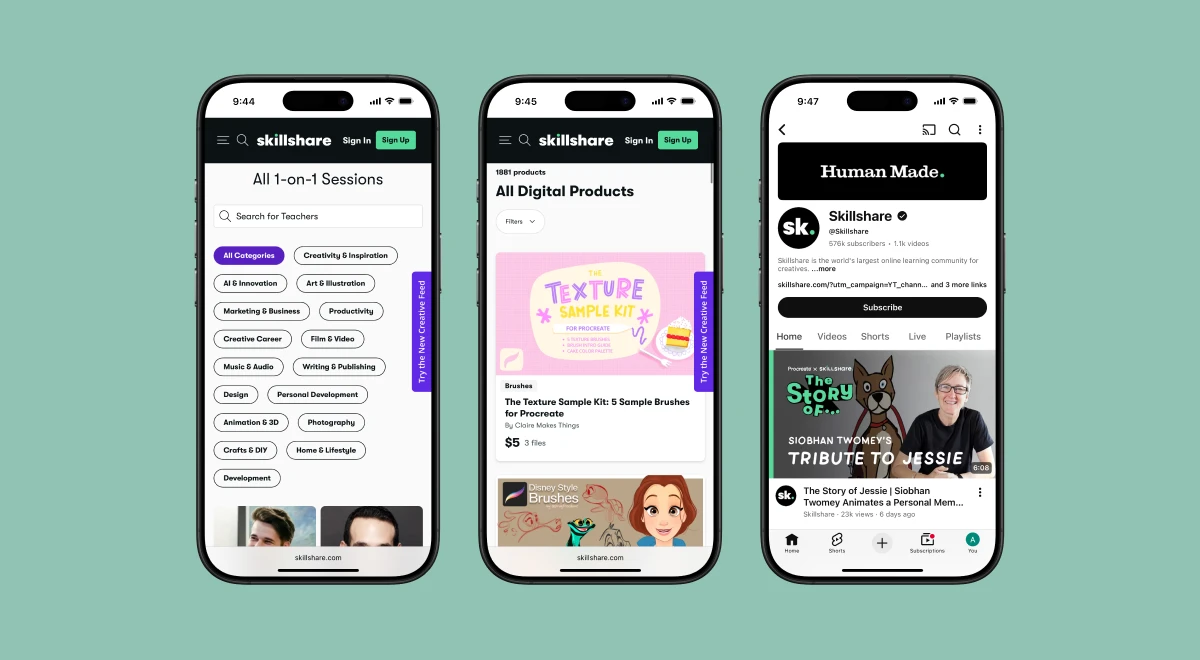
Three main extras to know about:
1-on-1 sessions: Book a private video call with an industry professional for portfolio feedback or career coaching. Prices range from about $12 to $299, depending on the expert.
Digital products: Teachers sell custom tools like Procreate brushes, color palettes, and printable planners, so you can put new techniques to work right away.
Live sessions: Join real-time events, often hosted on Skillshare's YouTube channel, where you can ask questions and learn alongside a global group.
These are genuinely useful extras. Just factor the potential extra cost into your decision before signing up.
Teaching on Skillshare: Turning your skills into income
If you have a skill worth sharing, Skillshare makes it relatively easy to get started as a teacher. You apply, get approved, and follow the platform's Class Quality Guidelines before publishing your first class.
Skillshare teachers earn money in two ways: royalties based on minutes watched, and referral bonuses when new Skillshare members sign up through their link. It's a real income stream for creators who build a following, and a good reason to take class quality seriously from day one.
If you're still figuring out what you want to teach, or just building the confidence to start, it's worth spending a few minutes with the Headway app. Headway turns the best nonfiction books into actionable summaries you can read or listen to on your phone. A quick summary of 'Show Your Work!' by Austin Kleon or 'The War of Art' by Steven Pressfield might be exactly the push you need.
The 30000-class problem: Is more always better?
Here's the honest tension with Skillshare. A massive library doesn't automatically mean a better learning experience. Reddit's r/productivity discussion about Skillshare made this clear: the platform works well when you know exactly what you want, and falls apart when you don't.
Reddit user trainmindfully shared what actually made classes stick: finding an instructor who explained the "why" behind each step, not just what to click. Without a clear goal, you'll drift between random tutorials and finish very few of them.
Before you subscribe, it's worth asking yourself a few questions:
Do I have a specific skill or project in mind, or am I just browsing?
Am I willing to vet instructors and check recent student project submissions before starting?
Does a yearly commitment fit my budget if I only use the platform for a few months?
Do I prefer a structured curriculum, or am I comfortable navigating a large library on my own?
One practical tip: always check the "Last Updated" note on any tech-based course. For Photoshop, Figma, or Premiere Pro classes, using an outdated tutorial can make the whole learning journey confusing and misleading.


How to use any online learning platform strategically
Most people open a new app, browse for twenty minutes, pick something random, and never finish it. That's not a problem from the Skillshare classes themselves — it's more about habit. Any online learning platform, whether it's Skillshare, Coursera, or Udemy, works better when you treat it like a tool rather than a library to wander through.
A few things that actually make a difference:
Start with the outcome, not the course: Before you search for anything, write down one specific thing you want to be able to do in 30 days. "Get better at design" is too vague. "Create a logo for my freelance business" gives you something to search for.
Pick one class and finish it: It sounds obvious, but most learners don't do it. Resist the urge to save fifteen classes for later. One completed course beats five half-watched ones every time.
Treat the project like the actual class: Especially with Skillshare subscriptions, the final project is where the real learning happens. Watching videos is passive. Building something, even something rough, forces your brain to actually process what you've seen.
Block the time like a meeting: A vague plan to "learn something this week" rarely works. Even 20 minutes on Tuesday and Thursday mornings is more effective than an open-ended intention.
Review before you continue: Before starting a new lesson, spend two minutes recapping what you remember from the last one. It sounds tedious, but it dramatically improves how much you actually retain.
The same logic applies to microlearning. Reading a Headway summary is only valuable if you pause at the end and ask yourself: what's one thing I can use this week? That one question turns passive reading into something that sticks.
📘 Commit to progress with Headway.
Is Skillshare right for you? A quick checklist
Choosing the right online learning platform comes down to how you learn new skills and what you're working toward. Run through this checklist before you commit.
Skillshare is probably a good fit if:
You have a specific creative goal — graphic design, digital illustration, photography, filmmaking, or freelance work.
You prefer project-based learning over passive video watching.
You're a beginner or intermediate learner looking for practical, real-world skills.
You're comfortable self-directing your learning without a rigid curriculum.
It's probably not the right fit if:
You need accredited certificates for professional licensing or university credit.
You're studying highly specialized technical subjects, such as advanced engineering or medicine.
You tend to start courses and not finish them. The annual fee won't pay off.
You need subtitles in a language other than English for technical content.
Grow your mindset alongside your skills with Headway
Skillshare is great for doing tutorials, projects, and portfolio pieces. But if you want to grow your mindset alongside your creative skills, that's where Headway fits in.
Headway turns the world's best-selling books into quick summaries you can read or listen to anywhere. Instead of a two-hour video course, you absorb the core ideas from a full book during a commute or a coffee break. It's a practical way to build self-development habits without adding stress to your day.
Here's what Headway users keep coming back for:
The 15-minute summaries: Get the core ideas from a full book without the time commitment.
Audio and text formats: Switch between listening and reading based on what fits your moment.
Personalized recommendations: Get book suggestions based on your actual goals, whether that's freelance growth, productivity, or creative confidence.
Spaced repetition: Use highlights and flashcards to turn key ideas into long-term knowledge, not just short-term notes.
Daily streaks: Build a consistent growth and self-care habit with interactive widgets that track your progress.
📘 Improve mindset daily with Headway.
Common mistakes in microlearning (and how to avoid them)
Whether you're learning on Skillshare, Headway, or any other platform, the habit matters just as much as the content. These are the patterns that kill real progress:
Consuming but not applying: Trying one small thing today beats memorizing ten facts you'll never use. After each class or summary, do something with what you've learned, even something tiny.
Jumping between too many apps: Spreading attention across five platforms leads to digital fatigue, not growth. Pick one or two tools and stick with them.
Skipping review: Your brain needs repetition to hold new ideas. Use flashcards, notes, or streaks to keep key concepts fresh.
Learning without a goal: Random curiosity is fine, but it rarely builds real skills. Choose classes and books that connect directly to what you're actually working toward right now.
📘 Turn learning into action with Headway.
Five books to jumpstart your growth with Headway
These five books pair well with Skillshare's practical classes. They'll help you focus, stay consistent, and think like a creative professional. Start any of them on Headway:
'Atomic Habits' by James Clear: Small, daily changes compound into big results, exactly what skill-building requires.
'Deep Work' by Cal Newport: Learn how to protect your focus so you actually finish the courses you start.
'The 7 Habits of Highly Effective People' by Stephen Covey: A practical guide to personal and professional effectiveness that never goes out of style.
'Steal Like an Artist' by Austin Kleon: Essential reading for anyone in a creative field that's figuring out their voice.
'The Artist's Way' by Julia Cameron: A week-by-week guide for unblocking creativity and building a consistent creative practice.
📘 Build creative discipline with Headway.
Frequently asked questions about Skillshare
Does Skillshare offer free online courses?
Yes, Skillshare provides a limited selection of free classes you can access without a paid plan. A premium membership is required to unlock the full catalog of over 30,000 courses, along with community features, offline viewing, and instructor project feedback.
If you're unsure whether it's the right fit, the one-month free trial is the smartest way to evaluate the teaching style and course quality before committing to an annual subscription.
Is Skillshare worth it for beginners?
Yes, especially for beginners interested in design, social media, or entrepreneurship. Most classes are designed for entry-level learners, breaking complex skills into smaller, practical steps. Curated Learning Paths also help you build knowledge in the right order without getting lost in the library.
Are Skillshare online courses certificates useful?
They're not university-accredited, but they're not meaningless either. You earn a class certificate when you complete all lessons and submit a final project. Each certificate includes your name, the class title, the teacher's name, and a unique certificate ID, a solid addition to a LinkedIn profile or creative portfolio.
How do I cancel my Skillshare membership?
Log in to your account via a web browser, go to Account Settings, select Membership & Payments, and click Cancel Membership. If you signed up through the App Store or Google Play, manage the cancellation directly through those platforms. Always cancel before your trial ends to avoid the automatic annual charge.
Can I try Skillshare for free?
Yes. New users get a one-month free trial, which gives you temporary access to thousands of courses at no cost — essentially allowing you to explore a wide range of free courses during that period.
Keep in mind that you'll need to enter your credit card or PayPal details when signing up. If you decide not to continue, make sure to cancel at least a day before the trial ends. Otherwise, the annual fee of approximately $167.88 will be charged automatically.
What transferable skills can I learn on Skillshare?
Review Skillshare covers a wide range of transferable skills, including copywriting, SEO, UX design, web development, social media content creation, and entrepreneurship. These are practical skills you can carry across industries, whether you're building a freelance business or looking to add value in your current role.
Is Skillshare a good online learning platform for iPhone users?
Yes, the iOS version continues to receive stronger feedback than the Android app. In most Skillshare free online courses review summaries, the App Store rating stands at 4.8 out of 5 based on more than 25,000 reviews, with iPhone users frequently highlighting smooth navigation and stable performance.
Recent Android feedback in early 2026 mentions occasional technical glitches, so if you're using an Android device, it's wise to explore the platform during the free trial before committing to an annual plan.
Is Skillshare good for professionals?
It depends on where you are in your career. Skillshare works well for professionals who want to pick up adjacent creative skills — a marketer learning basic graphic design, a freelancer expanding into video editing, or a developer exploring UX. It's less useful if you need deep technical mastery or formal credentials that your employer requires. The platform shines brightest for self-directed professionals with a specific side project or career pivot in mind.
Can I learn at my own pace on Skillshare?
Yes, all classes are on-demand. You watch when it suits you, pause whenever you need to, and come back without losing your progress. There are no deadlines or live schedules to keep up with unless you opt into a Live Session from the Skillshare Shop. This flexibility is one of the most common things users mention positively in reviews, especially those juggling work, family, or other commitments.