Self-growth
 Apps & Digital Tools
 Business & Career
 Success
 Growth Tools
 Psychology
 Communication
 Relationships

If you've been hunting for free books or audiobooks lately, you've probably bumped into the name Hoopla. So what is Hoopla app, exactly? The short version: the Hoopla digital app is a free service that lets you borrow ebooks, audiobooks, comics, music, movies, and TV shows with your library card, with no holds and no waiting.
There's a reason it keeps showing up. People are borrowing digital books like never before. In 2024, readers checked out a record 739.5 million ebooks, audiobooks, and digital magazines through library apps, a 17% jump in just one year, according to OverDrive. When that many folks are reading on their phones, a name like Hoopla is bound to land in your search bar.
This guide covers how the Hoopla app works, what it costs, which devices it runs on, and where it comes up short. I'll also bring up Headway here and there. It's a microlearning app that turns nonfiction books into quick 15-minute summaries, and it can be handy for anyone who'd rather learn a little each day than wait in a borrowing line. More on that below. First, the basics.
Quick answer: What the Hoopla app is and who it's for
The Hoopla app is a free, library-linked app for borrowing digital media.
It lends ebooks, audiobooks, comics, music, movies, and TV shows.
There are no holds and no waitlists, so every title is ready right away.
You need a card from a participating library to sign in.
Libraries pay per borrow, so monthly limits and catalogs vary a lot.
❗Heads up: the features, apps, and device support described below are current as of July 2026. Hoopla updates its app often, so some details may change after this date.
What is the Hoopla app, exactly?
The Hoopla app is a streaming and borrowing service developed by Midwest Tape. It launched back in 2013, and it was built for one audience: public libraries and the people who use them. Instead of buying content, you borrow it for free with a library card.
Here's the part that makes it stand out. At a regular library, popular titles have a waitlist, and you might sit in line for weeks. The Hoopla library app skips all that. Every title is available the moment you want it, because Hoopla runs on a pay-per-use setup rather than stocking a limited number of copies. That's why some people might call it a no-waitlists library app, and it's the main thing that sets the Hoopla reading app apart from the pack.
One app, every format, no ads. That's the pitch.
How does the Hoopla app work?
Getting started is pretty painless. Here's how the Hoopla app works, step by step:
Create an account and connect a card from a library that offers Hoopla. You'll enter your library card number to link it.
Browse any format you like. Nothing is on hold, and nothing is checked out to someone else.
Borrow a title instantly. It's yours to enjoy right away.
Read, listen, or watch inside the app, or download it to your smartphone or tablet for offline use.
When the loan period ends, the item returns itself. No late fees, ever.
A few rules shape the experience. Each library sets a monthly borrow limit, often a handful of items, sometimes up to around 16. Loan lengths depend on the format: roughly 21 days for ebooks, audiobooks, and comics, 7 days for music, and just 3 days for movies and TV. If you want to keep something longer, you can renew it, but a renewal counts as a fresh borrow.
Some libraries also toss in end-of-month "Bonus Borrows" that don't count against your limit, which is a nice little perk when you're running low. If you ever get stuck, Hoopla has a help center and customer support you can email, and your library's staff can usually lend a hand too.
Is the Hoopla app free, and do you need a library card?
Yes, the Hoopla app is free for you. There's no subscription, no charge per title, and no ads getting in your way. If you've wondered, "Is Hoopla free with a library card?", that's your answer: for the reader, it costs nothing.
But the Hoopla app's free experience has a catch worth knowing. It isn't free to run. Every time you borrow something, your library pays a fee. That's why access hinges on two things: whether your library offers Hoopla at all, and how much room its budget has. No participating library card, no Hoopla. In some areas, you can even join a participating library from nearby if you qualify, which opens the door for folks whose home branch skipped the service.
What you can borrow: Books, audiobooks, movies, and more
The catalog is wide, and it's a big reason people give the app a shot. Here's what's inside, with Hoopla audiobooks and ebooks explained alongside everything else:
Ebooks and audiobooks across just about every genre, from romance to thrillers to nonfiction. Audiobooks even have an in-app sleep timer that pauses the story when you doze off.
Comics, manga, and graphic novels, with a panel-by-panel reading mode called ActionView.
Music albums, including full releases you can shuffle.
Magazines you can flip through.
Movies and TV shows. As a Hoopla digital free movies library app, it covers everything from feel-good films to documentaries, and the Hoopla TV app side lets you stream shows too.
Hoopla also has two features that stretch your borrows further:
BingePass: one borrow gets you 7 days of unlimited access to a whole collection, like Hallmark+, PBS, and Ken Burns films, The Great Courses, or Creativebug craft classes. So instead of grabbing one title at a time, you get the full set.
SeasonPass: one borrow gets you a complete season of a TV series, rather than checking out each episode on its own.
A couple of honest notes on the passes: they're streaming-only, so no downloading on the plane. You get the preset bundle, not a menu of hand-picked titles. And each pass still uses one of your monthly borrows.
A few extra touches round things out. There's a dark mode for easier reading at night, and parents can turn on Kids Mode, which limits the app to content suitable for children 12 and under and can be locked with a PIN.

Hoopla app on every device: phone, tablet, TV, and desktop
Hoopla runs in a lot of places — smartphones, tablets, computers, and TVs — though the details trip people up. Let's clear them up.
Does the Hoopla app work on Android and iPhone?
Yep. There are native apps for both, so the Hoopla app for Android and the iOS version for iPhone and iPad are the main way most people use it. Both let you download titles for offline listening or reading, and both play nicely with Android Auto and Apple CarPlay, which is handy for audiobooks on your commute.
Hoopla app for MacBook and desktop
This one surprises folks. There's no dedicated Hoopla app for a MacBook. On a Mac or any computer, you use the website, hoopladigital.com, in a browser like Safari or Chrome. Just know that the desktop version is stream-only. Offline downloads are a phone-and-tablet thing.
Hoopla app for Kindle
Read this closely, because it's easy to get wrong. The Hoopla app for Kindle works on Amazon Fire tablets through the Amazon Appstore. It does not work on the basic black-and-white Kindle e-readers, the e-ink ones people use just for reading. If that's your device, you'll need to read on a phone, tablet, or computer instead.
How to watch Hoopla on TV?
Plenty of options here. You can watch on Roku, Amazon Fire TV, Apple TV, Android TV, and Chromecast. Setting up a smart TV usually means entering a short pairing code that Hoopla sends you. One thing to keep in mind: Hoopla streams video in standard definition, so it won't look as sharp as your favorite paid streaming service.
Here's how it all shakes out:
| Device/platform | Hoopla app support | Offline downloads | Notes |
|---|
Android phone/tablet | Native app | Yes | Works with Android Auto |
iPhone / iPad
| Native app | Yes | Works with Apple CarPlay |
Amazon Fire tablet | App via Amazon Appstore | Yes | Not the same as an e-ink Kindle |
Kindle e-ink e-reader | Not supported | — | Use a phone, tablet, or browser |
MacBook / desktop | Browser only (no app) | No | Stream at hoopladigital.com |
Roku / Fire TV / Apple TV / Android TV | Native TV app | — | Chromecast works too; video is SD |
Hoopla app pricing: Free for you, paid by your library
You already know the short answer: it costs you nothing. But the way libraries pay for Hoopla shapes almost everything about your experience, so it's worth a minute.
Hoopla uses a pay-per-use model. The library gets charged a fee every single time you borrow a title, whether you finish it or never open it. Fees change based on the title and format. Here's the breakdown*:
| Who pays | What they pay | Details |
|---|---|---|
You (the patron) | $0 | No subscription, no per-title fee, no ads |
Library, per borrow | About $0.99–$3.99 per checkout | Charged the moment you borrow, used or not |
Library, audiobooks | Usually, the priciest borrowers | They're the most popular, so costs add up fast |
Library, BingePass/SeasonPass | One borrow fee per pass | A full week of access counts as a single borrow |
Your monthly borrowing limit | Set by each library | Ranges from a few up to about 16 |
*Please note: these prices are estimates and can vary depending on promotions, the time of year, and your location. Check with your library for the exact costs and limits that apply to you.
Now for the part that affects you directly. Because costs climb as more people use the service, a lot of libraries have had to cut monthly borrow limits or drop Hoopla altogether. Hoopla has defended its pricing publicly, arguing that other library platforms charge for the same pay-per-use idea in a different wrapper. Whatever side you land on, the takeaway for readers is simple: your Hoopla access is only as steady as your library's budget. Some months you might have plenty of borrows, and some months the well runs dry early.
Hoopla app pros: What makes it worth downloading
Plenty to like here:
It's completely free with a library card.
No holds and no waitlists, so titles are ready right away.
Every format lives in one app.
No ads.
You can download it to your phone or tablet for offline use.
It runs on phones, tablets, computers, TVs, and even your car.
BingePass and SeasonPass give you a lot of content for one borrow.
New titles get added all the time.
Hoopla app cons: Where the free library app falls short
And the flip side, because no app is perfect:
Your access depends on a participating library and its budget.
Monthly borrow caps can feel tight, and some libraries have reduced or dropped the service.
Video streams in standard definition only.
No offline downloads on a computer.
It doesn't work on basic e-ink Kindle e-readers.
You'll find fewer brand-new bestsellers than on some other apps.
There have been reports of unvetted or AI-generated titles slipping into the catalog.
The bigger picture: Hoopla is built for broad entertainment and casual borrowing. It's great when you want something to watch or a novel to read over the weekend. It's not really designed to help you build a steady learning habit, which matters if that's what you're after.


What Hoopla app users say: Ratings and reviews
Readers mostly like it. As of July 2026, the Hoopla app holds 4.7 stars from about 215,000 reviews on Google Play and 4.8 stars from around 1.4 million ratings on the App Store. Those are strong numbers, and they line up with what fans tend to praise: it's free, the variety is huge, there's no waiting, and it's an easy way to listen to audiobooks.
The complaints are worth hearing, too. The one that comes up most in recent reviews is content quality: readers have flagged a growing number of low-quality, AI-generated titles mixed into the catalog. Others run into bookmark and resume glitches, where the app forgets their spot in a book or audiobook. And a separate frustration has nothing to do with the app itself: what happens when a home library trims borrow limits or cuts Hoopla to save money. That's the pay-per-use model showing up in real life.
Best Hoopla app alternatives (including a microlearning option)
If Hoopla isn't a fit, or your library dropped it, you've got choices. Here are the best Hoopla alternatives for ebooks and beyond:
Libby (OverDrive): the deepest ebook and audiobook catalog for libraries, though it uses a copies-and-holds model, so popular titles can have a wait. Worth a look if your library offers it. If you're comparing reading and tracking apps, these Goodreads alternatives are a good next stop.
Kanopy: better film and documentary quality than Hoopla, and also free through many libraries.
Everand (formerly Scribd): an all-you-can-read subscription that isn't tied to a library card.
Audiobook services: if audiobooks are your main thing, it's worth weighing whether Audible is worth it or checking a lower-cost pick in this Chirp audiobooks review.
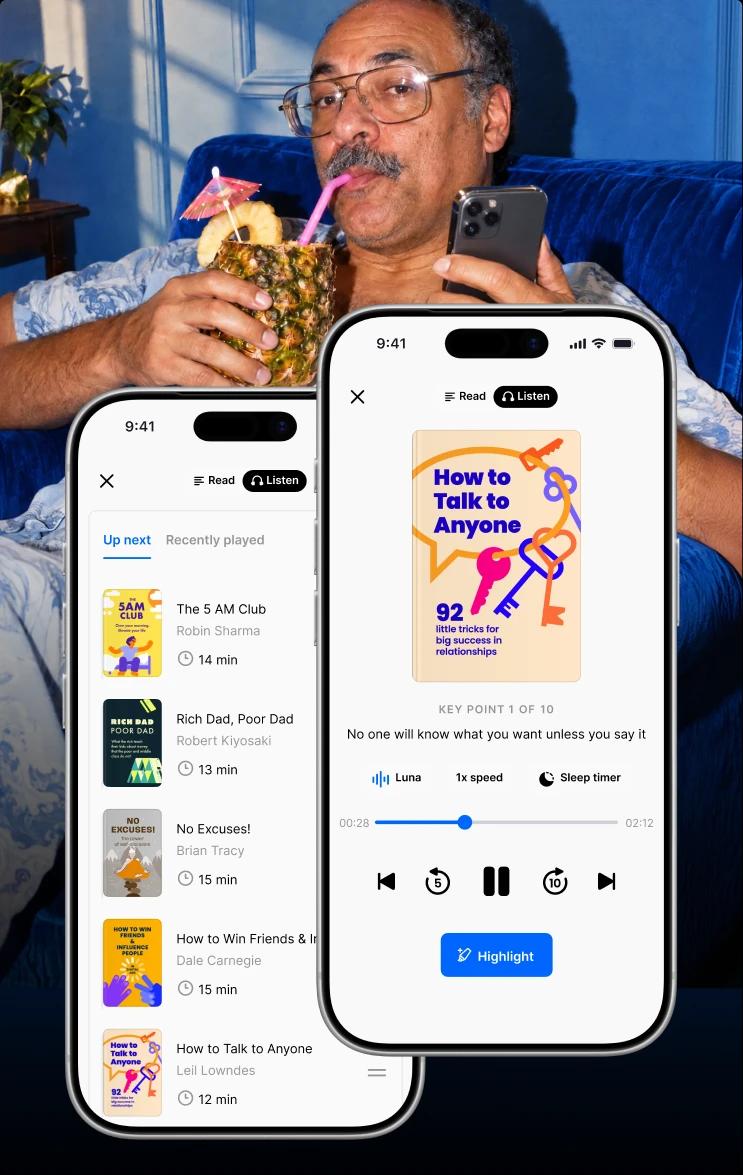
Then there's a different kind of option: Headway. It's not another library catalog. It's a microlearning app that solves a problem Hoopla can't. Headway gives you the books, delivered as clear 15-minute summaries of bestsellers, in both text and audio. So the key ideas from a great book never depend on a waitlist, a monthly cap, or whether your library can afford the service this month.
That's the heart of the Hoopla vs Headway comparison. One is a digital library app for borrowing lots of stuff. The other is a focused tool for growing a little every day. Choosing summaries doesn't mean giving up books, and it definitely doesn't mean giving up growth. It's a faster way into both. If you're the type who likes to preview ideas before committing to a full read, a good book summary app is a smart place to start, and Headway is one of the most polished around.
🤔 Curious how it stacks up against similar tools? Here's a look at Headway vs Blinkist and this Imprint app review.
| Hoopla app | Headway | |
|---|---|---|
What it is | Free library media app | Microlearning app for self-growth |
Content | Ebooks, audiobooks, comics, music, movies, TV | Bite-sized book summaries (text + audio) |
Access requirement | Participating library card | Personal account, no library needed |
Availability | Depends on the library budget and limits | Consistent access, anywhere |
Best for | Broad entertainment and casual borrowing | Building a daily learning and growth habit |
Offline
| Mobile downloads only | Yes |
Progress tracking
| No | Yes |
📘 Want a faster way to turn free moments into real learning? Try Headway and discover key ideas from bestselling books in just 15 minutes.
What real Headway users say about learning in minutes a day
Star ratings tell you one thing. Real routines tell you more. Here are a few Headway users who found a way to keep learning without carving out hours they don't have. Each one shared their own honest experience.
Herbert S. Burt, a mentor and leadership advisor, has used Headway almost every day for close to a year and, in his own words, missed only two days the whole time. What he likes most is that he can sample a book before committing to it, and when a summary really grabs him, he goes and reads the full thing.
Jessica Teitelbaum, who works in revenue operations, traded her morning scroll for a summary with her coffee. She follows themed Challenges the app suggests, and switches between reading and listening depending on how much energy she has that morning.
Deyvis Bebicaci, an executive coach, treats his 10 to 15 minutes each morning as a mental warm-up before client calls. He picks summaries based on what his clients are wrestling with, then works one idea into a conversation that same day.
Ivan Karačić — a software developer, triathlete, and dad of three — got through more than 120 summaries in four months, mostly on early walks while the house was still asleep. For him, summaries act like a filter: some are plenty on their own, and others send him to the full book.
Abdelrahman Mohamed Soliman, a cost control manager, spends 20 minutes on one key idea before work. He says the habit helped him slow down under pressure. As a colleague put it, "You don't rush decisions anymore — you frame them."
Different jobs, different schedules, same pattern: a few focused minutes a day, ideas they can actually use, and books that fit around real life instead of the other way around.

Turn spare minutes into a daily growth habit with Headway
So, what's the right pick? If you want a free, all-you-can-borrow library and your local branch supports Hoopla, it's a solid choice. Grab a novel, queue up a movie, and enjoy.
But if your goal is to keep learning without waitlists, budget caps, or a 300-page book staring at you from the nightstand, a microlearning app fits better. Headway hands you the key ideas from the world's best nonfiction in about 15 minutes, in text or audio, with progress tracking so those short sessions actually add up over time. It's like having a personal nonfiction shortcut in your pocket: preview a book's big ideas first, then decide which ones are worth the full read.
You don't have to trade books for growth, or growth for a busy schedule. Start growing with Headway today and turn a few spare minutes into something that sticks.
FAQs about the Hoopla app
What is the Hoopla app?
The Hoopla app is a free service that lets you borrow digital media using a library card. You can read ebooks and comics, listen to audiobooks and music, and stream movies and TV shows. It runs on a pay-per-use model, so titles are always available with no holds or waitlists.
Is the Hoopla app free to use?
Yes, the Hoopla app is free for you. There's no subscription, no fee per title, and no ads. The cost is covered by your library, which pays a small fee each time you borrow something. That's also why libraries often set a monthly limit on how many items you can check out.
Do I need a library card to use Hoopla?
Yes. You need a card from a library that offers Hoopla to sign in and borrow anything. Without a participating library card, you can't use the app. In some regions, you can join a nearby participating library if you qualify, which is a workaround when your home branch doesn't offer it.
What are the best Hoopla alternatives?
Libby offers the biggest library ebook and audiobook catalog, and Kanopy is better for movies. Everand is a paid, all-you-can-read option. If you'd rather learn than just borrow, Headway is a microlearning app that turns nonfiction bestsellers into quick 15-minute summaries you can access anytime.
What devices support the Hoopla app?
Hoopla works on Android phones and tablets, iPhones and iPads, Amazon Fire tablets, and computers through a web browser. For TV, it supports Roku, Fire TV, Apple TV, Android TV, and Chromecast. It does not work on basic e-ink Kindle e-readers, which is a common point of confusion.
Does Hoopla work on Android and iPhone?
Yes. Hoopla has native apps for both Android and iPhone, and they're the most popular way to use it. Both versions let you download titles for offline reading and listening. They also work with Android Auto and Apple CarPlay, so you can play audiobooks and music safely while driving.
Can I use the Hoopla app on Kindle?
It depends on your device. Hoopla runs on Amazon Fire tablets through the Amazon Appstore. It does not run on basic Kindle e-ink e-readers, the simple ones made just for reading. If you have one of those, you'll need to use a phone, tablet, or computer to borrow and enjoy Hoopla titles.
How do I watch Hoopla on TV?
You can watch Hoopla on Roku, Amazon Fire TV, Apple TV, Android TV, and Chromecast. To set up a smart TV, you'll usually enter a short pairing code that Hoopla provides. Keep in mind that Hoopla streams video in standard definition, so it won't look as crisp as a paid streaming service.
What can I borrow on Hoopla?
Hoopla lends ebooks, audiobooks, comics and manga, music albums, magazines, movies, and TV shows. You can also use BingePass for a week of unlimited access to a whole collection, or SeasonPass for a full TV season, and each of those counts as just one of your monthly borrows.