Self-growth
 Apps & Digital Tools
 Business & Career
 Success
 Growth Tools
 Psychology
 Communication
 Relationships

You sit down to work, and about thirty seconds later your thumb is already sliding toward Instagram. You didn't decide to do it. It just happened.
That reflex is exactly what Focus Friend is built to interrupt, and it's why this Focus Friend app review exists. Created by YouTuber Hank Green, the app pairs a plain old focus timer with a small bean character that knits while you work — and gets visibly sad if you bail. It shot to the top of the US App Store, and people who normally roll their eyes at productivity apps genuinely love it.
I pulled apart the features, the pricing, and the psychology to answer the only question that matters: is the Focus Friend app worth it, or is it just a cute gimmick? And because a focus timer only solves half the attention problem, I'll also cover what to do with the time you win back.
📘 If you already know you want to put those reclaimed minutes somewhere useful, Headway is worth a look.
Quick answer: Focus Friend by Hank Green at a glance
Short on time? Here's the whole Focus Friend app review in one screen — what it is, what it costs, who it suits, and the one catch worth knowing before you download.
All app features described in this article are accurate as of September 2026. Prices and details may vary by region, promotion, or app update.
What is Focus Friend, and how does the app work?
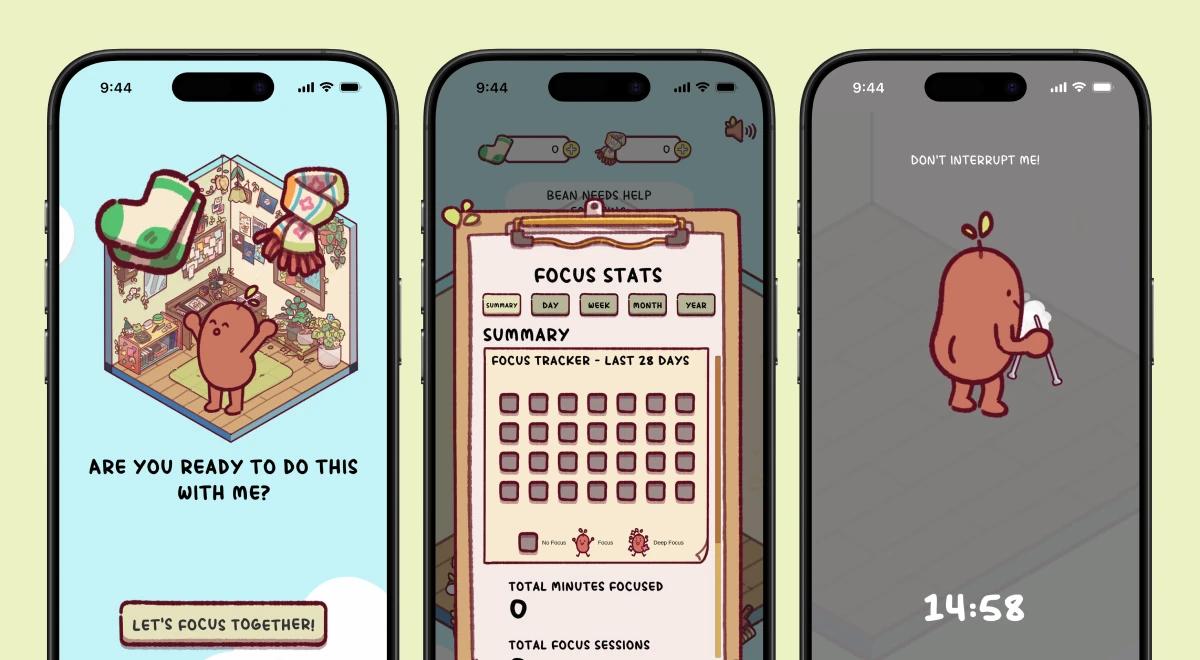
The concept is simple enough that it fits in one sentence: you set a timer, and as long as you stay focused, your bean companion keeps knitting. Peek at your phone mid-session and you can watch it continue knitting away; when the session ends, the bean hands over socks (and scarves, if you're a Pro user) that you spend on furniture to decorate its little room.
The clever part is the stakes. If you leave the app or open something you've blocked, the bean drops its stitches and looks crushed — and that session's rewards are gone. It's a low-pressure version of accountability that somehow lands harder than a plain countdown clock.
On its own site, Focus Friend leans hard on its résumé: it markets itself as the #1 app in America and a Google Play App of the Year winner, and by its own numbers it claims a 4.8 App Store rating and well over a million downloads. Take the self-reported figures with the usual grain of salt, but the popularity is real — it went viral for a reason.
Focus Friend app features worth knowing
Here's what you get once you're in, without repeating the pitch.
The focus timer. You set a session anywhere from 5 to 120 minutes, tap start, and put the phone down. On iOS, a Live Activity keeps the bean's progress on your lock screen, so you can glance at your knitting-in-progress without unlocking anything.
Deep Focus Mode. This is the real muscle behind the app. It locks the distracting apps you choose — social media apps like Instagram and TikTok, or any other apps that pull you off task — during a focus session, hooking into iOS Screen Time for the blocking (it's on Android now too).
Fair warning from Focus Friend's own support notes: if you already run another Screen Time-based blocker like Opal or Forest, Apple doesn't love two of them fighting over the same setting, and the allow list can misbehave. That's worth knowing before you download.
Pomodoro-style breaks. The app nudges you toward short breaks between focus sessions, and instead of leaving that time dead, you spend your earned socks decorating the bean's room. It's a small trick, but redirecting break time into the app rather than back into the feed is smart.
Rooms, rewards, and bean skins. Complete a session, and you earn socks to spend across three rooms — a living room, a kitchen, and a bedroom — with scarves buying the fancier pieces, so the effort you put in literally shows up as decor. The team has said more rooms and new content are on the way in future updates.
You can also dress up your bean friend, picking from a Coffee Bean, Edamame Bean, Pinto Bean, and even a Hank Bean and John Bean — a wink at Hank Green and his brother John Green of Vlogbrothers. It's gentle, collect-as-you-go gamification: your cute little bean is a companion, not a demanding pet you have to keep alive.
📘 The bean keeps you off your phone. Headway gives you something worth putting in your ears for the moments you're not staring at a screen.
How much does the Focus Friend app cost? Free vs Pro
Good news first: the Focus Friend app is genuinely usable for free. The free version includes the core focus timer and a basic bean, which is enough to test whether the whole "don't disappoint the bean" thing works on your brain.
Focus Friend Pro adds extra rewards (scarves, which unlock rooms faster and buy Pro-only decorations) and unlocks more of the app. Pricing, as of September 2026:
Monthly: $3.99
Yearly: $19.99
Lifetime: $39.99 one-time
There are also à la carte in-app purchases for cosmetic bean skins and packs, running roughly $2.99 to $5.99, with the occasional larger bundle. The team's stated reason for charging at all is that it keeps the app ad-free and privacy-first, with no data harvesting — which, honestly, is a refreshing pitch in this category.
Bottom line on price: at $19.99 a year or a one-time $39.99, the Focus Friend app pricing is on the cheap end for what it does. Nobody's getting gouged here.

Focus Friend app pros and cons
Every app has trade-offs. Here's the honest ledger.
What works:
Positive motivation, not shame. The bean gets sad, never angry — no scolding, just kind words and a fresh start next time. For a lot of people, that's easier to answer to than a punishing streak counter.
Deep Focus Mode blocks things. It's not just a timer you can ignore — it puts real friction between you and the apps that eat your day.
It's cheap and ad-free, with no data collection.
Genuinely charming. The art and the knitting bit make you want to start a session, which is half the battle.
Where it falls short:
It's a one-trick pony — a very good trick, but one trick. It protects your focus; it doesn't fill it.
The blocking can get finicky if you run another Screen Time app alongside it.
No native desktop app yet, so if you work on a laptop all day, your accountability partner is stuck on your phone.
The rewards can plateau once you've decorated everything you care about.
Focus Friend for ADHD and the body doubling effect
This is where the app earns its fans. Focus Friend is widely used as a focus friend app for ADHD, and the reason is a concept called body doubling.
Body doubling is when you work alongside another person — in the room or on a screen — and their presence alone makes it easier to stay on task. They don't do your work; they're just there, quietly focused, so you focus too.
It's more than folk wisdom, too: in a 2024 study published in PLOS ONE, researchers surveying adults with ADHD found that body doubling was widely reported to help with task initiation, focus, and follow-through. Focus Friend fakes that presence convincingly. Your bean is quietly knitting, relying on you not to wander off, and for a surprising number of people, keeping a small promise to a cartoon legume beats relying on willpower alone.
The rest of the design supports the same idea: no guilt trips, small visible rewards, and sessions short enough that starting doesn't feel like a commitment. If you've bounced off rigid productivity systems before, the low-stakes, kind approach is the whole point.
The one honest caveat: it's a tool, not a cure. On a genuinely bad brain day, no bean is going to override exhaustion. It works best when you're willing to start a short session and let the character keep you company — not when you expect it to do the focusing for you.
Where Focus Friend stops, and Headway picks up
Here's the thing a lot of reviews skip. Focus Friend answers one question really well: how do I stop touching my phone? It doesn't answer the next one: what do I do with the attention I just got back?
That's not a knock. They're simply different jobs. Focus Friend is a focus timer for phone-down deep work — studying, writing, coding, the stuff where the best move is to not look at a screen at all. But most of us also have a second category of time entirely: the commute, the walk, the gym, the chores, the ten minutes in line where the phone comes back out and the doomscroll creeps in.
A blocking app can't help you there, because you're not trying to block that time — you're trying to use it in a productive way.
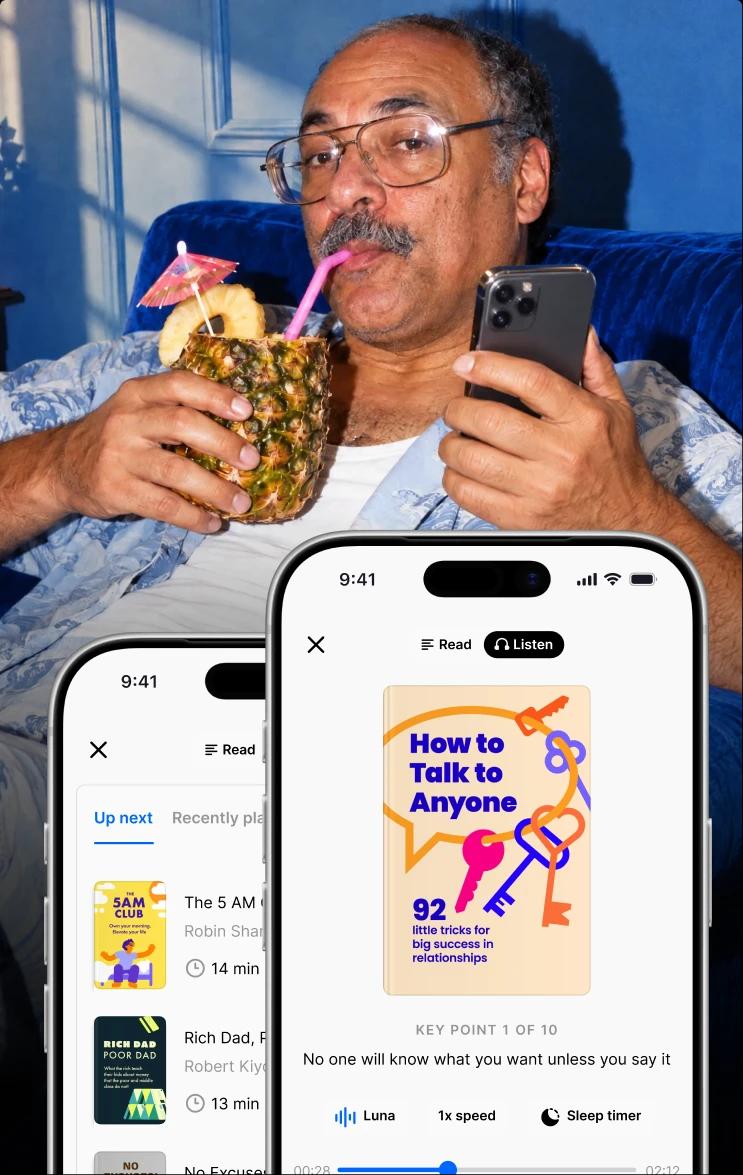
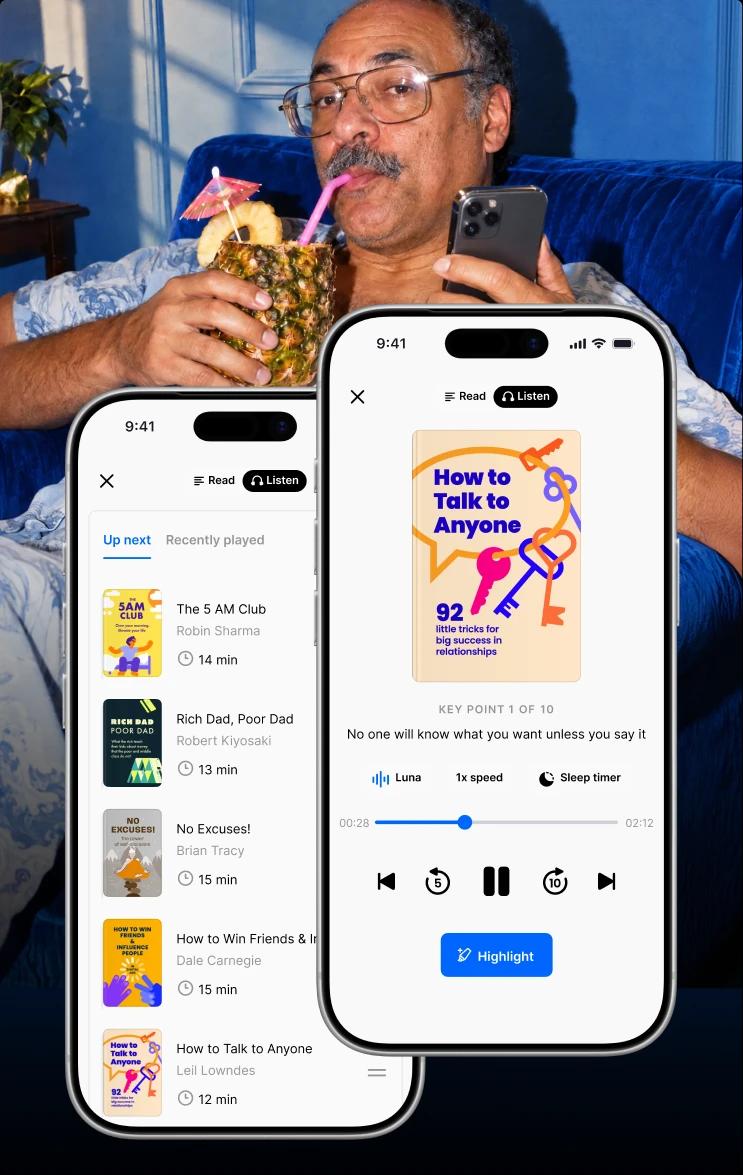
That's the gap Headway fills. It's not a focus app, and it's not a competitor to Focus Friend — it's a bite-sized learning app with 2,500+ book summaries you can read or, more usefully here, listen to in about 15 minutes.
Hands-free audio, CarPlay and Android Auto support, and offline downloads mean it slots into exactly the moments Focus Friend's phone-down model can't reach: your run, your drive, your dishes. Use the bean to protect deep work; use Headway to turn dead time into something that sticks. Plenty of people happily run both.
You can see the pattern in how real users actually use it. Software engineer Enrique García Galán swapped his 20 minutes of morning scrolling for daily summaries and got through 58 of them in a year — the same trick Focus Friend is nudging you toward, aimed at a different slice of the day. Freelance writer Israel Erick López Andrade leans on Headway's growth plans, including pointed ones like Eliminate Digital Distractions and Learn ADHD Patterns, and listens on his morning run before a long workday.
The audio angle is where it really complements a focus tool. Ivan Karačić — a developer, triathlete, and parent of three — finished 120+ summaries in four months, mostly on early-morning walks and recovery runs, because that's time a screen blocker simply can't touch.
And cost control manager Abdelrahman Mohamed Soliman built a 20-minute morning habit that shifted him from constant firefighting to strategic leadership; his line, "20 minutes of thinking saves hours of rework," is basically the ROI case for protecting and then filling your focus. If you want the long view, one writer documented what six months of this microlearning habit did to her focus and mood, with the concentration gains showing up by month two.
📘 Point your reclaimed minutes somewhere that pays off — see what Headway would recommend for you.
Focus Friend app alternatives
If Focus Friend doesn't click, you've got options. The obvious comparison is Forest, the plant-a-tree focus app that works on nearly the same guilt-and-reward logic; if the bean isn't your vibe, the tree might be. Other gamified timers and plain Pomodoro apps cover the same ground with less personality.
If what pulls you toward a focus app is the urge to spend your time better, the more useful comparisons are on the learning side. It's worth a look at Headway vs Blinkist, whether Blinkist is worth it, and whether Audible earns its subscription for the audio crowd.
For the visual learners, the Imprint app review is a good starting point, and if you're comparing summary apps specifically, the 4books and Uptime reviews plus Sumizeit vs Blinkist cover the field. Chasing a different skill entirely, like a new language? The Rosetta Stone vs Duolingo breakdown is a handy detour.


The verdict: is the Focus Friend app worth it?
Yes — if you know what you're buying. Focus Friend is a lovely, effective focus timer with a genuinely clever hook, a fair price, and no ads or data grabbing. For students, people with ADHD, and anyone whose real problem is picking up the phone in the first place, it's an easy recommendation.
It costs nothing to download Focus Friend and try the free version, and Pro is cheap enough that the decision is low-risk — the money side is hard to argue with. If you do commit, using Focus Friend consistently for a week or two is the real test of whether the bean sticks.
Just go in clear-eyed about the ceiling: it guards your focus, but it doesn't give that focus anything to do. It's one excellent instrument, not a whole toolkit.
Win back your attention with Focus Friend — then feed it with Headway
To wrap up this Focus Friend app review, here's the setup that works. Let Focus Friend do what it's great at: fence off the deep-work blocks where the phone needs to stay face-down. Then let Headway handle the rest of your day — the commute, the workout, the walk, the idle minutes you'd otherwise hand back to the feed, Shorts on YouTube, or games.
Instead of scrolling, you get a 15-minute idea that lands on your career, your relationships, or how you show up for your kids, delivered by audio so you can hear a big idea without even looking down.
Trusted by 60M+ people across 170+ countries and named one of TIME's Top 5 EdTech Companies of 2025, Headway builds you a personalized plan around your goals, keeps a gentle streak going, and resurfaces the key ideas so they stick. Start with one free summary a day and see if the swap holds.
Tell Headway what you're working on and get a learning plan built for the pockets of time you already have.
FAQs about the Focus Friend app
Can you use the Focus Friend app offline or on multiple devices?
The focus timer and your bean's room work without a constant connection, since your progress lives on your device rather than in the cloud. That's a plus for privacy, but it also means there's no cross-device sync yet — your socks and decorations don't follow you from an iPhone to an iPad automatically. Sign in with the same account on each device to keep purchases like the Pro version.
What happens to my bean if I get interrupted or a call comes in?
If you leave the app or open something blocked in Deep Focus Mode, your bean drops its stitches and looks sad, and that session's socks and scarves are forfeit. A quick incoming call is usually forgiven if you return fast, but the app is deliberately strict — that mild sting is the whole point of the accountability. Nothing is permanently lost; the next focus session starts fresh with a hopeful bean.
Is the Focus Friend app good for studying and productivity?
For many people, yes. Its Deep Focus Mode blocks distracting apps during focus sessions, and the short, low-pressure format makes it easy to start a study block or a work sprint. It's especially popular as a study timer because starting feels playful rather than punishing. Just know it manages distraction — it doesn't teach you the material.
Does the Focus Friend app help with ADHD and body doubling?
It's widely used as an ADHD-friendly focus tool. The bean acts as a virtual body double — a quiet presence "working" alongside you, which many people with ADHD find easier to answer to than pure self-discipline. Its no-shame, small-reward design fits how a lot of ADHD brains respond to gentle external structure, though it works best as one tool among several, not a cure.
Is the Focus Friend app on iOS and Android?
Yes. Focus Friend is available now on iOS, iPadOS, and Android, with full features including Deep Focus Mode and Pomodoro-style breaks. Native Windows and Mac apps are still in development. On Apple Silicon Macs, you can run the iPad version, though the blocking features may be limited since they rely on iOS-style Screen Time.
Focus Friend vs Forest: which focus app is better?
Both gamify focus with a cute reward — a knitted room versus a growing tree — and both use gentle guilt to keep you on task. Focus Friend leans into the body-doubling feel and positive motivation; Forest has a longer track record and a bigger ecosystem. Try the free version of each and keep whichever hook your brain responds to.
Does the Focus Friend app play music, and can it run in the background?
Yes to both. Focus Friend includes a cozy soundtrack that plays while your bean works, and in the Sound settings you can toggle music to keep playing even when the app is closed. On iOS, a Live Activity shows your session on the lock screen, so the focus timer keeps running in the background while you leave the phone face-down.
Does the Focus Friend app help with procrastination?
For a lot of users, yes — because it lowers the barrier to starting, which is where procrastination usually wins. Setting a short 5- or 10-minute focus session feels harmless, and not wanting to disappoint the bean gives you a small reason to keep going. It won't fix deep avoidance on its own, but as a gentle nudge to begin a task, it's genuinely effective.
Is the Focus Friend app worth it if I already own a Pomodoro timer?
If your current timer is easy to ignore, then probably yes. The difference isn't the countdown — it's the body doubling and the emotional stakes that a plain Pomodoro timer lacks. Focus Friend layers app-blocking and a reward loop on top of the technique. If you want to fill the focused time you protect with something useful, pair it with a learning app like Headway to cover the other half.