Self-growth
 Apps & Digital Tools
 Business & Career
 Success
 Growth Tools
 Psychology
 Communication
 Relationships

You reach for your phone before your eyes fully open, and the alerts are already stacked up. That's how a lot of digital burnout days begin. In April 2020, UK adults spent an average of four hours and two minutes online every day, according to Ofcom, which is more than a quarter of their waking hours.
This guide gives you a quick self-check, the research behind the fatigue, and a reset plan you can start tonight. Short reading can replace some of that scroll time, too.
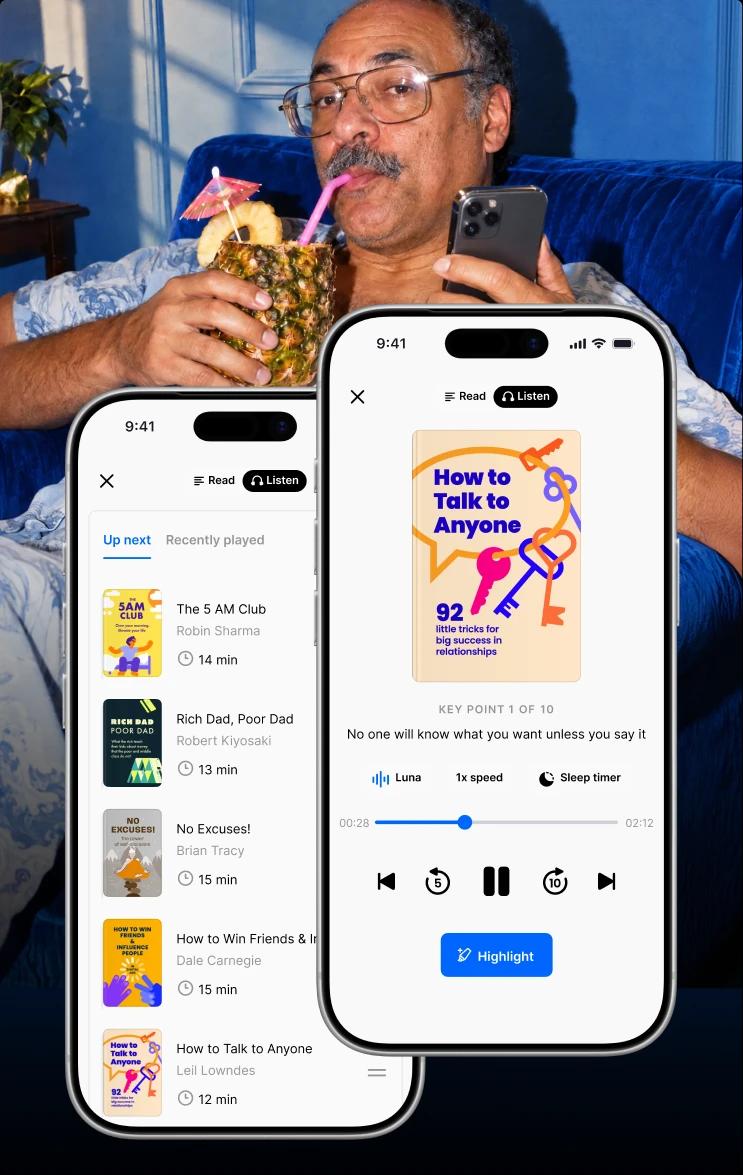
Headway turns bestsellers into 15-minute summaries in text and audio, including ideas from Johann Hari, Emily and Amelia Nagoski, Catherine Price, Adam Alter, and W. Chris Winter.
Download the Headway app and swap one scroll session for something that actually sticks with you.
Disclaimer: This article is for general information. If you have symptoms of burnout, consult a specialist. Headway is not a diagnostic tool or a medical tool. It's a microlearning and daily growth app, and results vary.

Quick summary: Digital burnout in five quick points
Here's the short answer: too many screens and too little downtime wear you out, and small boundaries help you recover.
Digital burnout is exhaustion caused by too much screen time and constant connectivity.
Common signs include mental fog, eye strain, trouble sleeping, and feeling on high alert.
Late-night scrolling and blue light can cut into melatonin and sleep quality.
Doomscrolling raises stress, and heavy screen use is linked to weaker focus and memory.
Set boundaries, take regular breaks, and use book-backed habits to recover step by step.
Keep reading for the full 7-day plan, the research, and a quick self-check.
What is digital burnout? A plain-language definition
Digital burnout is physical and emotional exhaustion that builds up from long hours of screen use and constant connectivity. Work, news, and friends all reach you through the same digital devices, and nothing switches off, even at night.
The sources pile up fast: group chats, email, news alerts, and video calls. Some people call the result digital fatigue or digital overload. Others say screen overload. The labels change, but the pattern stays the same.
Digital technology is useful, yet modern life has pushed it into every corner of our everyday lives, and your digital life rarely clocks out.
Digital burnout is not an official medical diagnosis. Researchers are still working out how to measure it. One recent paper defines the term and presents a validated Digital Burnout Scale.
Here's a scene you might know. It's 4 p.m., and you've been in tabs and meetings since 9. You scroll for a break, and ten minutes later you feel worse. That tired-brain feeling is called mental exhaustion, and digital burnout is one fast route to it. Mental fatigue like this builds quietly.
📘 Try a quieter way to recharge your mind on Headway!
Digital burnout vs regular burnout: What's actually different?
Digital burnout vs regular burnout comes down to where the strain comes from. Here's the side-by-side view.
| Digital burnout | Regular (workplace) burnout | |
|---|---|---|
Main trigger | Constant connectivity, notifications, and screens across work and free time | Chronic workplace stress that hasn't been well managed |
Where it shows up | Work, home, sleep, and social life at once | Mostly around the job |
Typical signs | Mental fog, eye strain, trouble sleeping, feeling on high alert | Exhaustion, cynicism about work, feeling less effective |
What helps first | Digital boundaries, regular breaks, screen-free time | Workload changes, support, real recovery time |
The two can overlap, and one can feed the other. Say your job is demanding and your evenings are all group chats and scrolling. The workday stress rides along on your phone. Fixing the job alone won't help much if the screen load stays, so it pays to look at both. Our guide to the symptoms of burnout covers the full picture.
Signs of digital burnout: What a screen-heavy day feels like
It's 3 p.m., and your brain feels like static. Your phone buzzes, and your stomach drops before you even look.
You read one page, check your phone twice, and start the page over. Later, you scroll without enjoying a single post. After a full day online, you're tired from sitting, and you can't say why.
These common symptoms build slowly so that they can pass for ordinary stress. A rough week and digital burnout look alike at first. What gives it away is how long it lasts. If it shows up mostly at work, our guide to the signs of burnout at work can help you sort it out.
Symptoms of digital burnout
Mental: Mental fog, trouble focusing, and feeling mentally drained.
Physical: Eye strain, headaches, and trouble sleeping.
Emotional: Irritability, feeling overwhelmed, and a constant sense of high alert.
Say you've had six video calls since morning. By 5 p.m., your eyes ache, you snap at a family member, and you open Instagram to "relax" anyway. That's all three symptom types in one afternoon, and the pattern matters more than any single bad day.
Why too much screen time wears you down
Screens aren't the villain here. A day with too much screen time and no breaks just leaves your body and brain no time to recover. Excessive use adds up in five ways.
Constant connectivity keeps your body on high alert
Constant notifications and group chats keep you in "someone needs me" mode. Your nervous system, the network that runs your stress response, treats each ping like a small alarm. The fear of missing out (FOMO) keeps you checking. Every ping feels minor, but together they add up to significant stress by evening, and chronic stress makes rest feel less restful.
Blue light and late scrolling cut into your sleep
Excessive screen time can disrupt sleep patterns and reduce sleep quality. Harvard Health reports that light at night suppresses melatonin, and that blue light did so for about twice as long as green light in one experiment. Lower melatonin production can mean trouble sleeping, and sleep is essential for recovery. Sleep problems and screens feed each other, because poor sleep makes tomorrow's screen fatigue worse.
📘 Get a calmer wind-down with short audio summaries on Headway!
Doomscrolling feeds stress and anxiety
Doomscrolling can lead to increased feelings of anxiety and stress, plus emotional strain. In a study of about 1,100 adults, researchers led by McLaughlin found that 16.5% showed signs of "severely problematic" news consumption. That group reported more stress and poorer health. The study shows a link. It can't prove that news use causes the stress.
Focus and memory take a hit too
Excessive screen time can impair memory and cognitive processing. A 2020 study in Nature found that heavier media multitasking was linked to more attention lapses and worse memory. Stanford's plain-language summary walks through the same results. The authors stress this is a correlation, so it shows an association and doesn't prove cause. Lost focus still drags down productivity.
Mood, anxiety, and younger users
Digital burnout can worsen symptoms of anxiety and depression. A 2023 study of remote workers by Consiglio and colleagues linked tech stress and burnout to anxiety and depressive mood.
For younger people, a 2016 systematic review found that higher recreational screen time is linked to poorer mental health in kids and teens, especially past 2–3 hours a day. These mental health challenges build over time, which is why small daily limits work better than one big weekend detox.
Digital burnout self-check: How many of these sound like you?
A digital burnout self-check takes about a minute, and you don't need to sign up for anything. Give yourself one point for each statement that fits.
You grab your phone within minutes of waking.
You feel tired after a full night in bed.
Your stomach drops when your phone buzzes.
You can't read a page without checking something.
Your eyes feel dry or achy by afternoon.
You scroll even when you aren't enjoying it.
You feel foggy after a day of calls and tabs.
0–2 points: Try one small boundary this week, like keeping the first hour after you wake phone-free.
3–5 points: Try the 7-day reset below. Our guide to the 12 stages of burnout shows how the pattern can progress.
6–7 points: Talk to a professional, and use the reset below as gentle support alongside that care.
📘 Test a calmer daily routine with bite-sized summaries on Headway!
Top five tips from productivity experts
Reading is one of the smartest ways to train your brain, but whole books take time. Headway summaries make every minute count. If you're unsure which book to open next, read the summary first, then decide what deserves a full read.
The app has a clean design, quick text and audio formats, and progress tracking. Summaries are a source of practical strategies to try. They don't replace care from a specialist.
1. 'Stolen Focus' by Johann Hari: Why willpower alone can't fix your attention
Hari describes many forces pulling at your attention at once, so changing your surroundings matters as much as trying harder.
Exercise: Do one 25-minute single-task block with your phone in another room, and count how many times you reach for it. This feeds Day 5 of the reset below.
2. 'Burnout' by Emily Nagoski and Amelia Nagoski: Finish the stress cycle after a screen-heavy day
The Nagoskis explain that stress needs a physical way out, and a night's sleep alone doesn't close the loop.
Exercise: Take a 10-minute walk or stretch right after your last work call, and leave your phone behind. This one shapes Day 4.
3. 'How to Break Up with Your Phone' by Catherine Price: Protect your first hour
How you start your morning sets the tone for how you use your phone all day.
Exercise: Keep the first hour after waking phone-free for three days, then note how your focus feels by midday. This is Day 3.
4. 'Irresistible' by Adam Alter: Spot the hooks that keep you scrolling
Notifications and endless feeds are built to keep you in. Naming the hook makes it easier to resist.
Exercise: Turn off every non-human notification (likes, promos, and news pushes) for a week. This starts on Day 2.
5. 'The Sleep Solution' by W. Chris Winter, M.D.: Build a screen-light wind-down
Good sleep is the base of recovery, and your evening routine decides it.
Exercise: Swap the last 30 minutes of scrolling for a paper book, a short audio summary, or light stretching. This is Day 6.
A digital reset plan: One small change per day
A digital burnout reset works best in small steps, so each day adds one change. Small habits like these build digital wellness over time.
Day 1: Check your screen time. Write down your time online without judging, since spending time on your phone is hard to judge by feel.
Day 2: Turn off non-human notifications. Likes, promos, and news pushes go quiet, which shrinks the constant alerts that keep you on edge, a tip from 'Irresistible'.
Day 3: Keep your first hour phone-free. Meeting real life before your inbox sets the tone for your day, a tip from 'How to Break Up with Your Phone'.
Day 4: Take a 20-minute break outdoors. Spend time outdoors with no phone, and let the walk finish the stress cycle from 'Burnout'.
Day 5: Mute group chats and answer in batches. Pick set windows for replies, as in the single-task block from 'Stolen Focus'.
Day 6: Switch screens off an hour before bed. Avoid screens, read a paper book, or play a 10-minute Headway audio summary with the screen face down, as in 'The Sleep Solution'.
Day 7: Review and set clear boundaries. Keep what helped, drop what didn't, and write down one boundary to keep. A walk with a short audio summary counts as a keeper if it helped.
Regular breaks and offline activities carry this plan. For a longer runway, our guide on how to prevent burnout covers habits to keep going, and the mental reset guide offers a quick restart after a rough week. Taking breaks gets easier once you've done it for seven days in a row.

What Headway readers say about swapping the scroll
Plenty of readers have traded some scroll time for short summaries. Here's how a few describe it.
"I deleted social media, and this has been the perfect replacement. Turning my phone habit into a tool for self-development has so far been great."
— App Store review
"Today I took the first step in swapping my learned behavior of doom scrolling for micro learning. I'm determined to sharpen my leadership, interpersonal skills and intellect."
— App Store review
"Before discovering Headway, I would usually scroll through social media or watch TV during my coffee time. Switching to focused reading turned that moment into something more rewarding."
— Jessica Teitelbaum, Revenue Operations Specialist
"This app gives me the feeling of constant growth and learning without overwhelming me. The bite-sized summaries of books are brilliant. They're concise yet packed with insightful ideas, allowing me to grasp the essence of a book in just a few minutes."
— App Store review
📘 Start your own swap with a short summary on Headway!
Swap one scroll session for a Headway summary today
Digital burnout builds from constant connectivity, late-night light, and endless news. It eases with clear boundaries, regular breaks, and a few offline habits. Books add ideas worth trying, and short summaries make those ideas easy to fit into a packed day.
Headway gives you 15-minute summaries in text and audio, personalized recommendations, and gentle gamification like streaks. It works as a learning companion, and it isn't a treatment or a diagnostic tool. Use it as a personal shortcut: read the summary first, then decide what deserves a full read.
Try it for one week. Swap one scroll session a day for a short summary, ideally in audio during a walk.
Download the Headway app and start with Day 1 tonight.
FAQs about digital burnout
What is digital burnout?
Digital burnout is exhaustion that builds up after long hours of screen use and constant connectivity. It shows up as mental fog, poor sleep, and feeling on edge. It's not an official medical diagnosis, but researchers are developing ways to measure it. If symptoms last, a doctor or therapist can help you sort out what's going on.
What are the symptoms of digital burnout?
Mental signs include mental fog, trouble focusing, and feeling mentally drained. Physical signs include eye strain, headaches, and trouble sleeping. Emotional signs include irritability, feeling overwhelmed, and a constant sense of being on high alert. Symptoms build slowly and can look like ordinary stress, so watch how long they last. If they stick around for weeks, talk to a specialist.
How long does it take to recover from digital burnout?
It depends on the person and on how long the overload has lasted. Some people feel a bit sharper within days of better sleep and fewer alerts, while others need weeks of steady changes. Symptoms that linger, or that come with hopelessness or low mood, call for a professional's input. Headway is not a diagnostic tool.
Does a digital detox help with digital burnout?
Breaks help, but lasting habit change matters more than a one-off detox. A weekend offline can clear your head, yet old patterns return fast if notifications and late-night scrolling stay the same. Daily boundaries, screen-free time before bed, and regular breaks give your nervous system more reliable rest than a single reset.
Can digital burnout affect your physical health?
Yes. Eye strain, headaches, and poor sleep are common, and sleep loss touches energy, mood, and focus. Long hours of sitting add to the toll. Short walks between calls, screen-free evenings, and steady sleep times support your physical health and your overall well-being. Talk to a doctor if symptoms linger, because a well-being routine can't replace medical advice.
Is digital burnout the same as digital fatigue?
They overlap. Digital fatigue is the drained feeling after too much screen time, while digital burnout is a longer build-up of exhaustion and stress from constant connectivity. Fatigue is often the early warning, and burnout can follow if you ignore it for months. Both respond to the same basics: boundaries, breaks, and better sleep.
Can too much screen time cause burnout?
Too much screen time is linked to exhaustion, stress, and poorer sleep, but it's rarely the only factor. Workload, news habits, loneliness, and a lack of real breaks all play a part. Research shows associations, and it can't prove that screens alone cause burnout. Cutting screen time while fixing those other pressures is the safer way to recover.
Is digital burnout a real medical diagnosis?
No. Digital burnout isn't an official medical diagnosis, although researchers have proposed a definition and a measurement scale. Doctors and therapists look at your symptoms, sleep, and daily life to work out what's behind them. If you have symptoms of burnout, consult a specialist.